GE_UPS_OPM_TLE_SCE_M60_M80_1GB_V020.docx
User Manual TLE Series 600 & 800 CE S1
8.1.4 Restore to normal operation after “EPO - Emergency Power Off” with Load not
supplied
WARNING !
Please check and ensure the conditions of the connected load are safe before
proceeding, as this procedure will result in the connection of power to the load
circuit(s).
NOTE !
Before performing this operation, make sure that the UPS is in the following status:
“Q1 - UPS Output switch” MUST BE CLOSED.
“External Battery Protections” MUST BE DISCONNECTED.
If eBoost™ option is available, make sure that eBoost™ Operation Mode is disabled
before starting this procedure.
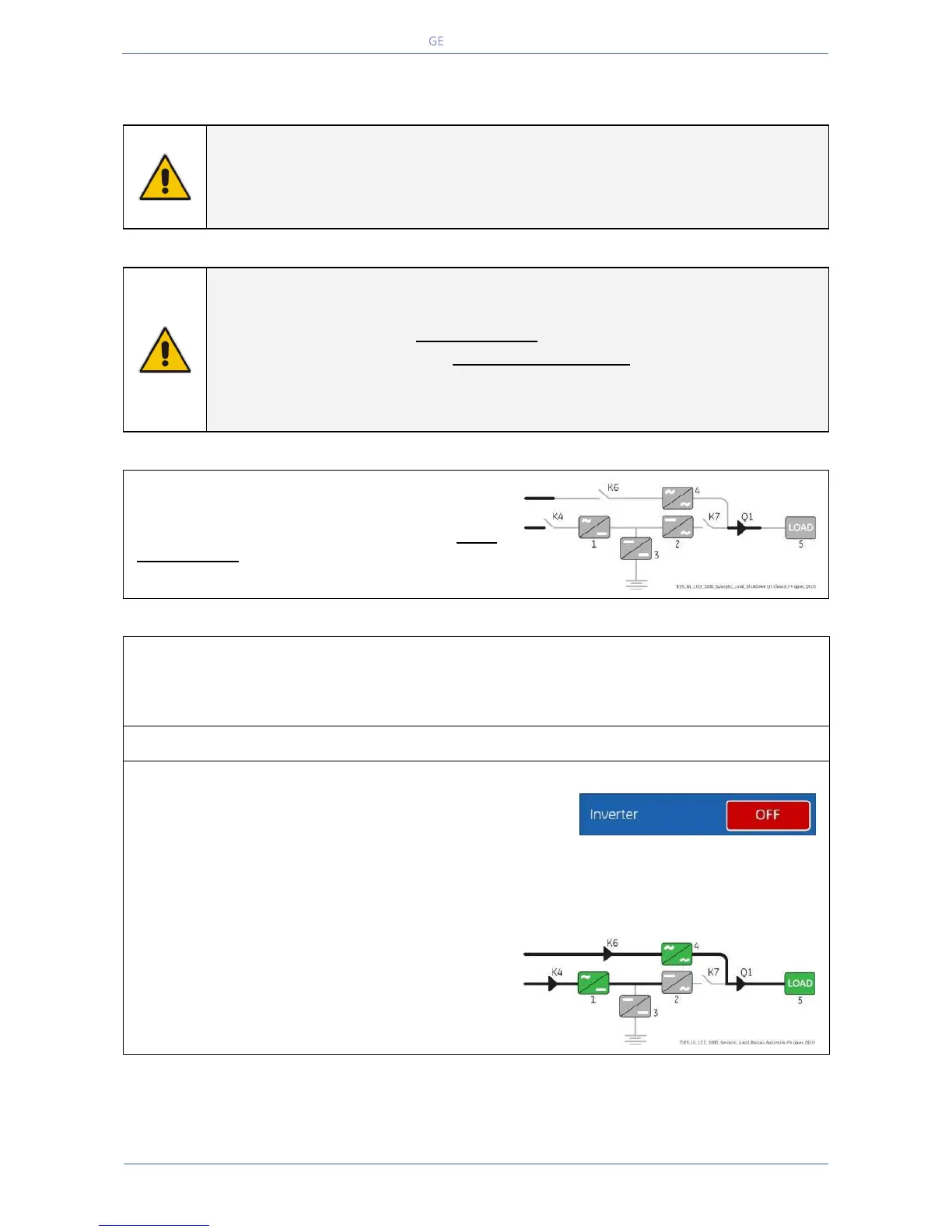
View of the Synoptic Diagram after performed the
command “EPO - Emergency Power Off” with LOAD
NOT SUPPLIED.
1. Restore the “EPO -Emergency Power Off” button.
Press “MUTE” key to reset Alarm and Acoustical Alarm.
LED ALARM remains lit.
2. Perform the “Inverter OFF” command.
Perform the “Inverter OFF” command from the
screen: Commands 1 / Inverter / OFF.
Load is transferred to Mains by Automatic Bypass.
Rectifier starts automatically.
LED 1 (Rectifier) blinking, indicates Soft-start.
At the end of Rectifier Soft-start the LED 1 (Rectifier) remains lit.
The Synoptic Diagram must display the status
“LOAD SUPPLIED BY AUTOMATIC BYPASS”.


 To Next Page