GE_UPS_OPM_TLE_SCE_M60_M80_1GB_V020.docx
User Manual TLE Series 600 & 800 CE S1
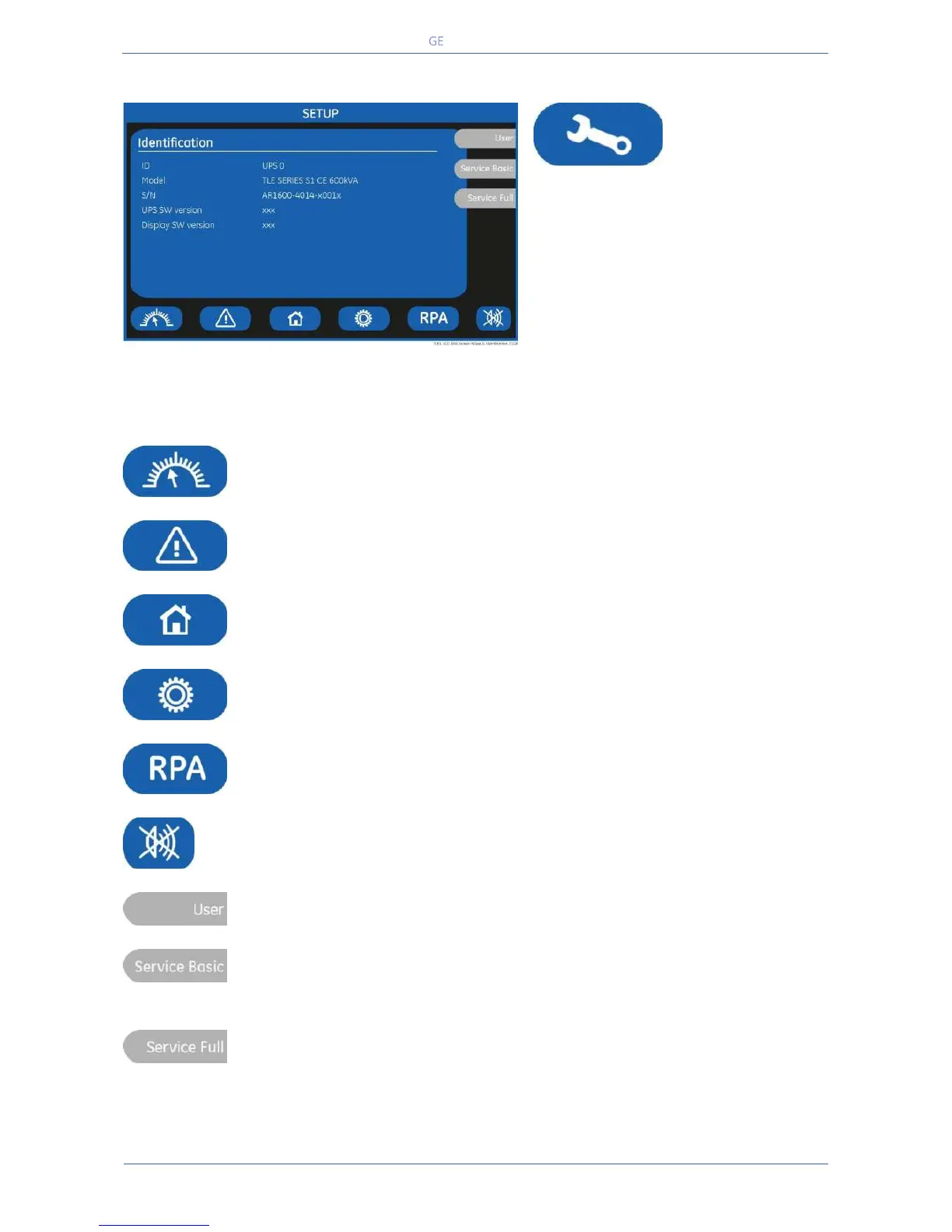
The SETUP mode is entered any time the
“SETUP” key is pressed.
This screen allows the user to modify
some parameters permitting to adapt
some functions of the UPS to his/her
needs, described as follows.
The LCD will display a series of screens
containing the user parameters,
accessible without password protection.
In this mode the keys perform the following functions:
Shows the main screen MEASURES.
See Section 7.2.
Shows the main screen EVENTS.
See Section 7.3.
Shows the main screen COMMANDS.
See Section 7.5.
Shows the operating status of the RPA PARALLEL SYSTEM.
See Section 7.6.
Key to reset general alarm and buzzer.
Shows the screen Service Basic.
Reserved for the Service Centre, at this level the parameters access is protected by a
code.
Shows the screen Service Full.
Reserved for the Service Centre, at this level the parameters access is protected by a
code.


 To Next Page