GE_UPS_OPM_TLE_SCE_M60_M80_1GB_V020.docx
User Manual TLE Series 600 & 800 CE S1
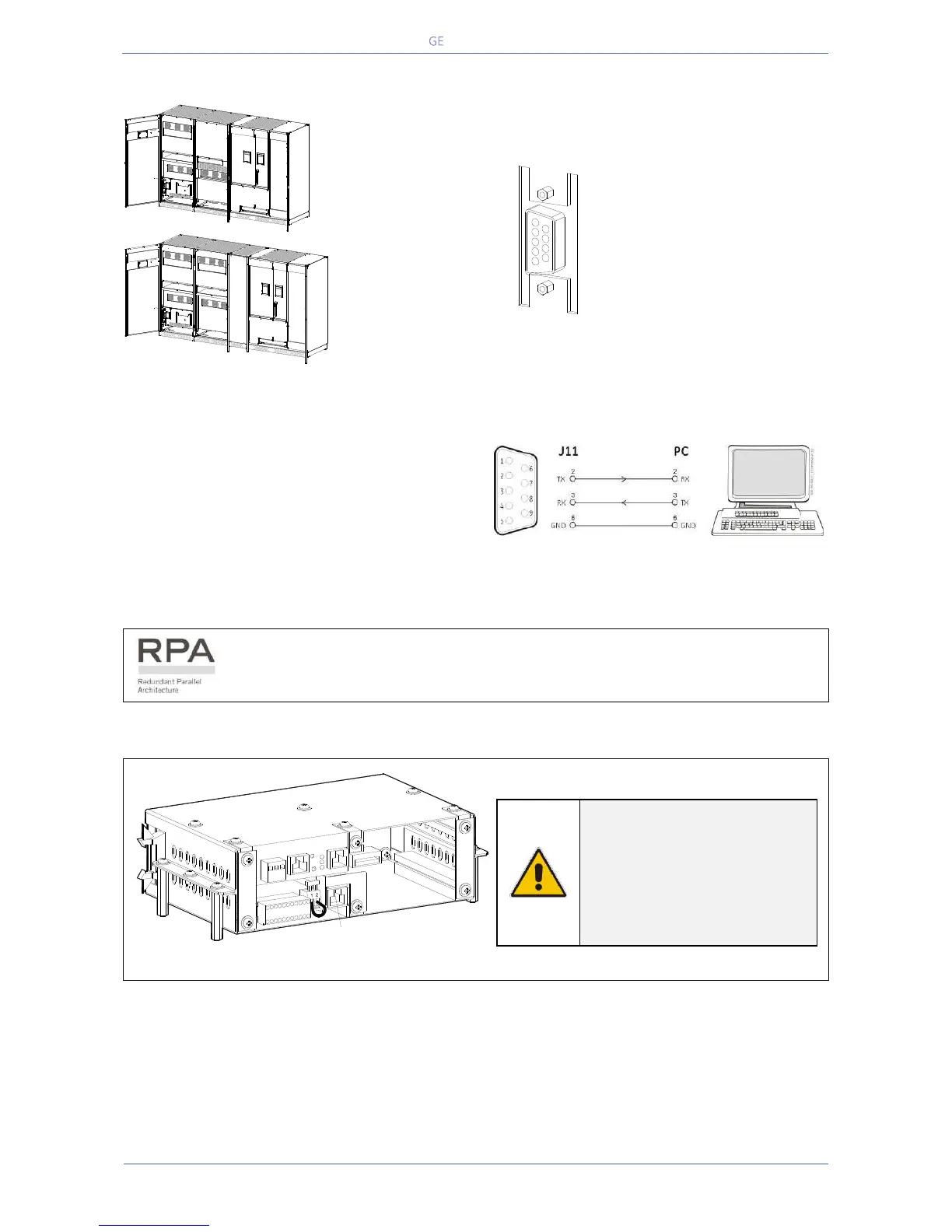
9.1 SERIAL PORT J35µP - RS232 (SUB D, FEMALE 9 PIN)
Fig. 9.1-1 Serial Port J35µP – RS232
Serial Port J35µP - RS232 for IMV
protocol
Total remote management of the
system using software GE
iUPSGuard, GE Data Protection or
GE Service Software for system
protection and management of
the UPS systems.
Connection of a serial printer
From the display panel it is possible to select
printing of measurements, alarms and parameters
(see Section 7.4 – SETUP / PRINTER).
Fig. 9.1-2 Serial port J35µP connection to PC with RS232 1:1 cable
DB9m – DB9f
The serial port J35µP - RS232 is enabled on all the units of the RPA Parallel
System.
Fig. 9.1-3 Connector J1 – RJ45 8P8C
NOTE !
The serial port J35µP - RS232
is enabled also in case the J1-
RJ45 connector of the “P4 -
Customer Interface” (see
Section 9.2.1) is already
connected.
TLE Series 800
-
+
12
Q1
0 OFF
I ON
TLE Series 600
J35µP - RS232
J35µP - RS232
J35µP - RS232
TLES_600-800_S1_UPS-J35_01
-
+
12
Q1
0 OFF
I ON
CNT_Connectivity rack_J1-RJ45_01
16
15
4
19
18
17
20
9
8
7
6
5
14
13
12
3
2
1
22
11
21
10
J1 - RJ45
SNMP card
Customer interface


 To Next Page