1. Press the knob: confirm or enter sub-menu
2. Rotate the knob: roll to choose options or change parameters
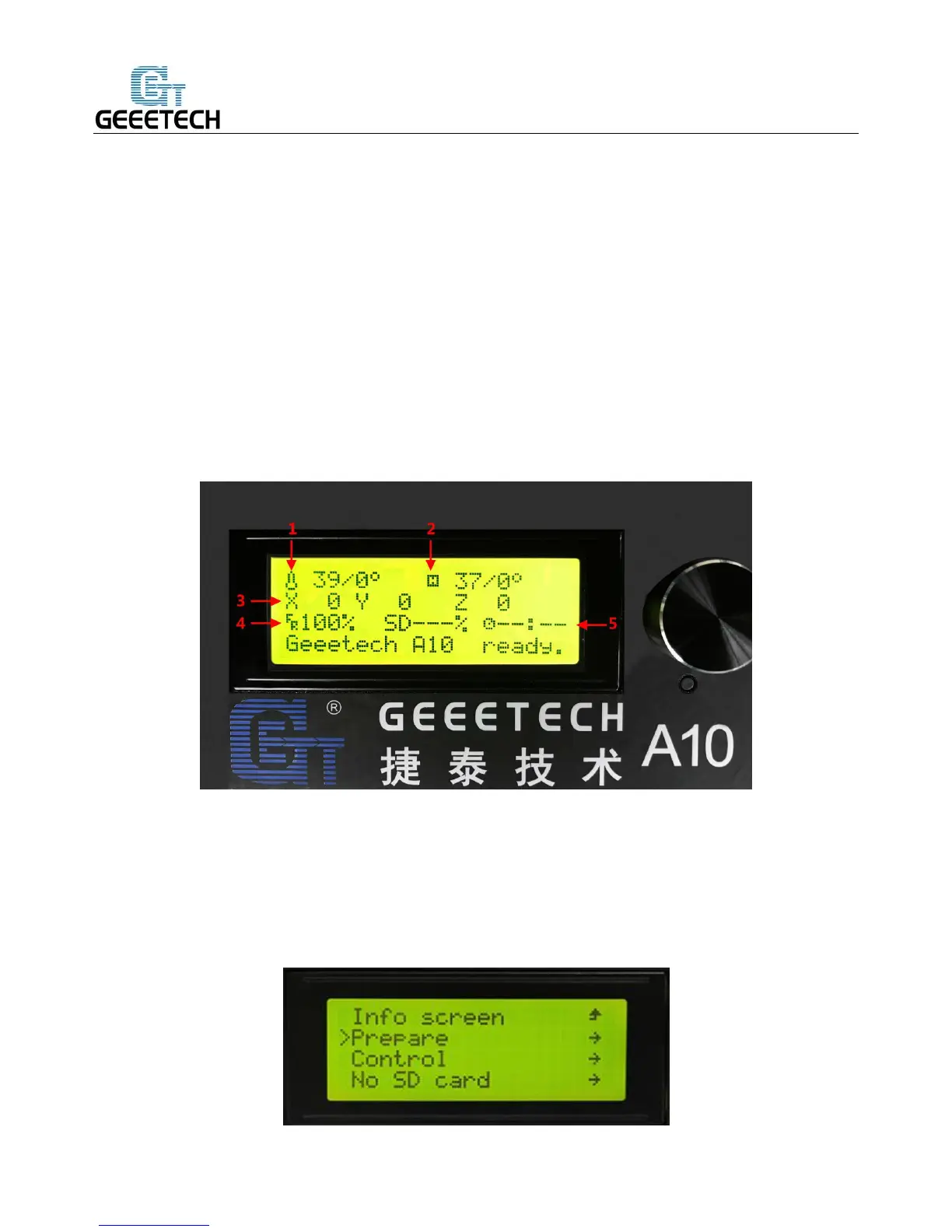
LCD homepage:
1. Extruder temperature: current temperature/target temperature
2. Hotbed temperature: current temperature/target temperature
3. Current coordinates of X/Y/Z
4. Feed rate: current printing rate
5. Current rate of printing process
Note: Rotate the knob during printing will change the feedrate in real time.
Press the knob to enter the next level menu:
1. Prepare
:
Preparing work before printing
2. Control
:
Setting of temperature and motion parameters of the printer
3. Status display of SD card



 To Next Page