Setting
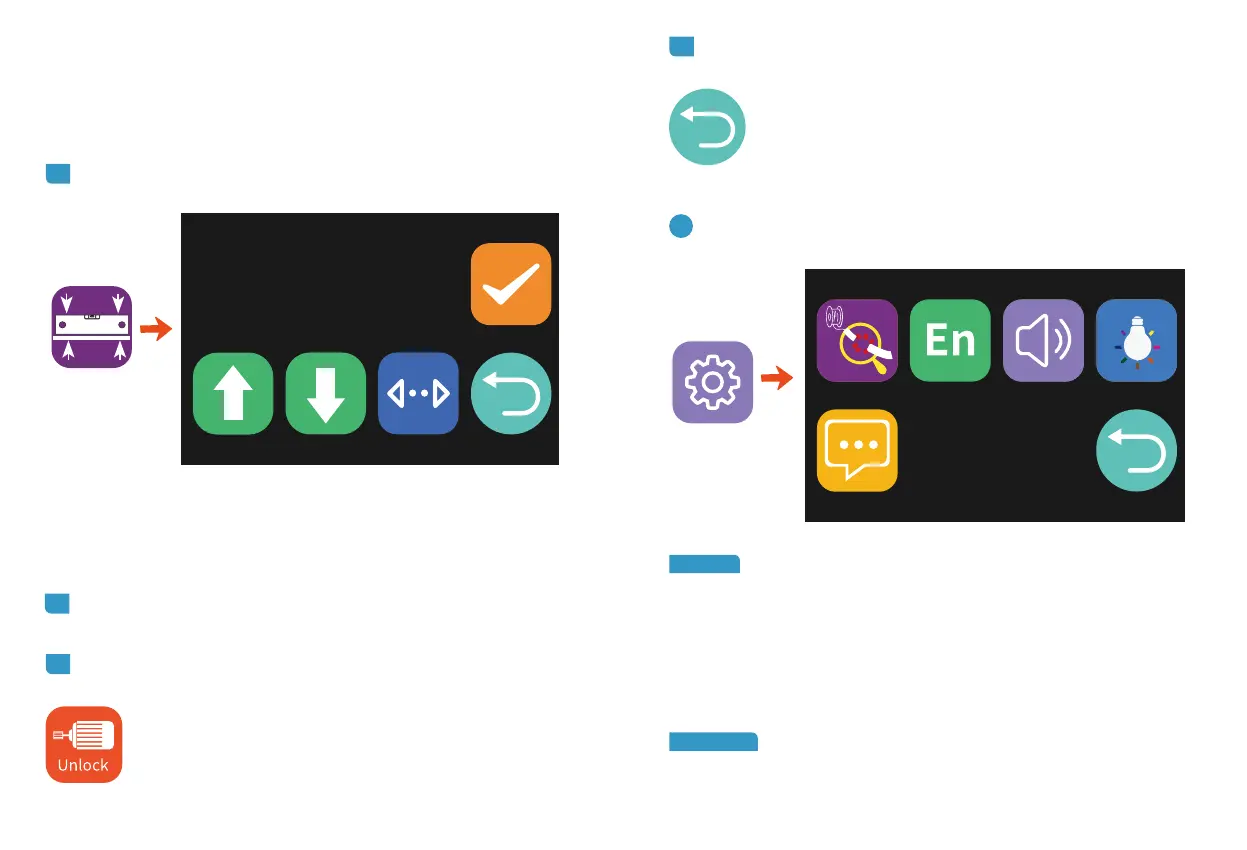
ManuLevel
12
Runout:
When the switch is turned on and the 3D printer detects the
suspend the current printing work. You can manually resume the
that the function is disabled, and the colored icon indicates that
the function is enabled.
language: To switch between Chinese and English. Default
language is English.
This function can only be used after the leveling operation is completed.
method of hot bed leveling is detailed in "9 HOTBED LEVELING" on page
14.
2.6 ManuLevel.
Manual leveling of the hot bed requires the user to manually measure
each measurement reference point. Unlike the traditional adjustment nut
of the hot bed, Mizar S uses the height of the nozzle to adjust the nozzle
9.2 on page 16 below.
Confirm
3 Setting Menu.
2.7 Unlock Motor.
2.8 Back.
This icon is used to return to upper-level menu.



 To Next Page