18
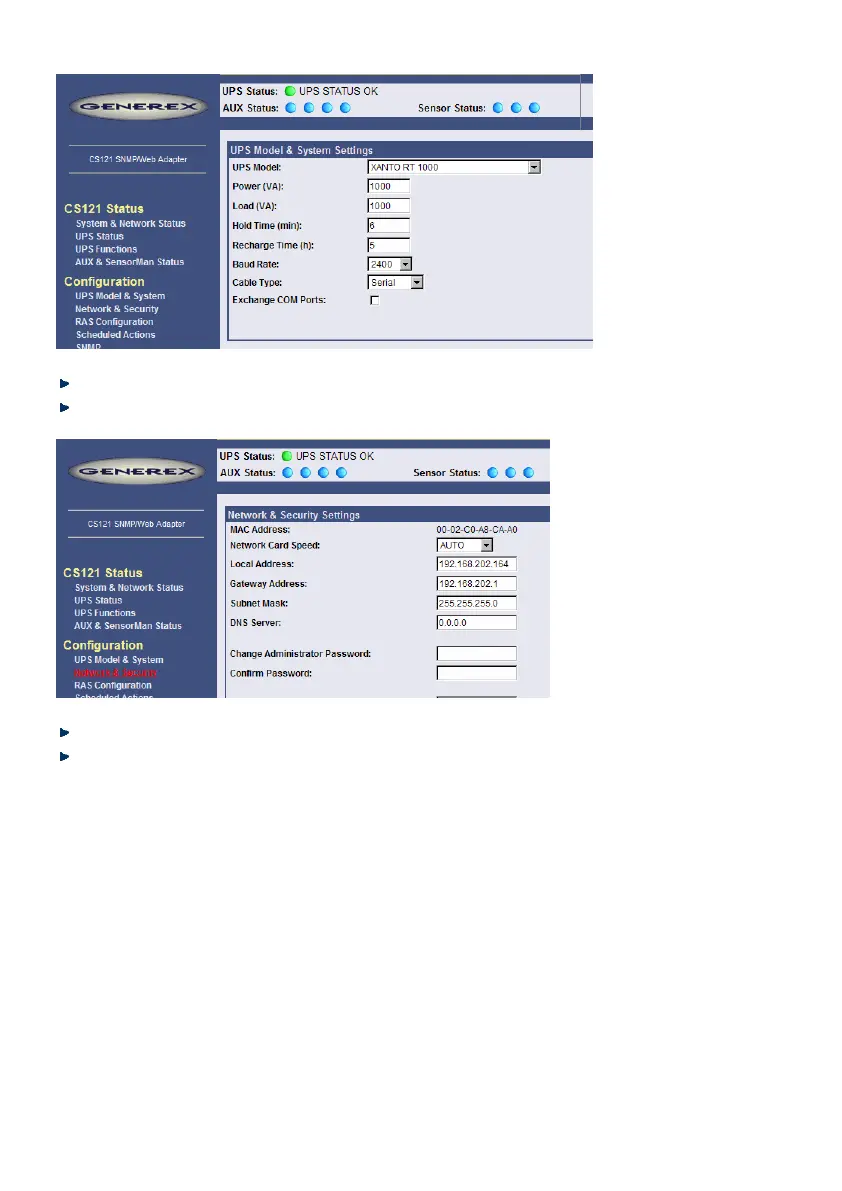
Figure 6: HTTP - UPS Model & System Settings
Apply your settings with the button at the right side.
Change to menu “Network & Security” and specify IP-address, Gateway and Subnet Mask
to the CS121-adapter.
Figure 7: HTTP - Network & Security Settings
Apply your settings with the button at the right side.
Change to menu “Save Configuration” and click “Save Configuration”.
3.3.4 Configuration using Telnet / MS-HyperTerminal
Use of Telnet, enter the command: „telnet <IP-Address>“, whereas <IP-Address> is in the
configuration mode set to 10.10.10.10. Please note, that since CS121 firmware version 4.x, the
basic settings (IP address, network settings) are at present only.



 To Next Page