63
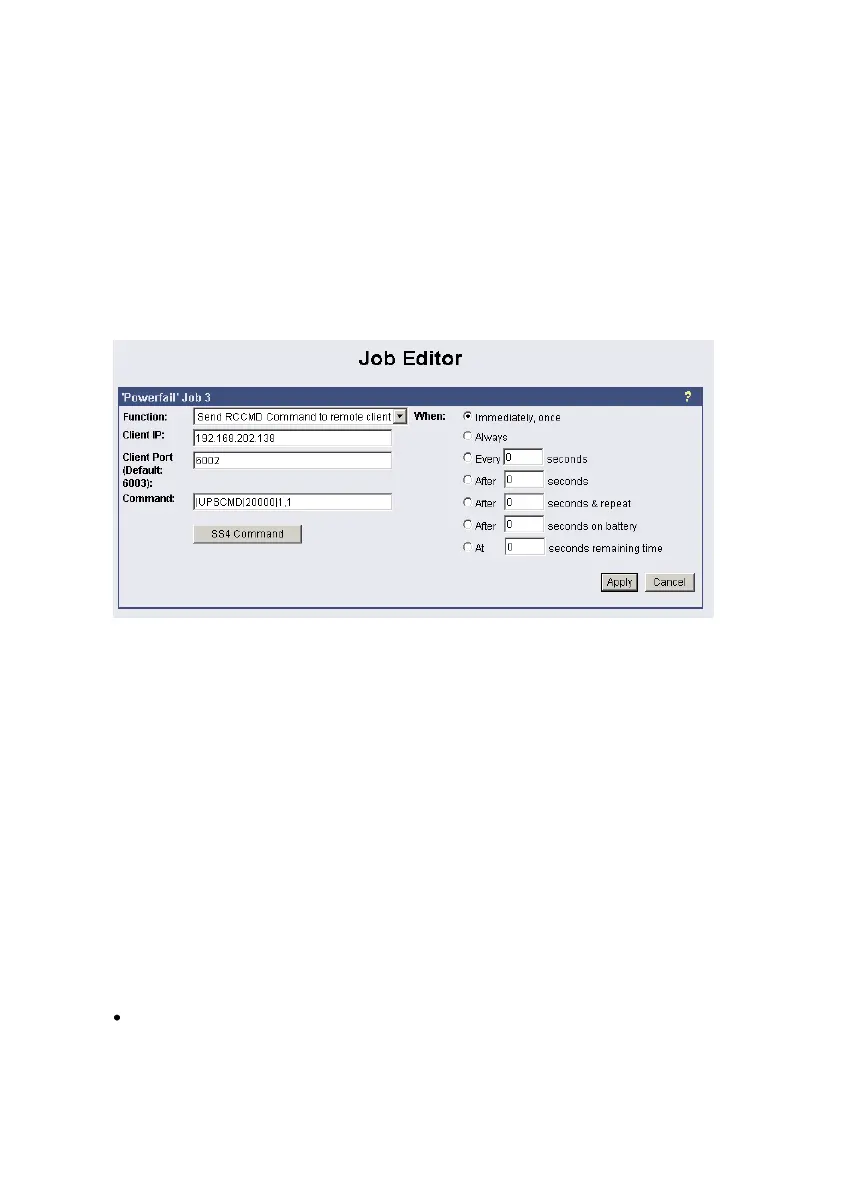
Switch Output (AUX): Syntax „|UPSCMD|20000|x,y“
where “x” is the port number from 1-8 (4 ports for CS121 AUX, SENSORMANAGER and
SITESWITCH and there are 8 ports for the SITEMANAGER)
y=1 => switch on
y=0 => switch off
“20000” is the command to switch outputs. (for other commands please contact GENEREX
support)
Syntax examples:
|UPSCMD|20000|1,1 = Output 1 on
|UPSCMD|20000|1,0 = Output 1 off
|UPSCMD|20000|2,1 = Output 2 on
|UPSCMD|20000|8,0 = Output 8 off
Figure 68: HTTP - Job Editor: RCCMD-Command
If you want to send a signal from a RCCMD client, e.g. UPSMAN or RCCMD Software, to
switch an AUX port of a CS121, do the following:
C:\RCCMD\
rccmd -se "EXECUTE |AUX|1|1" -a 192.168.202.165 -p 6002
ATTENTION! The blank after the “Execute” is important!
Common syntax for the switching of AUX ports:
|AUX|1|0 Port1, set to low
|AUX|1|1 Port1, set to high
|AUX|2|0 Port2, set to low
|AUX|2|1 Port2, set to high
|AUX|3|0 Port3, set to low
|AUX|3|1 Port3, set to high
|AUX|4|0 Port4, set to low
|AUX|4|1 Port4, set to high
Confirm a digital alarm : You can also use this syntax to e.g. confirm alarms for digital
inputs (e.g. Fire-alarm, door open, air-condition failed, etc.) which you see in the UNMS
software as “New Alarm”. E.g. if your UNMS software shows an active alarm and you want to
“acknowledge” this alarm by a switch witch you connected to a CS121 or SITEMANAGER,
than you can use the following syntax to program your device to send an “ACK” signal to the
receiver. After this your UNMS will show “Alarm acknowledged – recovery action in progress”.



 To Next Page