28
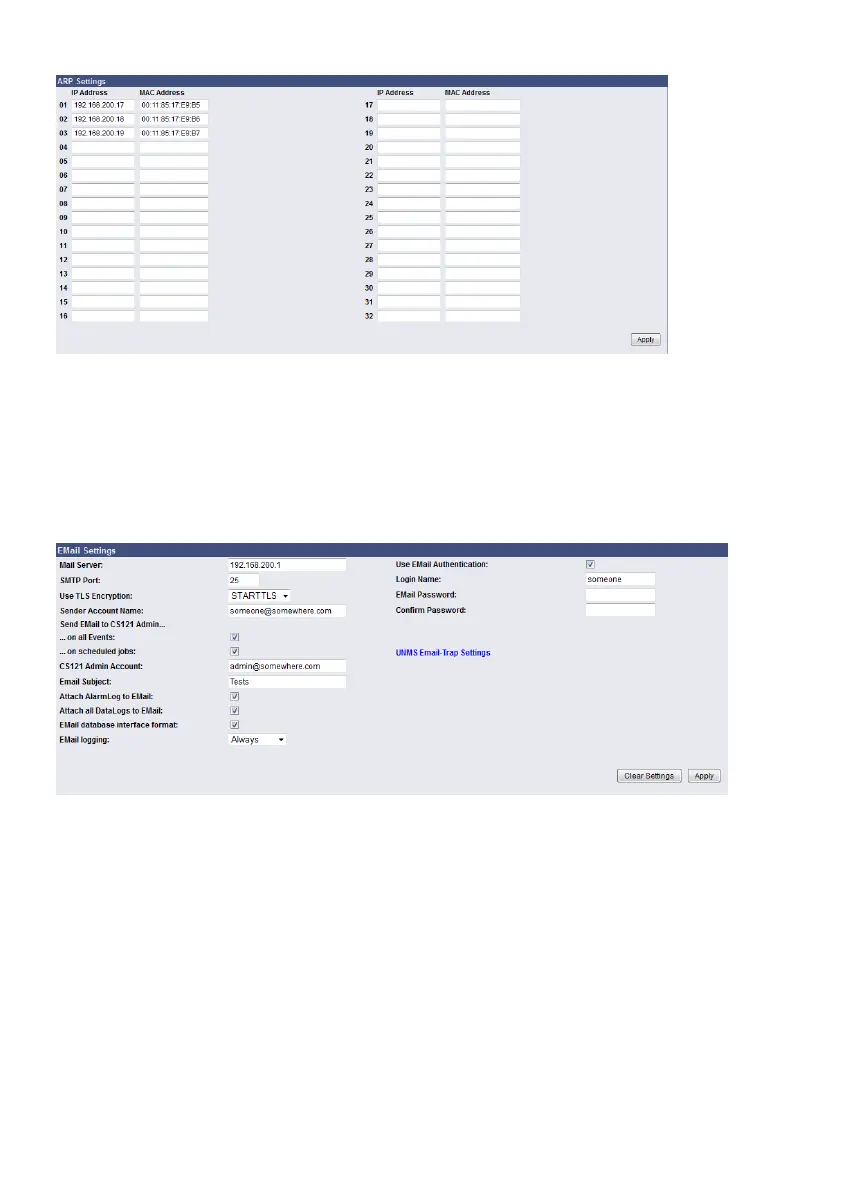
Figure 21: HTTP – Network & Security ARP Settings
You can determine into the ARP Settings, which IP address to which MAC address will be
assigned. Therefore the ARP entry will not expire for this IP address. The ARP table will be
determined firmly and will never expire! Case of application: HP Teaming or an ARP entry is
desired, but the ARP table cannot be restored automatically.
4.2.8 Email
If you wish to define actions to send Emails depending on specified events you need to
configure the Email settings.
Figure 22: HTTP - Email Settings
In this menu the internet name of your SMTP mail client is required. If DNS is not configured,
the actual mail server name’s IP address has to be entered. Please also note that the sender
account name (e.g. ups@mailserver.de) should not be a random name, since some mail
servers do not allow this. We recommend to use an existing account e. g. ups@mailserver.de.
Most servers require matching account names and mail server names. E. g.
someone@somewhere.com would be correct, whereas just “someone” would not be sufficient.
If the server name and account name do not match, the following error message will be
displayed in the CS121 alarm logfile (after some minutes): “Mail: bad answer from mail server:
501 UPSIP204@wrong server.com sender domain must exist.”
The user can check the logfile if the email transfer works. The logfile (text.log under the CS121
root directory ../Flash/text.log) can be viewed using FTP, via the UPSMON tool or via the web-
browser “Alarm log”.
Select the accordant TLS encryption:
- None



 To Next Page