30
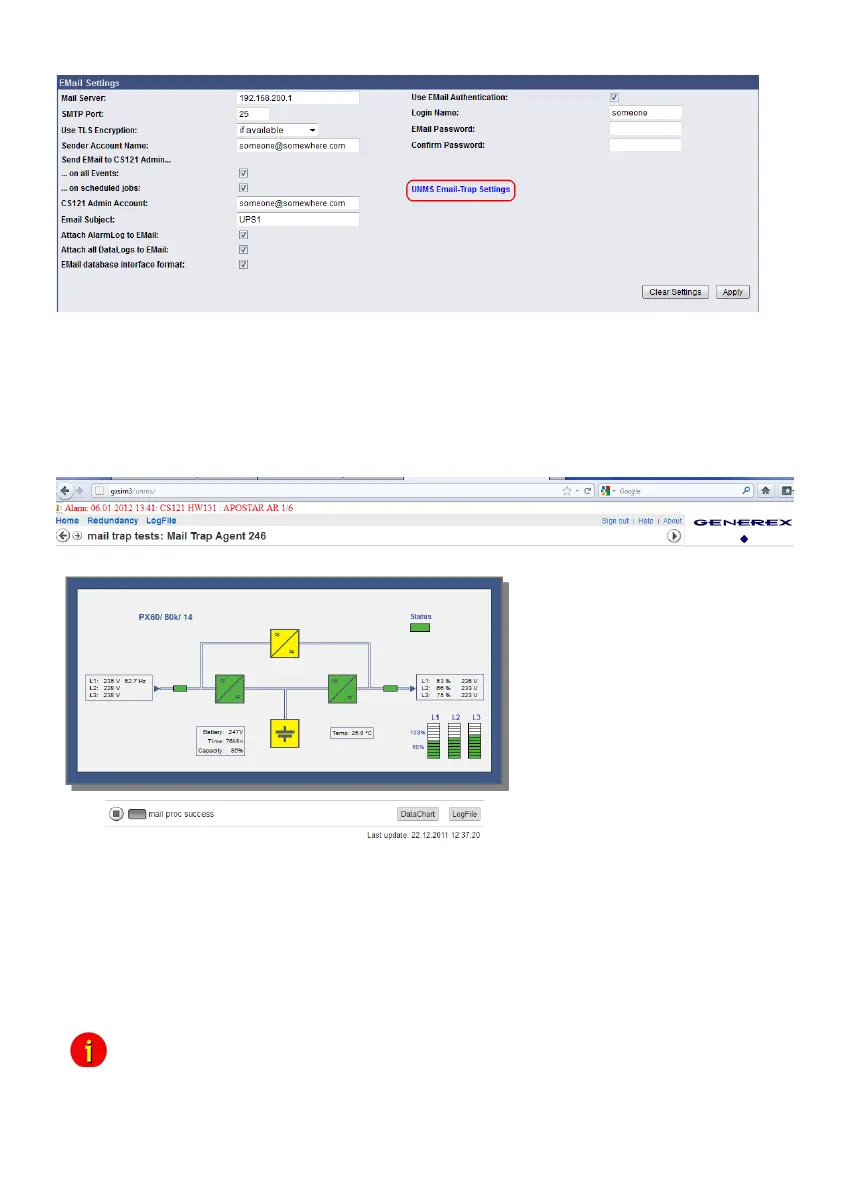
Figure 23: CS121 Email Settings
If Email-Trap is arranged and the UNMS II got the TeleService module extension, every device
can be monitored via emails. The UNMS II displays every device in an own grafical screen with
all measuring values and timestamp of the latest update. If a status will change, the values will
be updated immediately. If no status changes, the measuring values will be updated into the
defined period of time for the „Heartbeat“.
Figure 24: UNMS II screen with timestamp of the latest measuring values
update
4.2.10 Email Trap Configuration
The feature will be enabled through an entry into the Email Trap configuration. If you delete the
entries, the feature will be disabled.
You can use the „Import Settings“ feature to import your email settings from the previous
page easily.
Advice: The Email Trap configuration is in accordance with the common email text
configuration from the previous page, but we recommend to create an own email account
for the UNMS II Email Traps, because this emails are non-readable for the user and the
email account will be stressed unnecessary. This Email Trap account should be used



 To Next Page