111
AUX port assignment for CS121 HW131 L from serial number 0121-10417 and CS121 HW131
SC from serial number 0123-09428:
PIN 1: 3,3V
PIN 2: AUX port 0: disposable
PIN 3: AUX port 1: disposable
PIN 4: AUX port 2: RX from COM3 (input)
PIN 5: AUX port 3: TX from COM3 (output)
PIN 6: GND
D. CS121 WDP – Watchdog & Powermanager
The CS121 WDP is an optional Watchdog & Powermanager piggyback board for the
CS121/BACS series. It is a separate chipset, which can be attached to a CS121/BASC and it
works as a Hardware watchdog to reset (cold boot) the processor, if a heartbeat signal is not
received in an interval of 60 seconds.
Watchdog function: The watchdog starts 5 minutes after the CS121 has rebooted. If then the
Watchdog does not receive within 120 seconds no alive signal from the processor, it will
disconnect the power supply for a reset.
Powermanager function: Additionally this device checks the input power supply and blocks
the startup of the processor until the power supply is stabilized and has reached at least a level
of 8 Volt. This avoids startup problems at non stabilized power supplies or other power supply
problems in UPS slots.
This product is designed to work as add-on for all CS121 based products with an internal
connector such as all BACS WEBMANAGER BUDGET, CS121 SC,L,SCM,LM and the CS121
BUDGET series with 16MB flash ROM built after 2010.
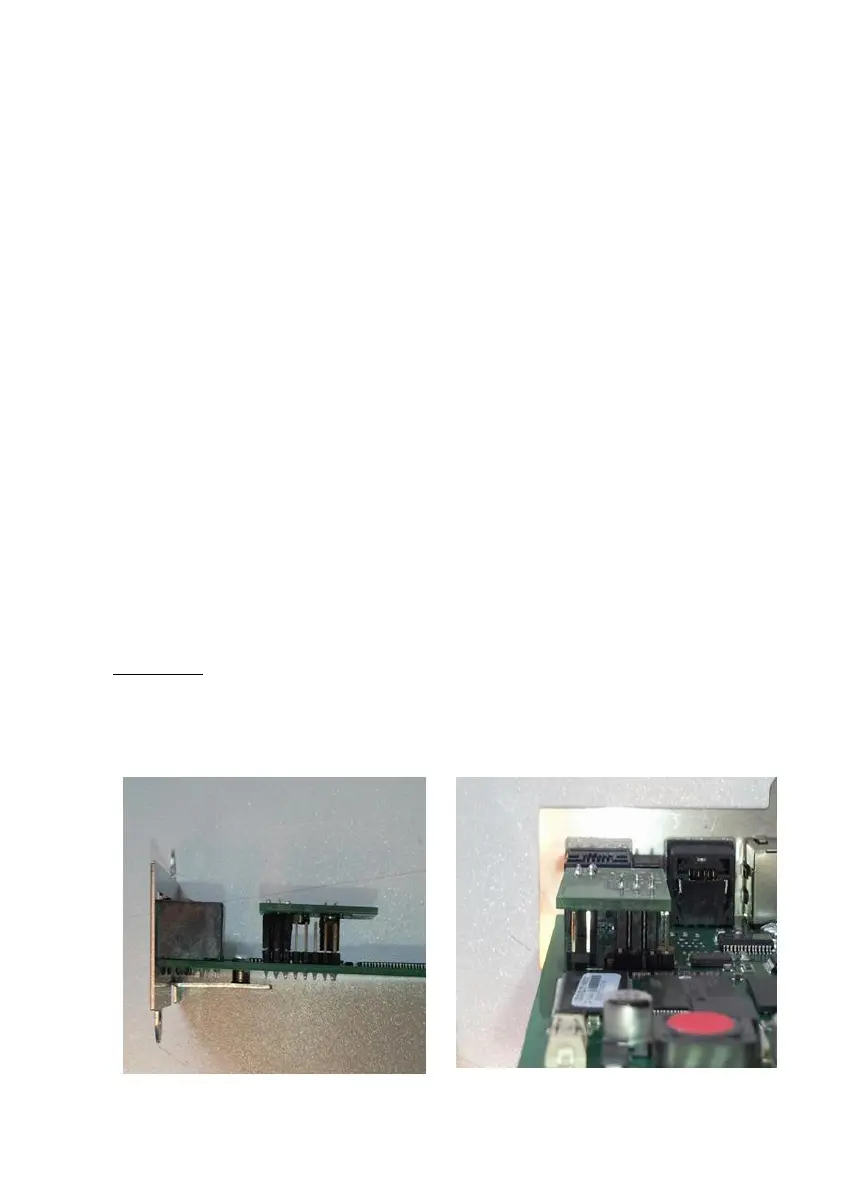
Installation: To mount the CS121WDP Piggy Board on the CS121 Board, be sure, that the
power supply is disconnected. Plug the CS121WDP Board on the CS121-Board like in the
below pictures. The Piggy Board runs without any configuration and starts his functions
immediately after connection. For using the Watchdog functionality, a firmware release after
FW 4.28 is required. The Powermanager function is not depending on any FW level.
Figure 148: CS121 WDP piggyboard installed on a CS121 SC/BSC – view
from left and behind



 To Next Page