23
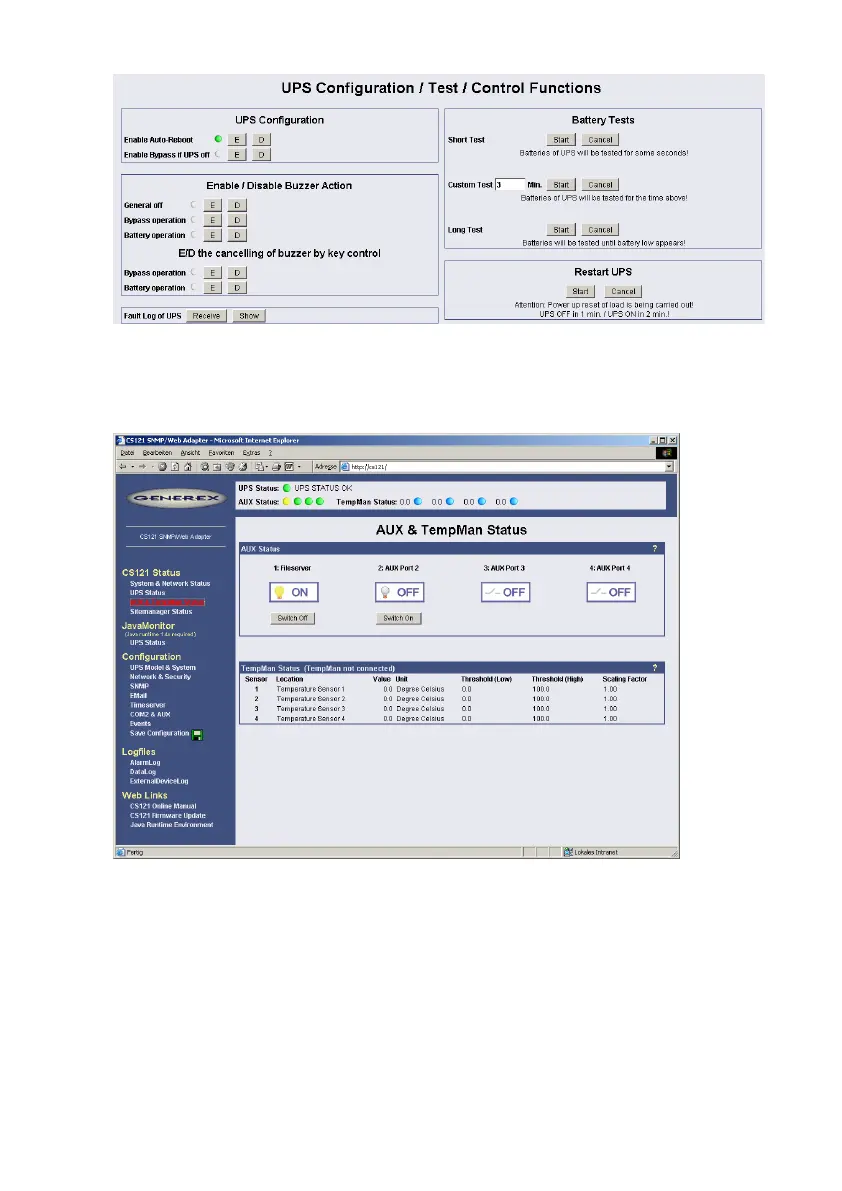
Figure 14: HTTP - UPS Functions for AEG UPS
The AUX & SensorMan status shows the actual measurements of the connected
environmental sensor devices SM_T_COM, SM_T_H_COM, SENSORMANAGER, CON_AUX
or CON_R_AUX.
Figure 15: HTTP - AUX & SensorMan Status
In the above figure, a button menu is presented in which the ports 1 and 2 can be clicked on
and off. A yellow light bulb indicates that output to the corresponding port is being provided,
while the gray unlit light bulb indicates the status of being switched off in which case the
connected device is not being provided with power. The buttons „Switch Off“ and “Switch On”
are password protected. This is the same password that has been set in the CS121-
configuration. The ports 3 & 4 are configured as input sensors, here the OFF symbol shows an
open contact, and alarm would show a closed contact. The AUX port of CS121 can be
configured as output or input – or a mixture of both.
4.2 CS121 Menu “Configuration”
4.2.1 Saving Data
ATTENTION! The following is essential for all entries of configuration data:



 To Next Page