82
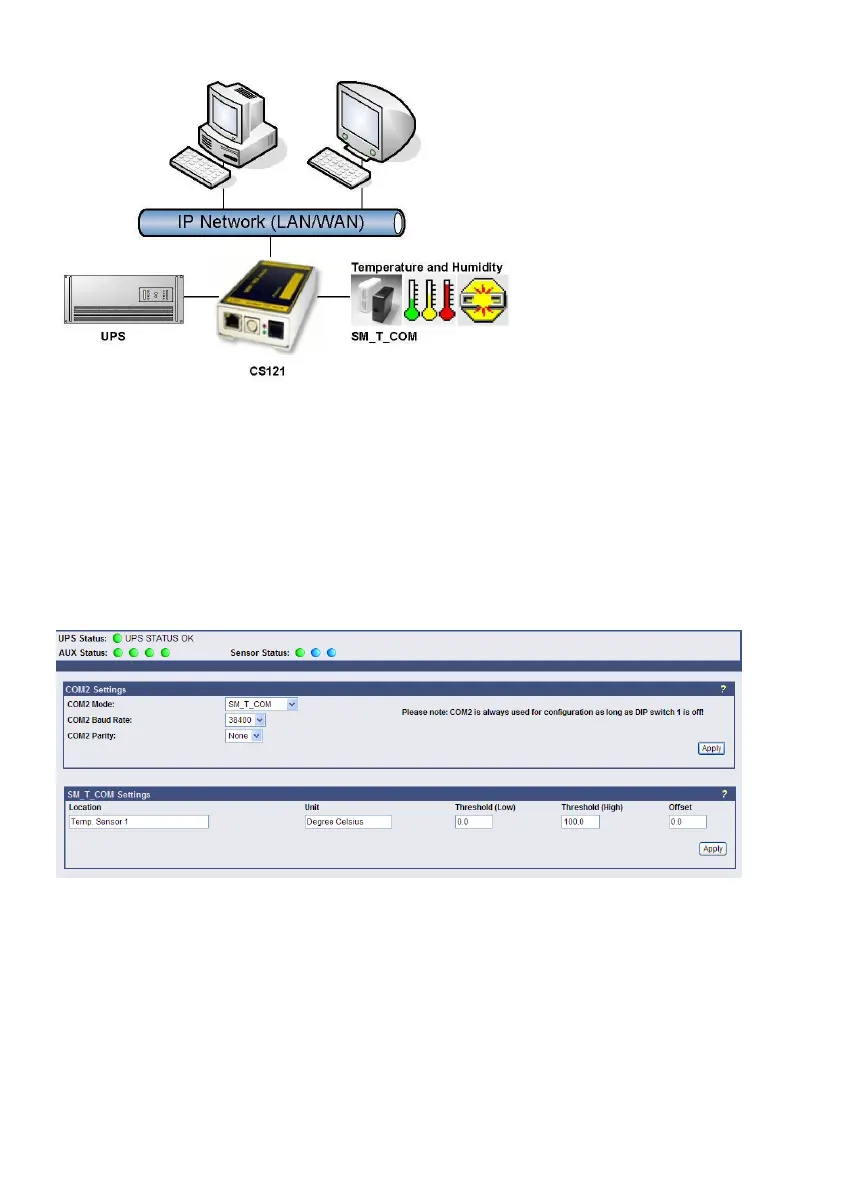
Figure 98: CS121-Installation with temperature SM_T_COM
The SM_T_COM (also available as SM_T_H – a combination of Temperature and Humidity) is
a temperature sensor with an RS232 protocol which can be connected directly to the CS121
COM2 port. (Not BUDGET series).
The SM_T_COM shows the actual values on the CS121 Webserver screen and allows to
trigger alarms, emails, messages in case the values exceed configurable thresholds.
SM_T_COM is simply connected with the original CS121-TEMP cable (part of every CS121
SC and L) to the COM2. In the Webinterface COM2 & AUX you have to change to the COM2
mode to “SM_T_COM”, press “apply” and “save&exit” and reboot to start the CS121 with your
new settings. The Configuration of thresholds and Events is made via the Event-configuration
windows and the SM_T_COM configuration page.
7.2.1 SM_T_COM configuration
Figure 99: CS121- SM_T_COM Settings
Enter the desired values for the Threshold (low) and Treshold (high).
You can calibrate every sensor with the Offset, that means if you want to rise a measured
value for 5°C, just modify the default range from 0.0 to 5.0. Therefore you are able to adjust
the measurement values like a gauged thermometer.
You can define the following functions for SM_T_COM Events (see figure below).



 To Next Page