46
status of the ports remain unchanged unless the settings of the ports have been changed from
input to output or vice versa. A Power up will set the ports to the preconfigured Power up
settings.
Note: From CS121 HW131 it is required, if the AUX ports will be defined from
“Unused” to In- or rather Output, that a cable with Pull-Down resistance
or a CON-AUX or a CON-R-AUX is connected. Otherwise the status
display of the AUX ports is undefined and can be changed by itself
anytime !
4.2.16 SENSORMANAGER
The SENSORMANAGER is a data measurement and collecting unit which allows the
individual measurement and monitoring of 8 analog measurement devices (0-10V) and 4
digital alarm inputs or 4 outputs (open collectors). SENSORMANAGER has its own chapter in
the manual, wherein the features and field of applications etc. pp. are described as well as in
depth the various specific configurations.
In generally, the SENSORMANAGER unit is connected with its COM 1 port to CS121’s COM 2
port, which has to be configurated as SensorManager mode.
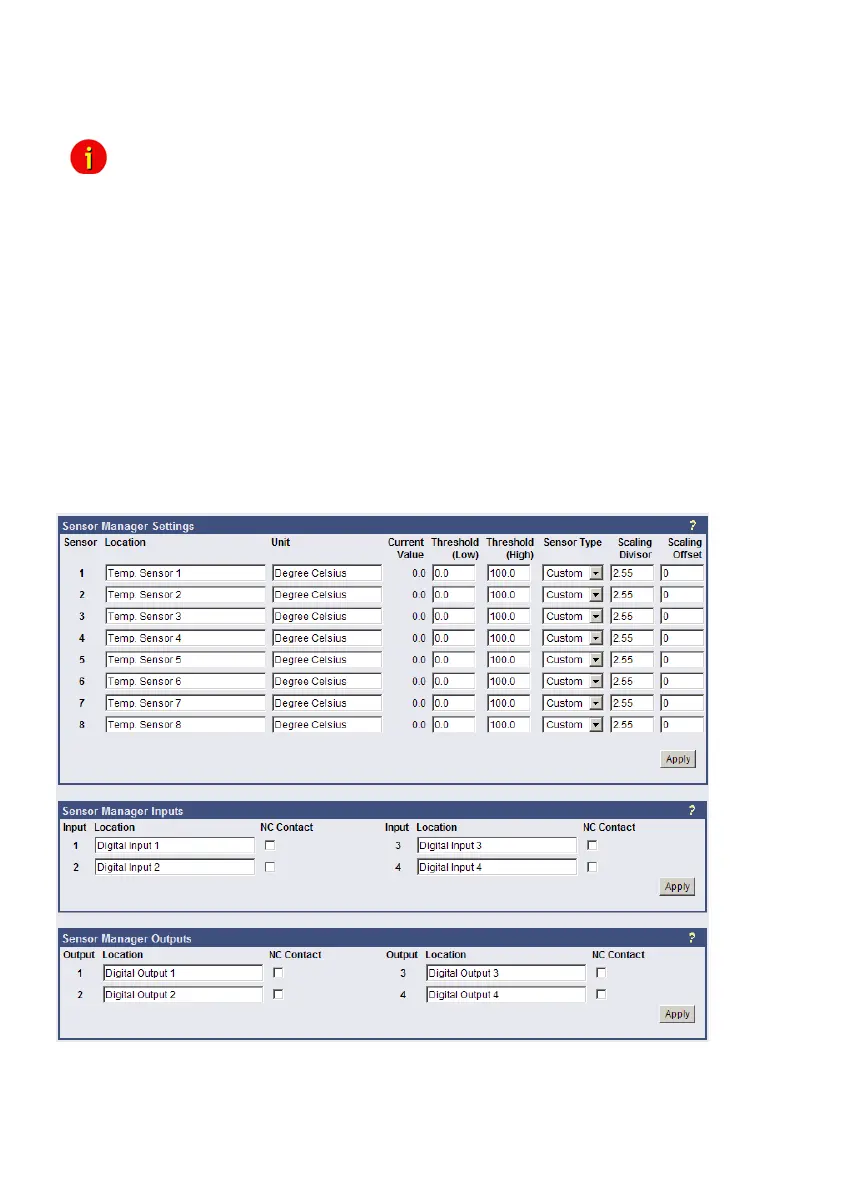
Within the configuration page “Sensor Manager Settings” of the CS121 you can - among
others - define limit values when events (to be configurated in “Events / Alarms”) will be
released.
Figure 44: HTTP – Sensor Manager Settings
Please see SensorMan in section “Accessories” of this manual.



 To Next Page