6: Applying the GSN
67
Geodesic Sensor Net Technical Manual
S-MAN-200-GSNR-001 • January 31, 2007
Caution!:
Especially for LTM applications, monitoring of the subject or patient for
comfort and skin irritation is recommended. See the “Caution” on page 33 for
more information.
1
Ask the subject to notify you of any discomfort or irritation from the Net.
2
Ask the subject or an assistant to hold the Hypertronics connector during the
initial application (an assistant can hold the connector behind the subject’s head
or the subject can hold the connector against one shoulder).
3
Ask the subject to close his or her eyes and to keep them closed until told
otherwise.
Caution!:
The subject’s eyes must remain closed during application and removal of
the Net, and whenever you adjust the positions of sensors in the vicinity of the eyes.
Failure to follow this procedure can result in serious injury.
4
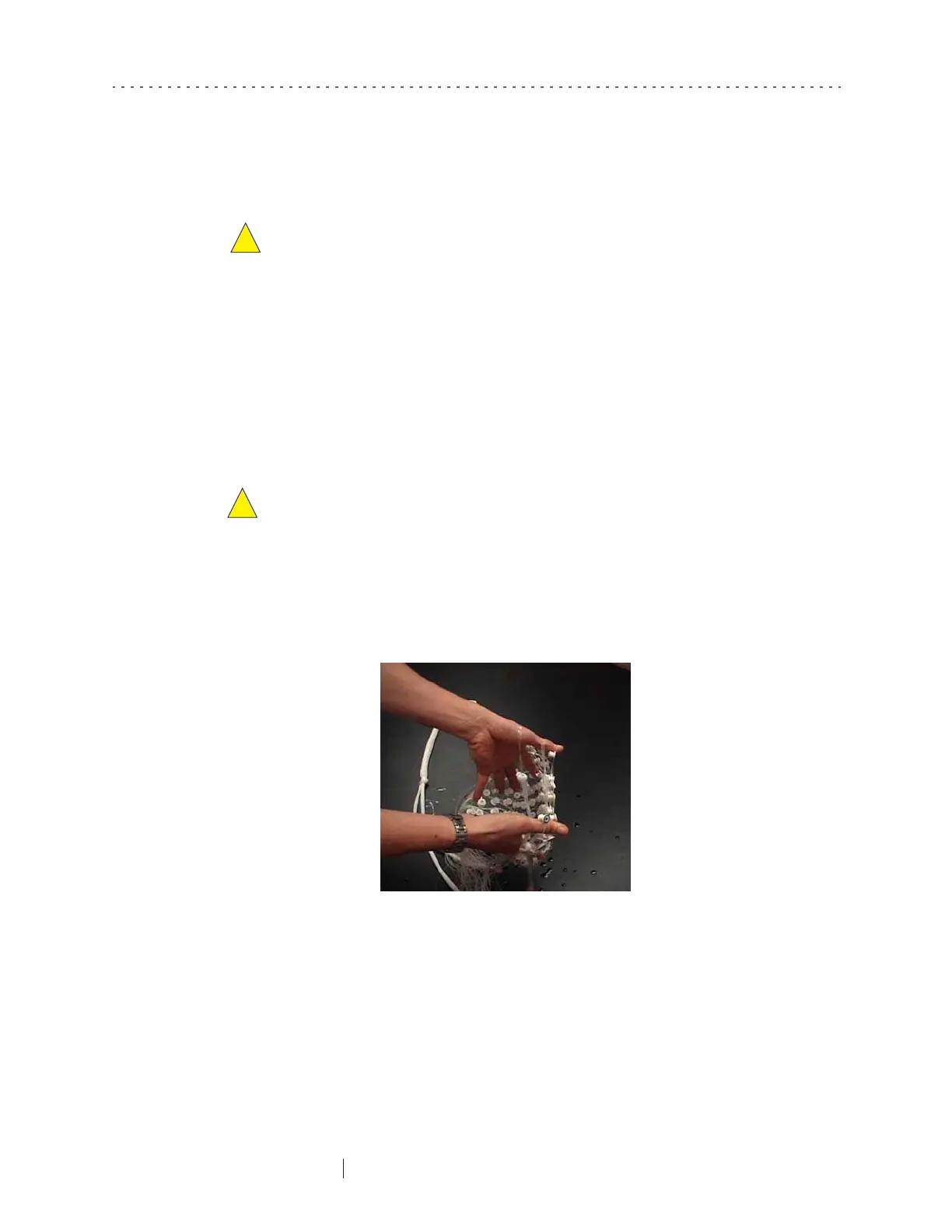
Stretch the perimeter band to a size just larger than the subject’s head. Do this
by spreading out your thumbs and little fingers so that the perimeter band
forms a circle (Figure 6-9). Do not overstretch the Net, as this could damage the
geodesic tension structure.
5
Keeping moderate tension on the perimeter band with your thumbs and little
fingers, set the GSN on the subject’s head so that the colored vertex sensor lies
on the vertex mark on the head.
6
Slowly pull straight downward with your thumbs and little fingers, keeping
the
vertex
electrode over the vertex and the
nasion
electrode aligned with the
nasion. Standing directly in front of the subject makes this easier.
Figure 6-9. Stretch the perimeter band with thumbs and little fingers



 To Next Page