1.3.24
STATION ESTABLISHMENT CHAPTER 3
GEODIMETER SYSTEM 600
PRG
20
See next page.
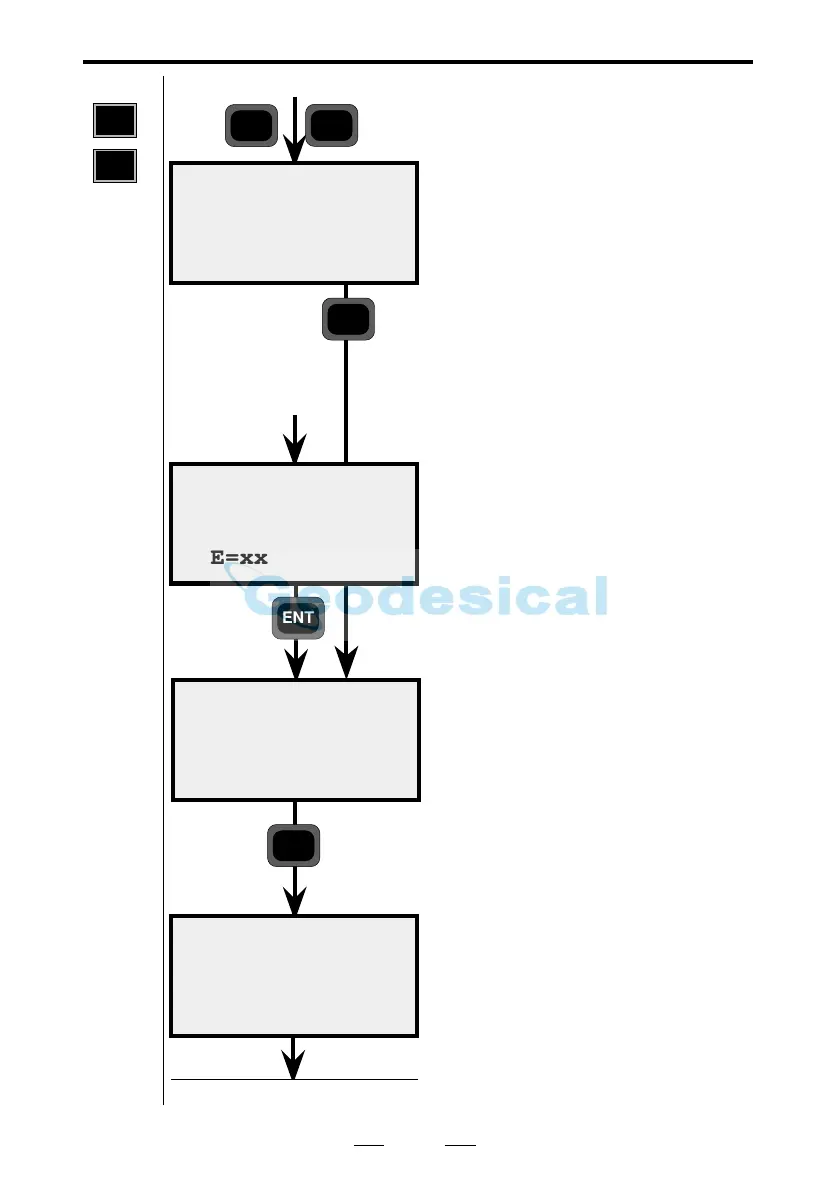
In which memory unit is your Area
file stored? In our example, we are
using the internal memory (Imem).
Enter the coordinates manually
Enter your station coordinates.
Leave the ELE blank for no height
establishment.
Are your coordinates correct? Press
Yes (ENT) to accept them. If you
press No you will return to the
question about Stn= and Area=. If the
coordinates have to be changed, use
Edit or P43 (Enter Coordinates). In
this example we will continue by
accepting them.
Are you going to measure heights?
Accept this question by pressing ENT
(Yes). If you decide not to measure
heights (press No) it means that the
instrument height (IH) and signal
height (SH) will be ignored.
In this example, we will be measuring
heights. Press YES.
Sel device10:17
1 Xmem
2 Imem
Stn ok ?
N=xxxx
E=xxxx
ELE=xx
10:17
HT measure ?
YES
Note ! ☛
Only
shown if
your
coordinates
includes
ELE.
1
ENT
Coord 10:17
N=xxxx
E=xxxx
ELE=xx
ENT
2
From previous page
From previous
page
Note ! ☛
Enter the
coordi-
nates
manually
Known stn+



 To Next Page