1.3.28
STATION ESTABLISHMENT CHAPTER 3
GEODIMETER SYSTEM 600
PRG
20
From previous page
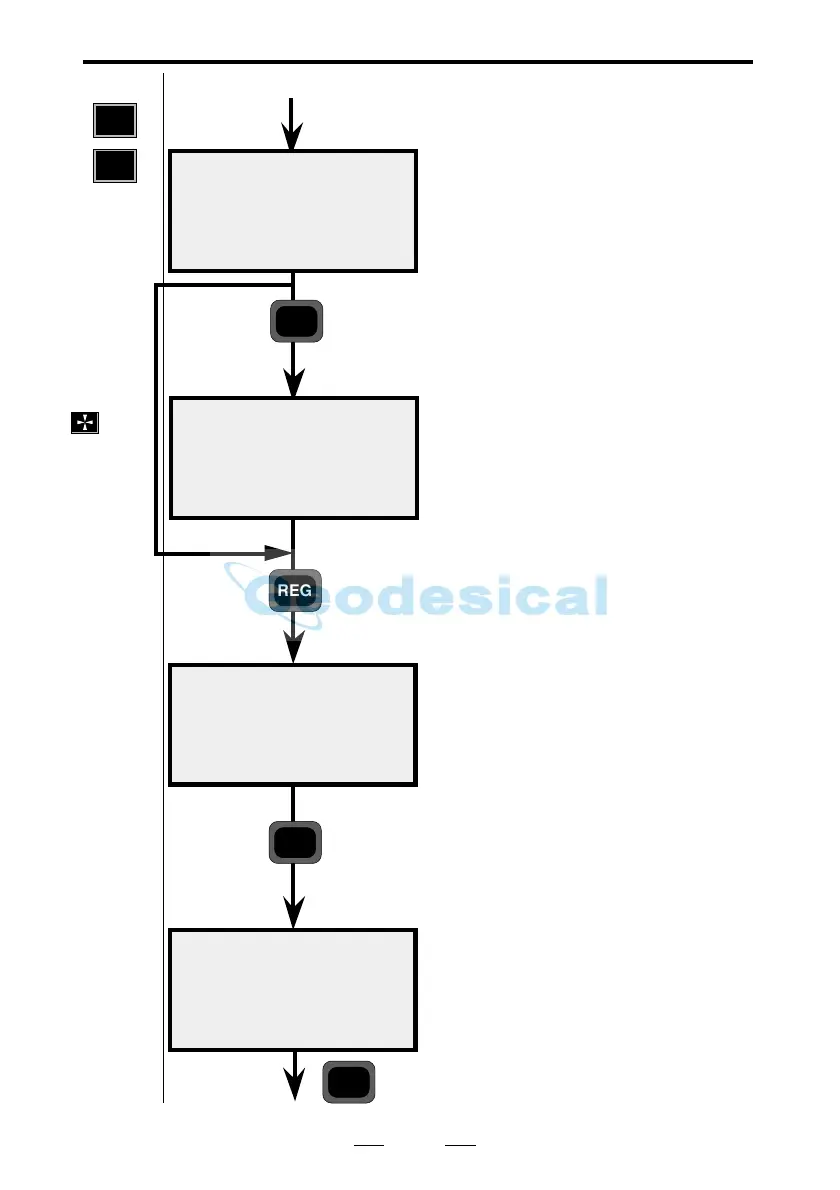
Aim towards your target, then press
the A/M key to measure.
The instrument has now measured
angles and distance to the second
point of your known station
establishment. Press REG to register
your measured data.
Diff HD is the difference between
measured and theoretical horizontal
distance to the second point. Diff HA
is the difference between theoretical
and measured angle between point 1
and 2.Press YES to accept or NO to
redo the measurement.
Note! If more than 2 points have
been measured, Diff HA will be
replaced by S_dev HA, i.e the stan-
dard deviation of the horizontal
angles.
Are you going to use more points for
your station establishment, or are you
satisfied with two? In our example
we will measure and register one
more point (maximum number = 10).
Press Yes.
STD 10:20*
HA:xxx.xxxx
VA:xxx.xxxx
STD 10:20*
HA:xxx.xxxx
VA:xxx.xxxx
SD:xx.xxx
Result
Diff HD:0.003
Diff HA:0.0032
Ref ok?
STD 10:21
more?
A/M
REG
YES
YES
Note! ☛
Note! ☛
If you are
using a
servo
instru-
ment
press the
key to
position
to point
2-10.
Fine
adjust
manually.
Known stn+



 To Next Page