1.6.5
IMPORTANT PAGES CHAPTER 6
GEODIMETER SYSTEM 600
General measurement hints (cont)
Extend the straight line (only servo and at the instrument)
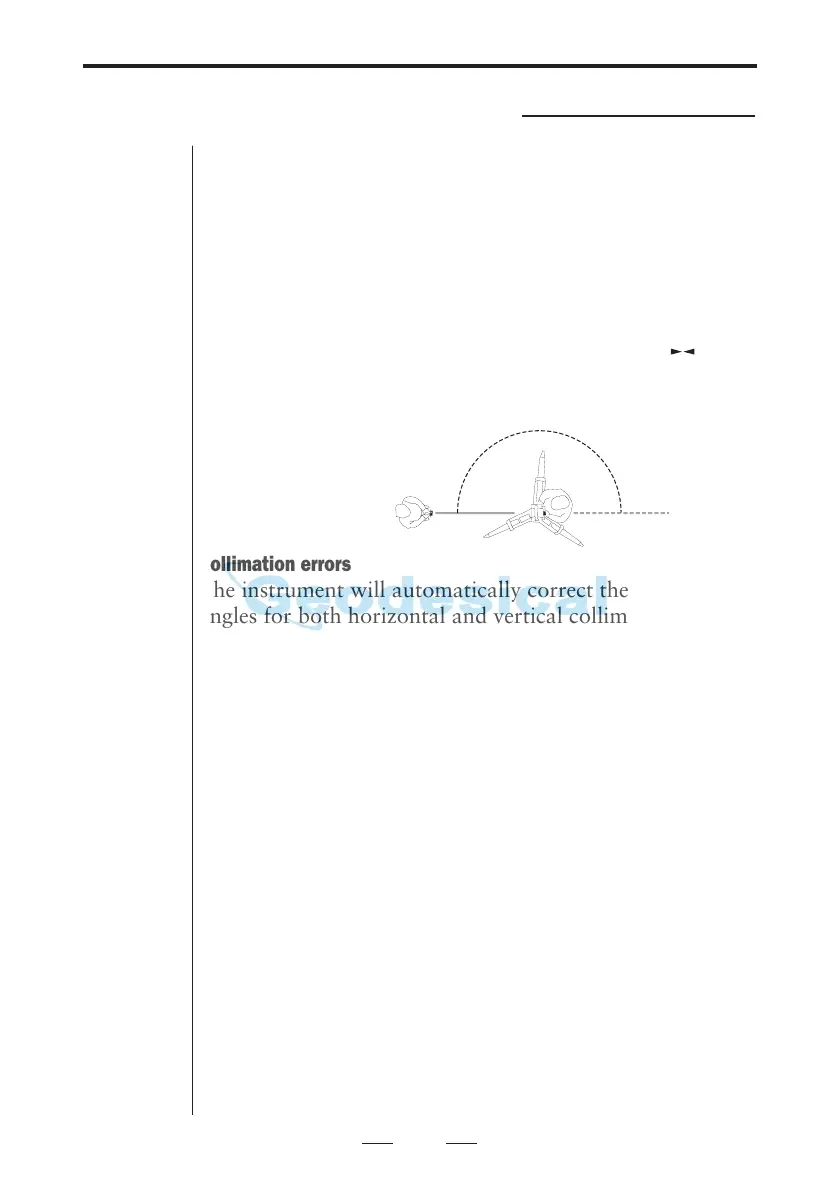
When you wish to measure as shown in the illustration
below, i.e. first measure towards a point and then rotate
the instrument to a point that lies on a straight line from
the first point, you should turn the instrument 180° (200
gon) and not rotate the instrument to face 2. This is
because in the second case the instrument will not correct
any collimation errors. With a long press on the key
you will rotate the instrument 180° (200 gon)
Collimation errors
The instrument will automatically correct the measured
angles for both horizontal and vertical collimation errors
as well as for trunnion axis errors by using premeasured
values. By carrying out a test procedure, see chapter 2,
you can update these values for the actual conditions. We
recommend you to do this regurarely especially when
measuring during high temperature variations and where
high accuracy is demanded in one face.
Test measurements should be carried out with the key-
board configuration current for the measurement.
Tilt axis
When measuring towards a point, the instrument will
correct the measured angles as described above. If you tilt
the telescope up/downwards you will find that the hori-
zontal angle will change, this is an illustration of tilt axis
and two-axis level compensator correction, which both
are dependent of the vertical angle.
However if you point the telescope to a vertical level
string you will find that the horizontal angle will remain
constant.
180
°
(200 gon)
1.
2.



 To Next Page