2.5.7
TRACKER CHAPTER 5
GEODIMETER SYSTEM 600
Guidelines
Some functions are unique when you use the tracker.
The system guides you through the measurement by a
number of indicators on the display:
Measurement information
* the instrument has contact with the prism.
+ the tracker has locked on the target.
++ the tracker has locked on the target and the angle
values are frozen (STD, FSTD and D-bar modes).
T The tracker is activated. (If search option is
installated Am will be seen instead).
A/M-key (optional for Autolock™, standard for Robotic)
Am – If you press the A/M key at this moment, the tracker
will start searching.
aM – If you press the A/M key at this moment, you will
initiate a measurement.
A long press on the A/M-key will change between the two
modes.
STD 12:46* +Am
A/M
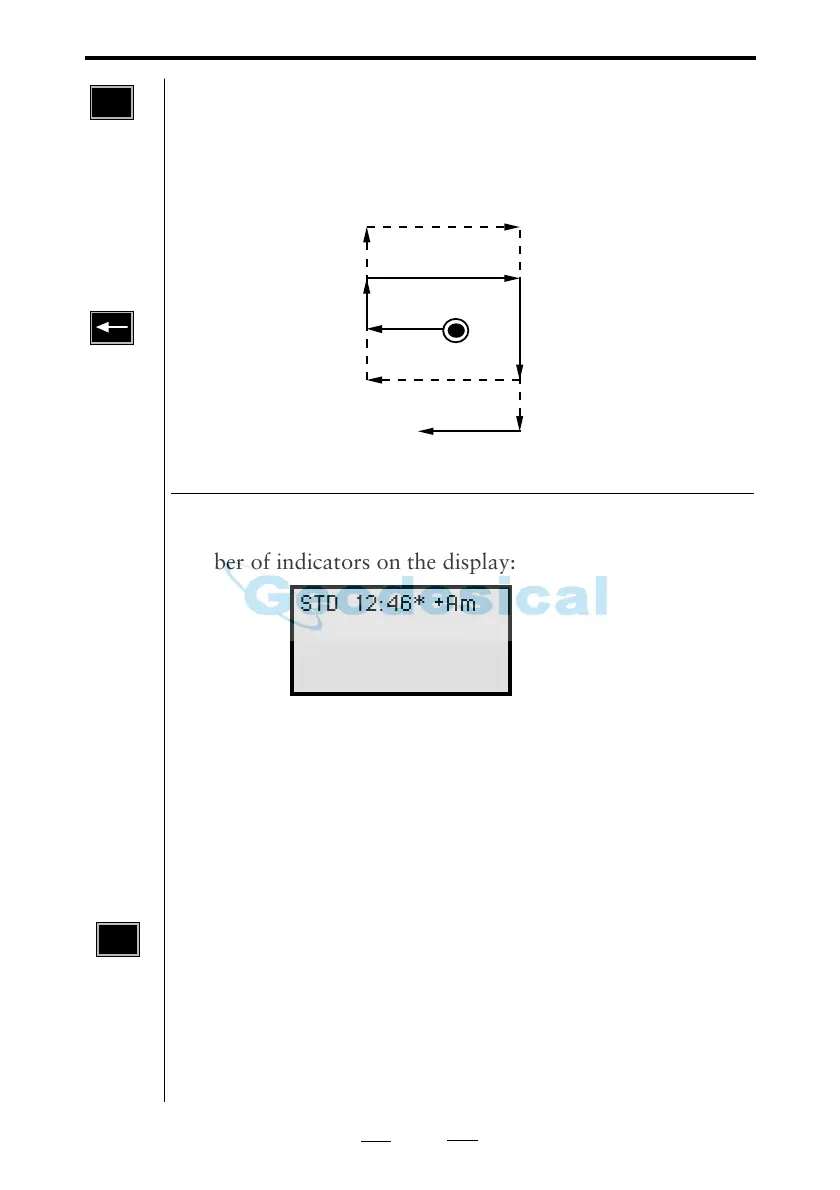
Fig. 5.2 Search routine
Note !
Use the
key to
cancel the
search.
A/M
Search routine
Press A/M and the instrument will first start to search 30°
horizontally around the last point, considered that the point
is inside the search window. Thereafter the instrument will
start to search inside the window in the way illustrated
below.



 To Next Page