1.2.21
PRE-MEASUREMENT CHAPTER 2
GEODIMETER SYSTEM 600
2
ENT
5
MNU
Measurement of Collimation & Tilt of Horizontal Axis
Set up the instrument in the normal way according to the
start procedure instructions described in chapter 3 "Station
Establishment". This test is performed at the instrument.
STD P0 10:16
HA: 123.4567
VA: 99.9875
Test 10:16
1 Measure Coll
2 View Coll
3 Tracker Coll
Test 10:17
HA Col: 0.0059
VA Col: 0.0014
Tilt Ax: 0.0184
STD P0 10:17
HA: 123.4567
VA: 99.9875
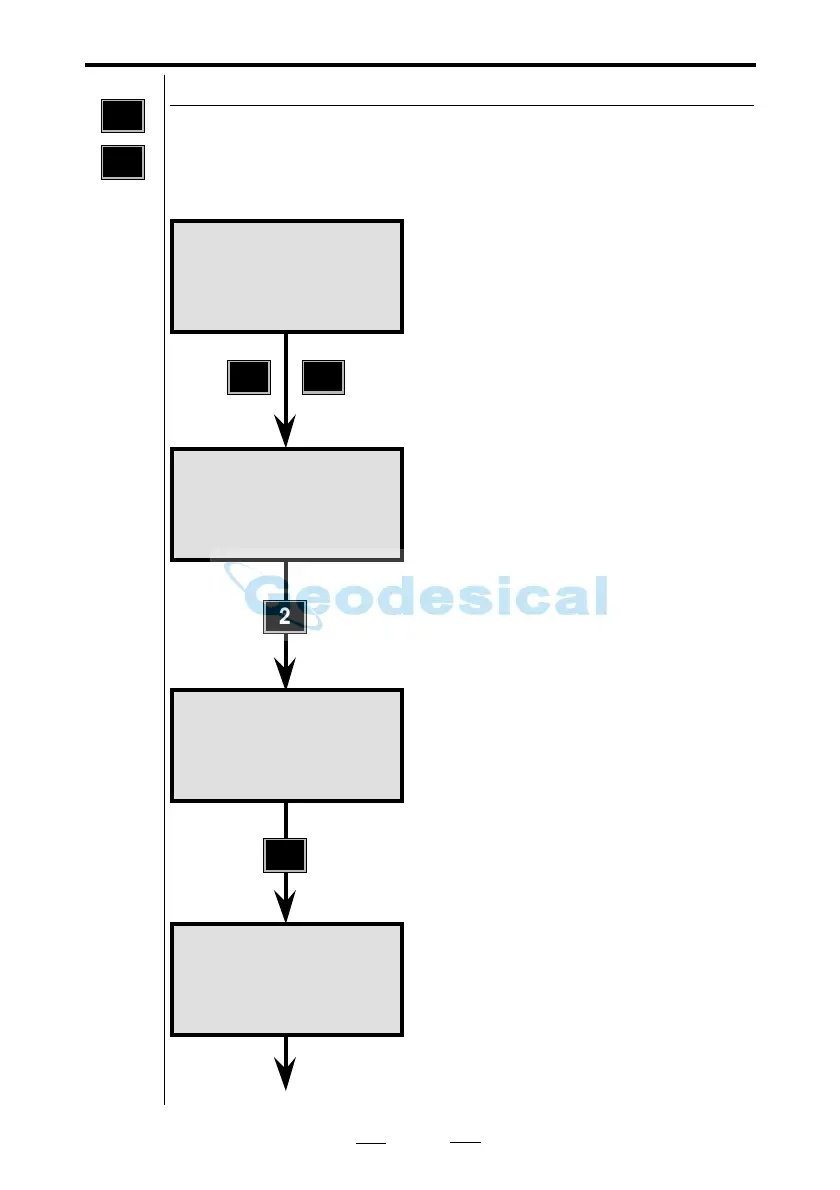
You are now in the STD measurement
mode. To begin the test procedure,
press MNU 5.
Here you can measure new and/or
view previous values. In this example
we will display the old ones first. Press
2.
These are the values which are to be
updated. Press ENT.
To return to option 1, Measure, to
start collimation and horizontal axis
measurements, press MNU 51.
MNU
5
TEST
See next page



 To Next Page