1.3.21
STATION ESTABLISHMENT CHAPTER 3
GEODIMETER SYSTEM 600
PRG
20
Note ! ☛
An
example
of free
station
establish-
ment is
found on
page
1.3.33
See next page.
STD P0 10:16
HA: 234.5678
VA: 92.5545
Stn.estab 10:16
1.Known Station
2.Free Station
3.Known Station+
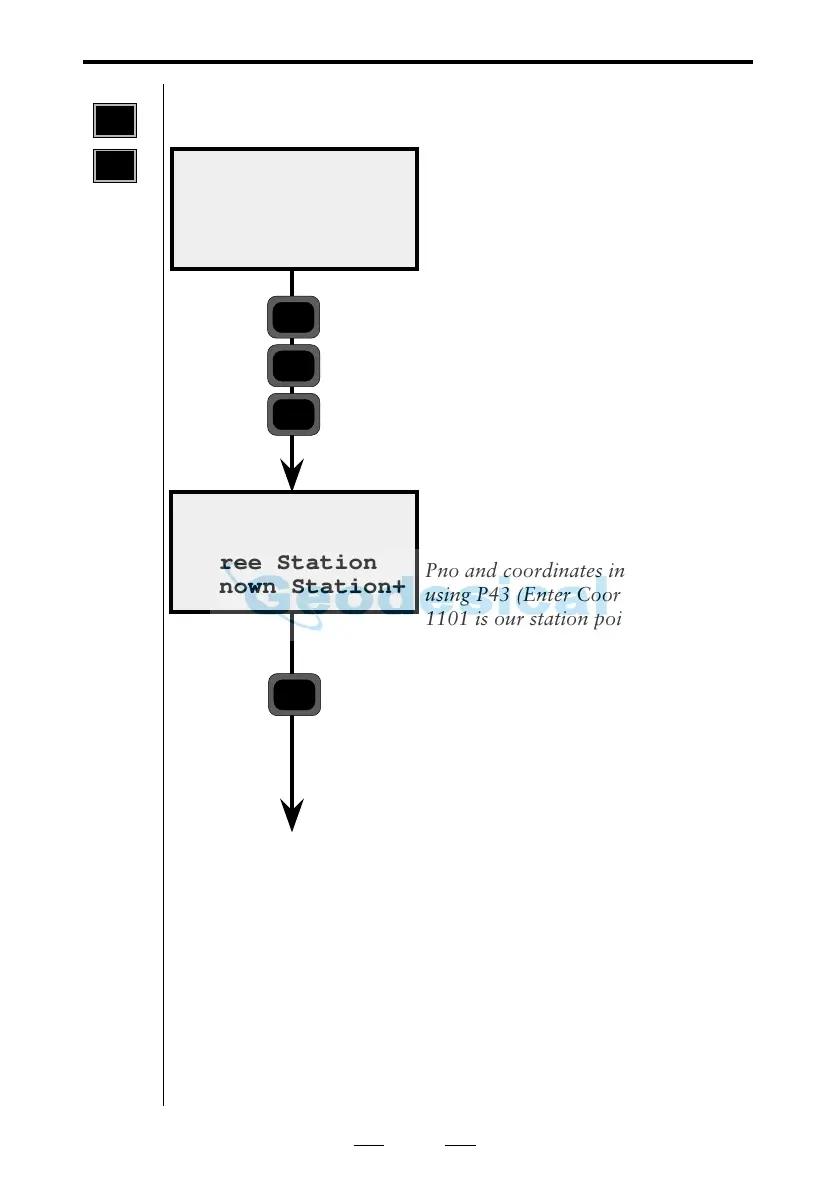
The instrument is now in theodolite
position. Select P20 (Station
Establishment).
In this first example we will establish
a station with a known point and
reference objects. These are stored as
Pno and coordinates in an Area file,
using P43 (Enter Coordinates). Pno
1101 is our station point and Pno
1102, 1103 and 1104 are our
reference objects, as in the example
on page 1.3.22.
Now we will select function 3,
Known Station+.
PRG
20
ENT
3
3 Known station+ (known station with 1-10 reference objects)



 To Next Page