1.3.20
STATION ESTABLISHMENT CHAPTER 3
GEODIMETER SYSTEM 600
PRG
20
ENT
A/M
ENT
A/M
REG
From previous page
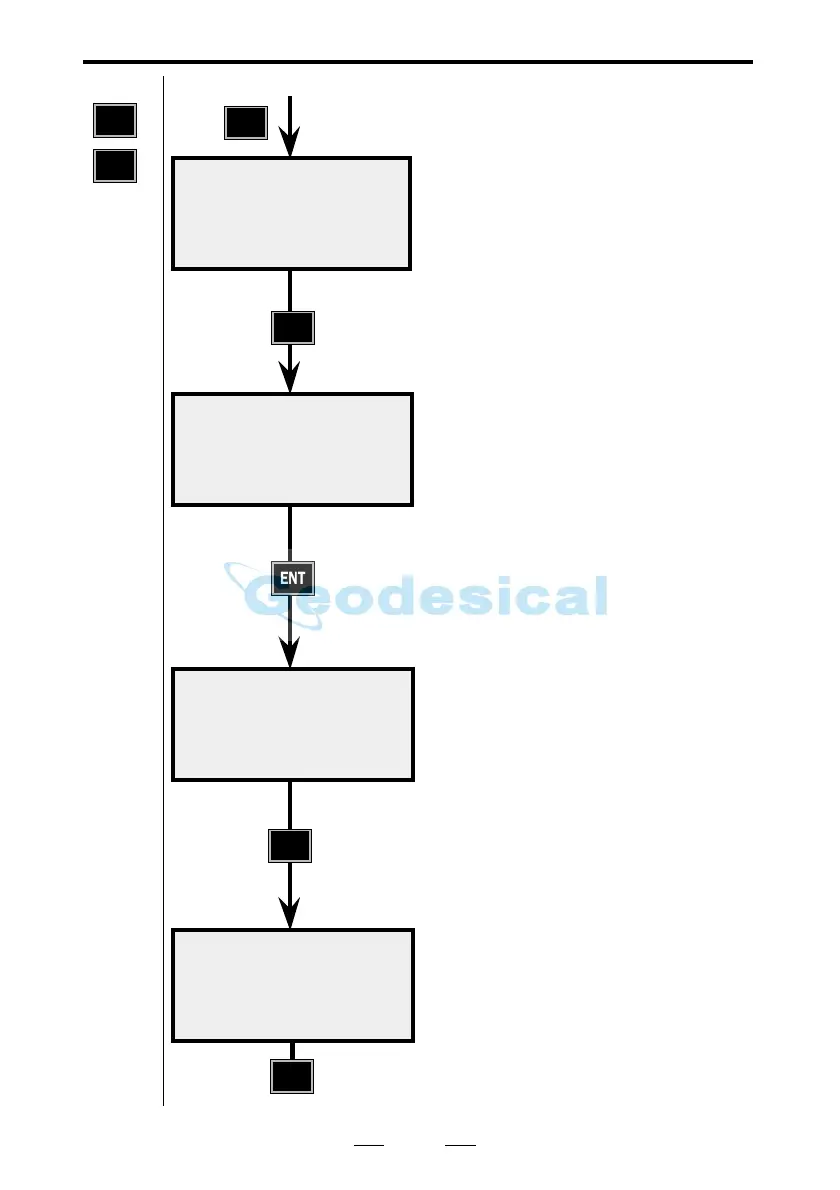
Aim at your reference object. Then
press the A/M key.
HAref is the calculated bearing
between the station point and the
reference point.
If you wish to check the distance to
the reference object, press ENT.
Otherwise press REG to store the
station establishment.
If the reference object is marked with
a reflector, you can also check the
horizontal distance by pressing the
A/M key.
Otherwise press REG to store the
station establishment.
Here you can compare the calculated
distance with the actual measured
distance. Press REG to store station
establishment in the Job file you have
chosen (see page 1.3.17).
Note !
The REG key must always be used if
you want to store the station
establishment.
10:18
Aim to refobj.
Press A/M
STD P20 10:18
HA ref: xx.xxxx
HA: : xx.xxxx
Reg=Exit
STD P20 10:18
SHD: xxx.xxx
HD :
Reg=Exit
STD P20 10:19
SHD: xxx.xxx
HD : xxx.xxx
Reg=Exit
Note !
☛
PRESS
REG
Known Stn.



 To Next Page