1.3.19
STATION ESTABLISHMENT CHAPTER 3
GEODIMETER SYSTEM 600
PRG
20
ENT
ENT1.75
ENT
1102
ENT
1
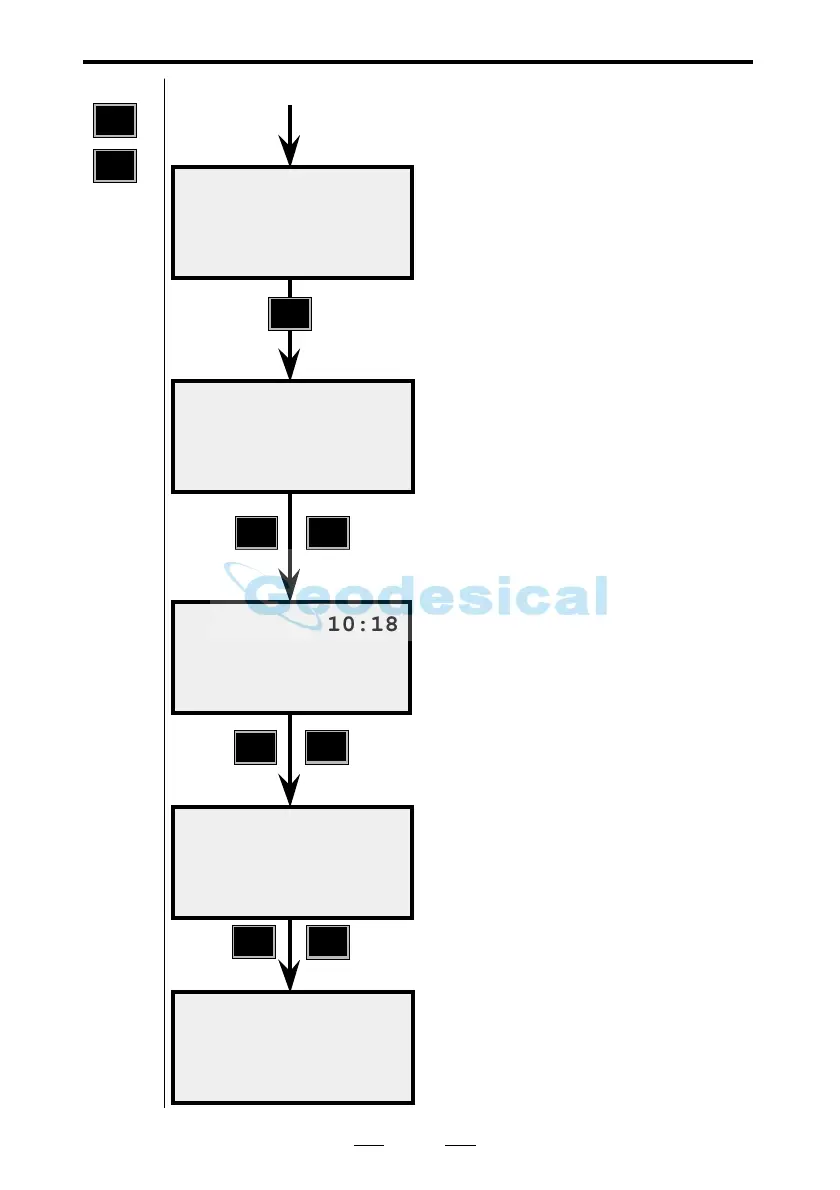
From previous page
This is your old station ground
elevation. Press ENT (Yes) if you
want to replace the old elevation with
the new or press NO to cancel it. In
this example we press ENT.
(This display will only appear if the
ground elevation has already been
determined).
Enter your instrument height (IH).
For example, 1.75.
Key in the Pno of your reference
object. For example, 1102.
Key in the name of the Area file in
which you have stored your reference
object. If you leave the line blank you
will have the opportunity to enter the
coordinates manually in the same
way as for the station coordinates.
Are your coordinates correct? Press
ENT to accept them. If you press NO
you return to the question Refobj=. If
they have to be changed, use Edit or
P43 (Enter Coordinates). We will
continue by accepting them.
10:18
ELE= x.xxx
Replace Z?
10:18
IH=
Ref ok ?
N=xxxx
E=xxxx
ELE =xx
Note !
☛
Only
shown if
your
coordi-
nates
includes
ELE.
Note !
☛
Only
shown if
your
coordi-
nates
includes
ELE.
10:18
Refobj=
10:18
Area=
Known Stn.



 To Next Page