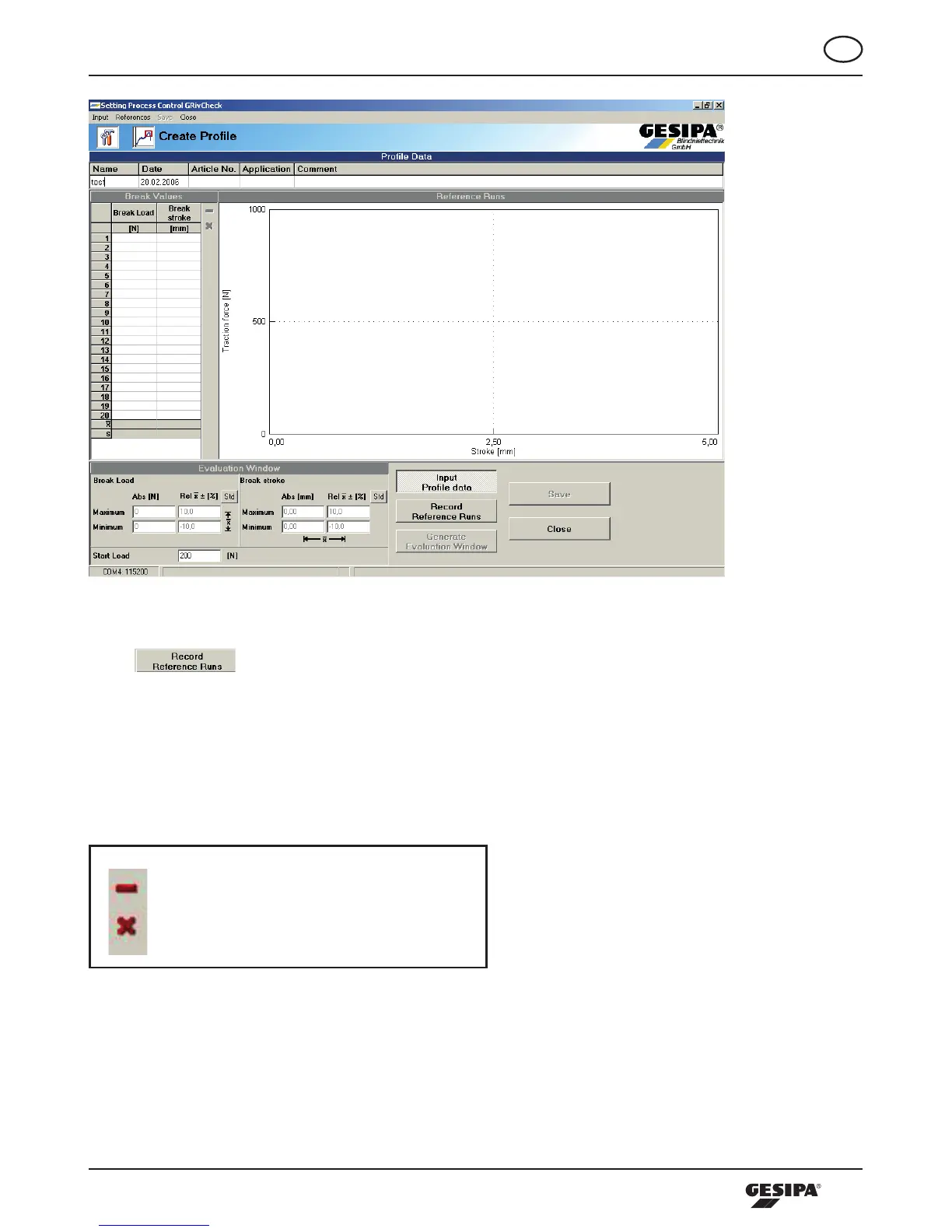
Illustration 7: Enter Profile Data
The -buttonispressedandsamplesettingprocessescanbecarriedout,where
the pulling force and the pulling course are continuously recorded and evaluated during blind
rivet processing. In the breakpoint value table on the left the breaking stroke and the mand-
rel break force appear, as well as statistic analysis concerning average value and standard
deviation.TheLEDontheprocessingtoolflashesgreenduringtherecordingofthereference
rivetings. Sample riveitngs not to be integrated into the analysis can be processed as shown
below by actuating the following buttons.
Delete marked sample rivetings
Delete all sample rivetings
Illustration 8 shows the representation of the sample rivetings.



 To Next Page