Getting Started 1-7
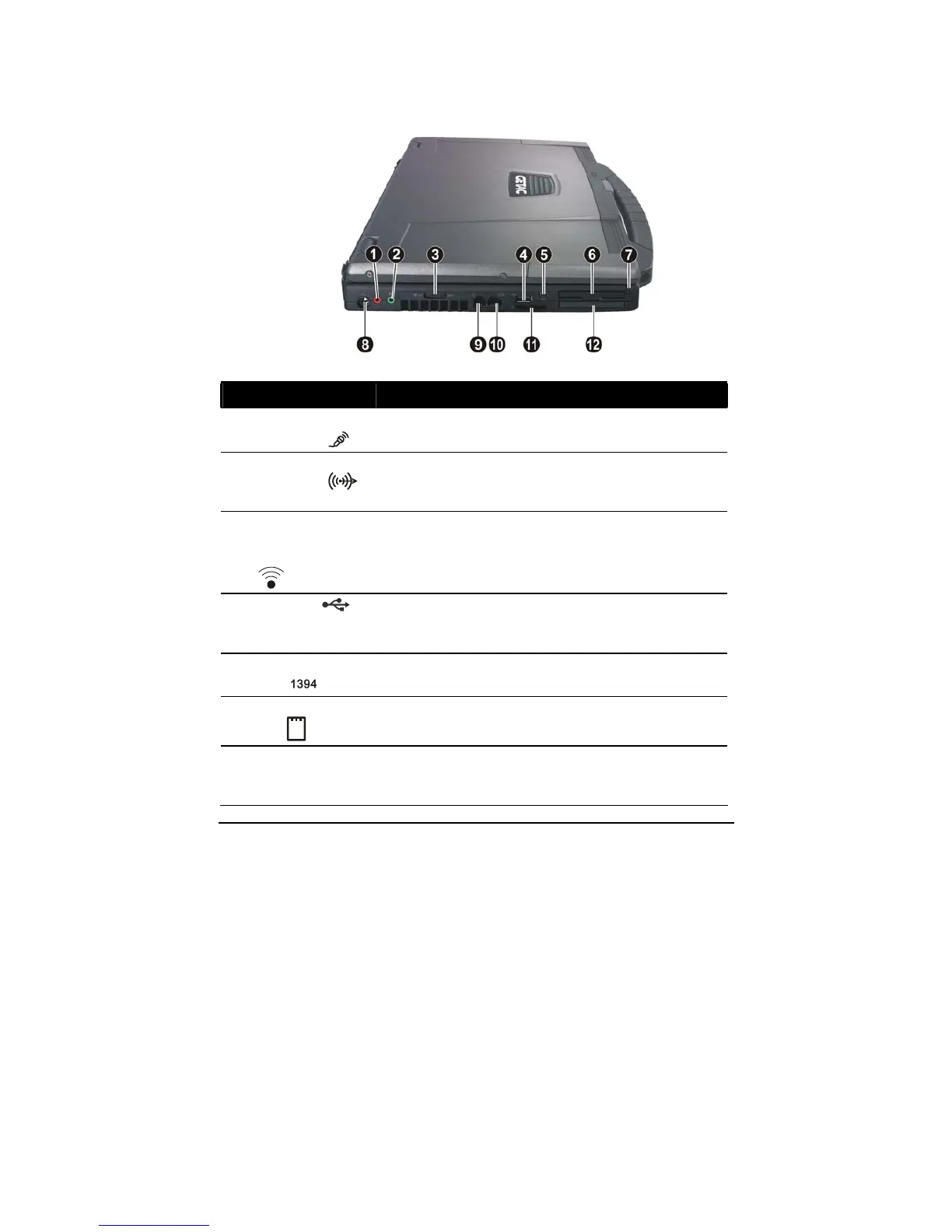
Left-Side Components
Ref Component Description See Also
n
Microphone
Connector
Connects an external microphone. P. 2-21
o
Audio Output
Connector
Connects a set of headphones, external
speakers with amplifier, or an audio recording
device.
P. 2-21
p
RF (radio
frequency)
On/Off Switch
Turns the wireless LAN radio, Bluetooth
radio, and WWAN on/off.
P. 2-25,
2-28
q
USB Port
Connects a USB device, such as a USB flash
disk, printer, digital camera, joystick, and
more.
P. 4-5
r
Mini IEEE 1394
Port
Connects an IEEE 1394 device such as a
scanner, printer, DVCAM, VCR, and more.
P. 4-6
s
ExpressCard/54
Slot
Accepts an ExpressCard/34 or
ExpressCard/54 for additional functions.
P. 4-11
t
Stylus
Provides a convenient way to use the
touchscreen. Can be stretched for better grip
and handling.
P. 2-12



 To Next Page