Repair and adjustment
15
Service instructions
5015108-00Edition 0403
15. Set 20 mA on the conductivity meter with Y and Z.
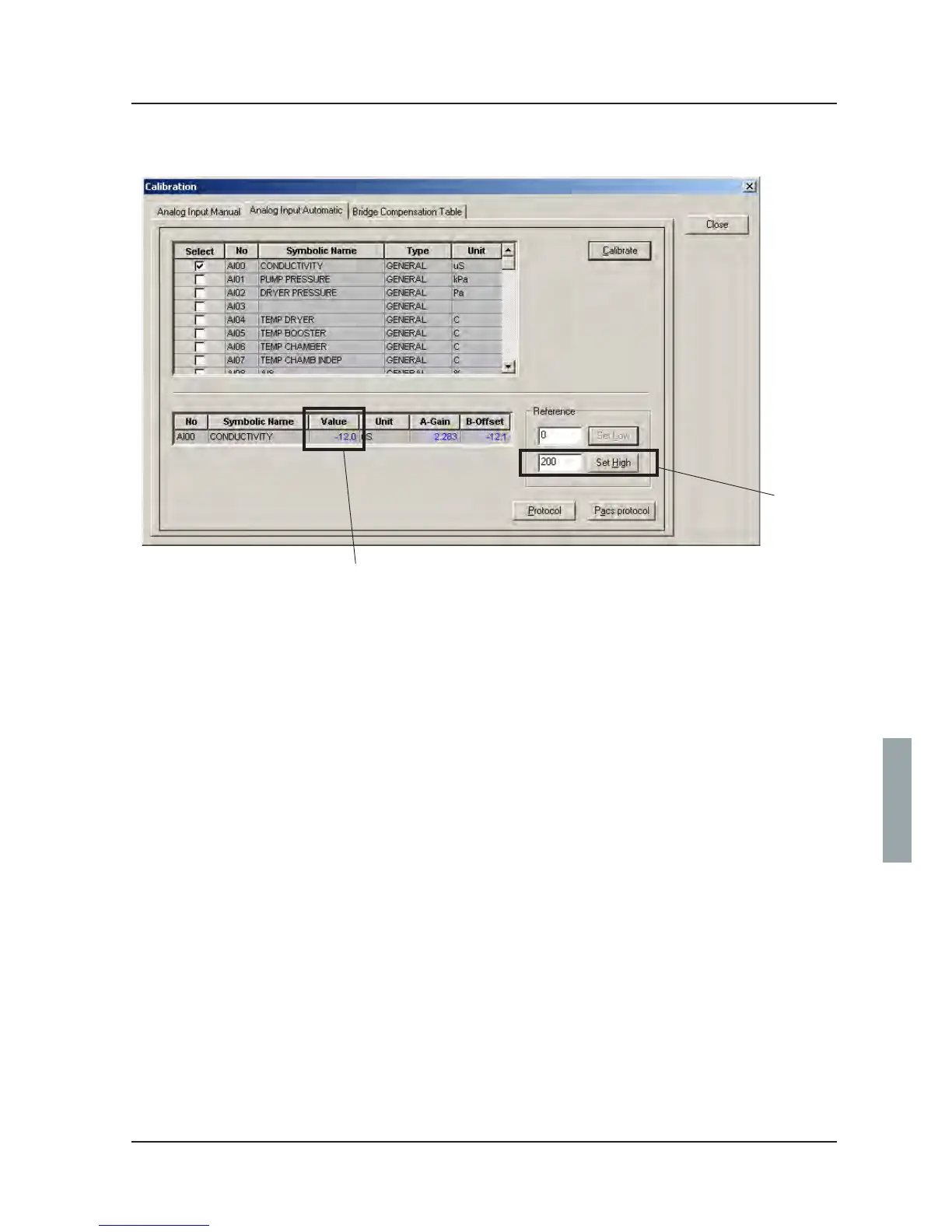
16. Enter 200 (A) in CS 1000 and click Set High.
17. Check that the value (B) rises to 200.
18. Log off CS 1000.
19. Choose Output with Y and Z.
20. Press [. Sel. Type appears.
21. Choose LIN with Y and Z.
22. Press [.
23. Press Y and Z together several times until you are logged out of the conductivity meter.
A
B
V1566



 To Next Page