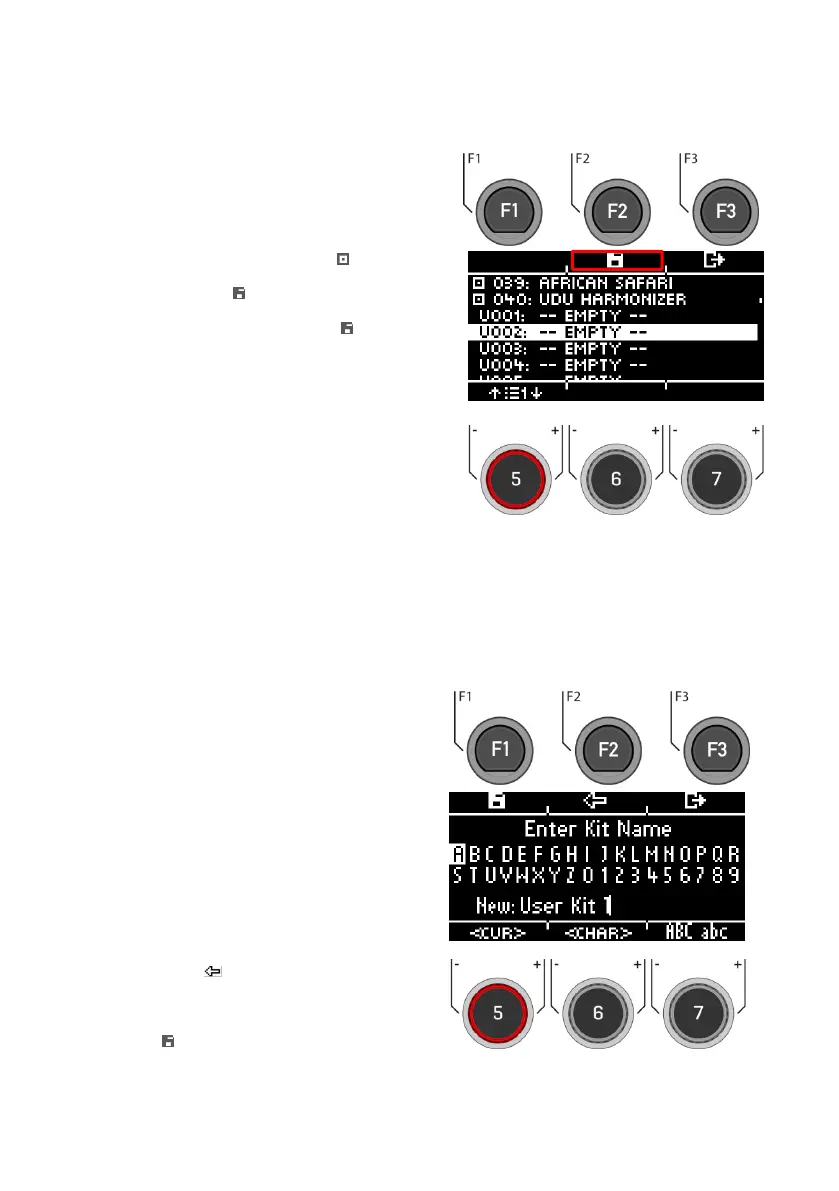
Presets marked with the symbol cannot be
overwritten. Please select a free user slot from
the list and press [F2].
User slots that have already been saved can be
overwritten or renamed by pressing [F2].
Use the navigation keys [8] or the dial [6]
<CHAR> to select the desired character.
Press [ENTER] to confirm the respective
character.
To change the cursor position, use the dial
[5] <CUR>.
The uppercase and lowercase letters, as
well as special characters, can be selected
by using the dial [7] ABC abc.
Delete individual characters by pressing the
button [F2].
Cancellation is possible at any time by
pressing the button [F3].
Save the file name by pressing the button
[F1]



 To Next Page