G3 – Owner‘s Manual | 53
Under the direct access [SETUP] you can determine what type of pad or cymbal is placed on the input.
Example: Cymbal = Edge, Bow, Bell
10.1 SETTINGS
In the SETTINGS you can adjust your trigger and all the
associated functions to your wishes.
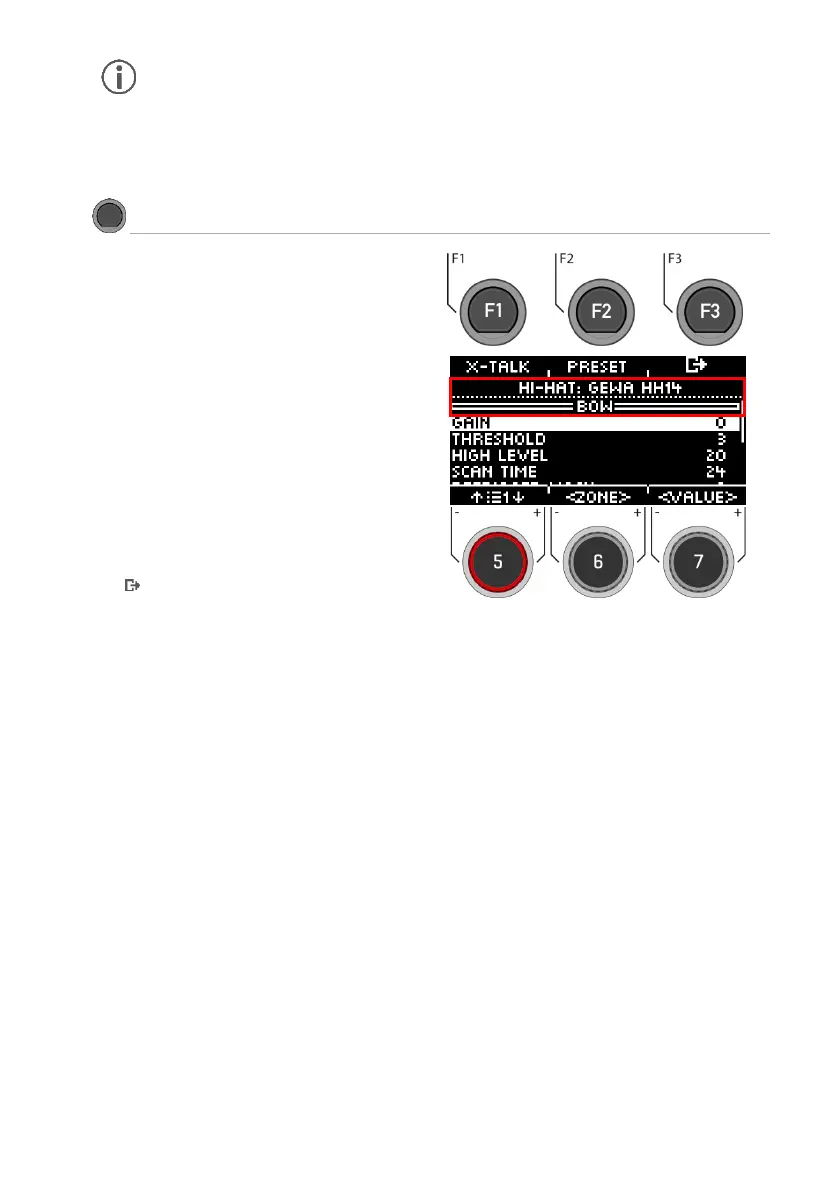
In the upper area you see the selected instrument. With the
dial [6] [<ZONE>] you can choose between the zones of the
instrument (HEAD I RIM; BELL I EDGE I BOW).
The following functions are available for the selected
trigger:
X-Talk
Press [F1] to adjust the trigger behaviour in case of cross-
talk.
Preset
Press [F2] to access the presets. Here you can load and save
your own trigger presets.
Exit the menu
Press [F3] to go back one step.
Parameter
The following values are available for selection:
GAIN, THRESHOLD, HIGH LEVEL, SCAN TIME, RETRIGGER MASK, TRIGGER TYPE, CURVE ID, DYN LEVEL, DYN TIME.
Use the dial [5] to select the corresponding parameter and change the value with the dial [7].
For more information, see the following chapter.



 To Next Page