EasyManua.ls Logo

Gewa G3 - 11.4.1 BLUETOOTH

Gewa G3
144 pages
Print Icon
To Next Page IconTo Next Page
To Previous Page IconTo Previous Page
Loading...
G3 Owner‘s Manual | 97
11.4.1 BLUETOOTH
MENU SETUP [F2]
Bluetooth
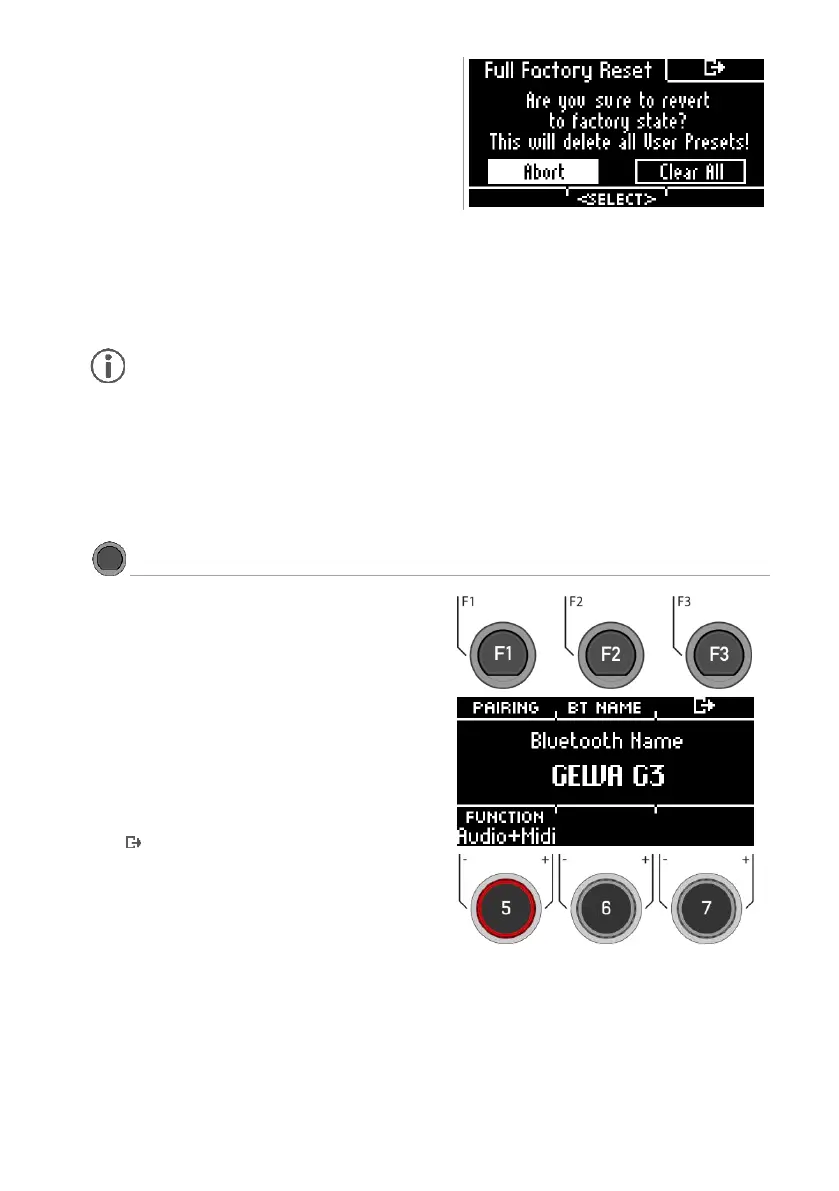
Pairing
Press [F1] [PAIRING], to connect your G3 Module via
Bluetooth with a device.
BT Name
Press [F2] [BT NAME] to assign a custom name for the
Bluetooth device.
Exit
Press [F3] to exit the level or any menu key to exit the
entire menu.
Clear All *
Resetting the module to the factory settings. All user presets
and settings are deleted.
*
[ABORT]
[CLEAR (…)]
Make your selection with the dial [6] [<Select>] or the navigation keys [8].
Press [ENTER] to confirm.
Before a factory reset, export your user drum kits and create a backup.

Table of Contents

Other manuals for Gewa G3

Related product manuals