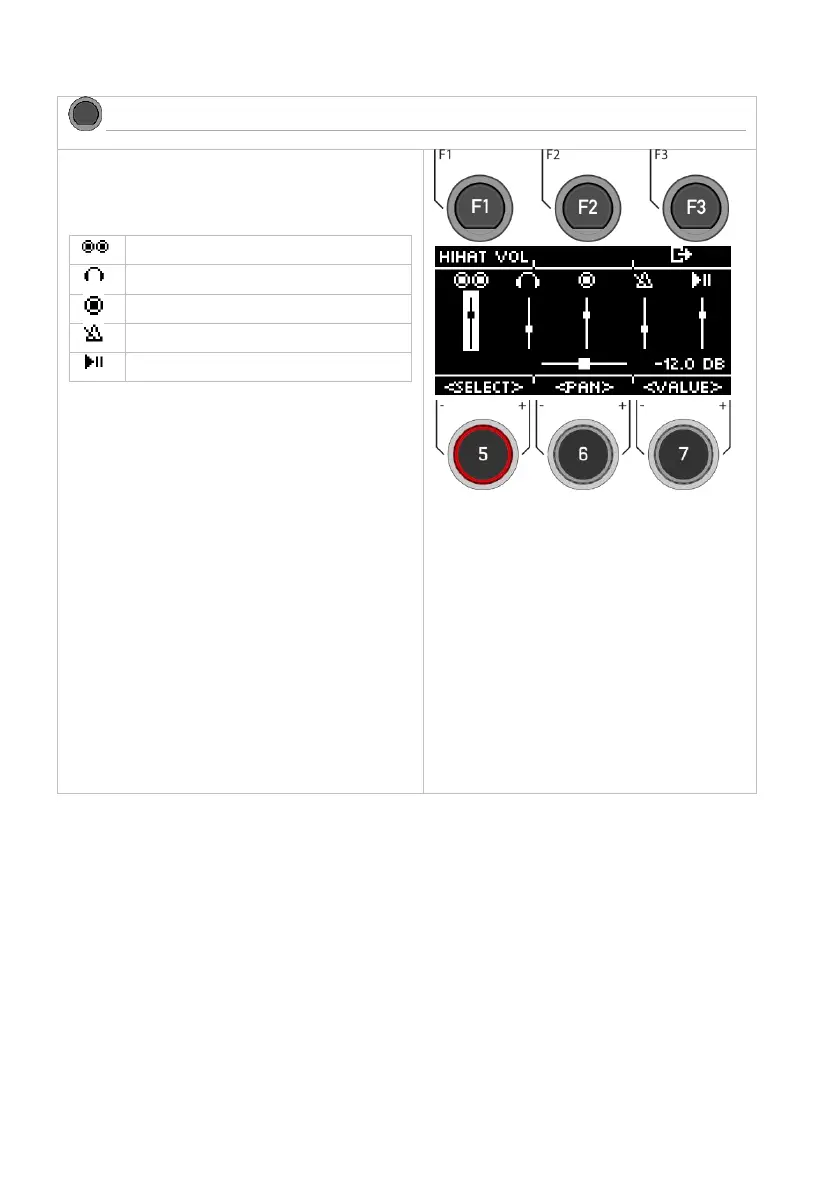
In the [GENERAL] menu, you will find the volume settings
for the master outputs, the headphones, the mix-in (&
Bluetooth), the metronome (click) and the songplayer
(song).
Select channel
Use the dial [5] [<SELECT>] or the navigation keys [8] to
select the channel you want to change in volume.
Change volume
Use the dial [7] [<VALUE>] or the navigation keys [8] to
change the volume.
Panning
There is a panning setting for the master outputs and the
headphones. Adjust it with the dial [6] [<PAN>].
Hi-Hat volume
Press [F1] [HIHAT VOL] to access the Hi-Hat volume control.
Exit the level
Press [F3] to exit the level or any menu key to exit the entire
menu.



 To Next Page