Installation
2
2-6 Gilson GX-271 Liquid Handler User’s Guide
Locator Plate Setup
Install the Tubing
To make the plumbing connections to the rinse station:
1 Connect the drain tubing (part number 470331206, included with the rinse station) to the barbed union on the rinse station.
2 If you are using the GX Rinse Pump, connect the 1/16" OD tubing (part number 4715187060, included with the rinse pump)
to the top barbed fitting on the rinse station. Refer to GX Rinse Pump Plumbing (Optional)
on page 2-34 for more
information.
Install the Rinse Station
To install the rinse station on the tray insert:
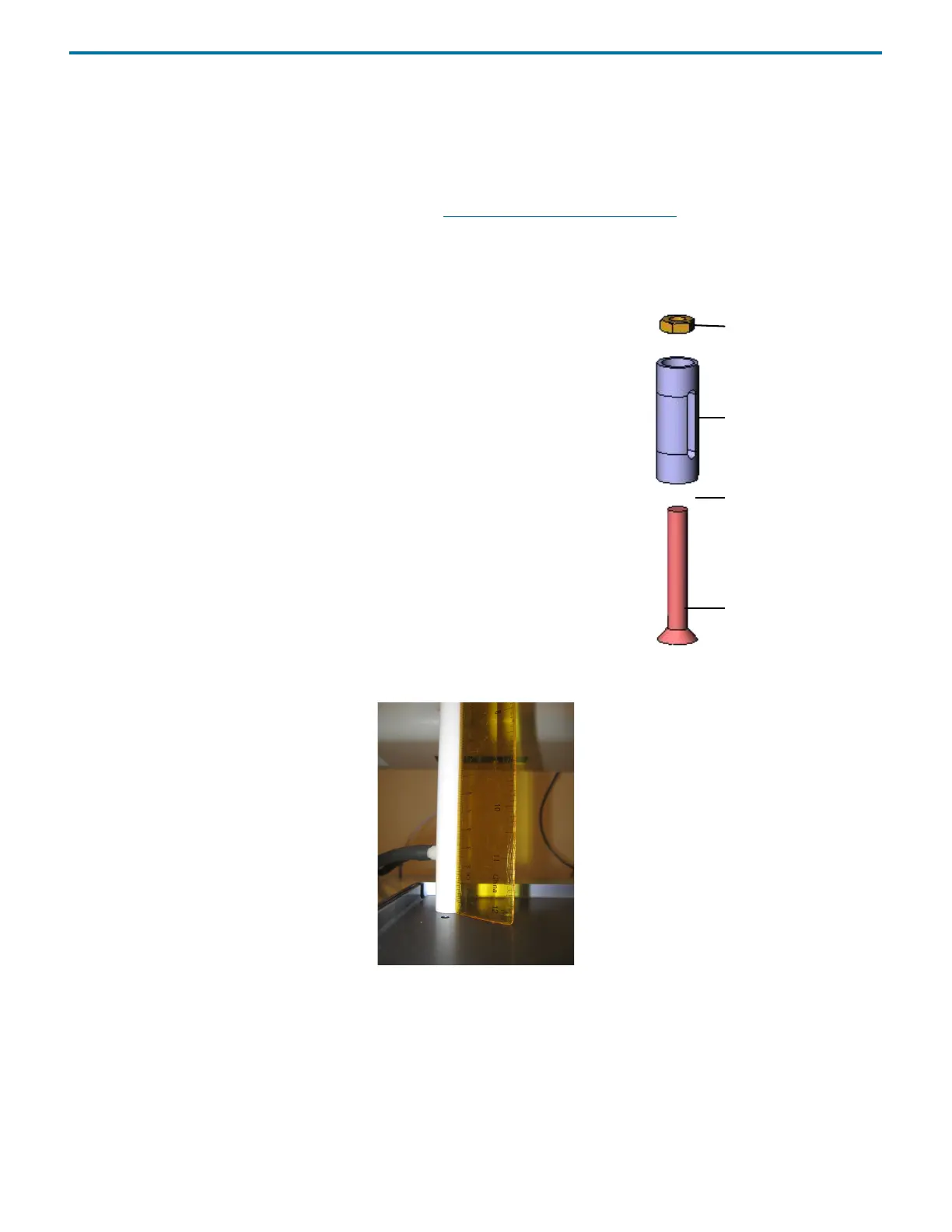
1 Locate the following items included with the rinse station:
• rinse station support
•flat-head screw
•hex nut
Note: The rinse station also includes a socket head cap screw that will not be used for
this installation.
2 Place the hex nut in the recessed end of the rinse station support. Using a large
Phillips screwdriver, push the hex nut all the way into the recessed opening on the
rinse station support.
3 Place the flat-head screw up through the bottom of the tray insert and place the rinse
station support/hex nut assembly over the screw. Using a Phillips screwdriver,
tighten the screw to the rinse support/hex nut assembly.
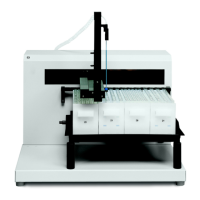
4 After installation, check that the rinse station is perpendicular to the tray insert.
If the rinse station is not flush to the tray insert and not perpendicular to the ruler,
remove it and reinstall.
Figure 2-12: Rinse Station Perpendicular to Tray Insert
hex nut
flat-head screw
tray insert (not shown)
rinse station support
Figure 2-11: Rinse Station



 To Next Page