Gilson GX-271 Liquid Handler User’s Guide 2-39
Installation
2
Shield Installation (Optional)
Shield Installation (Optional)
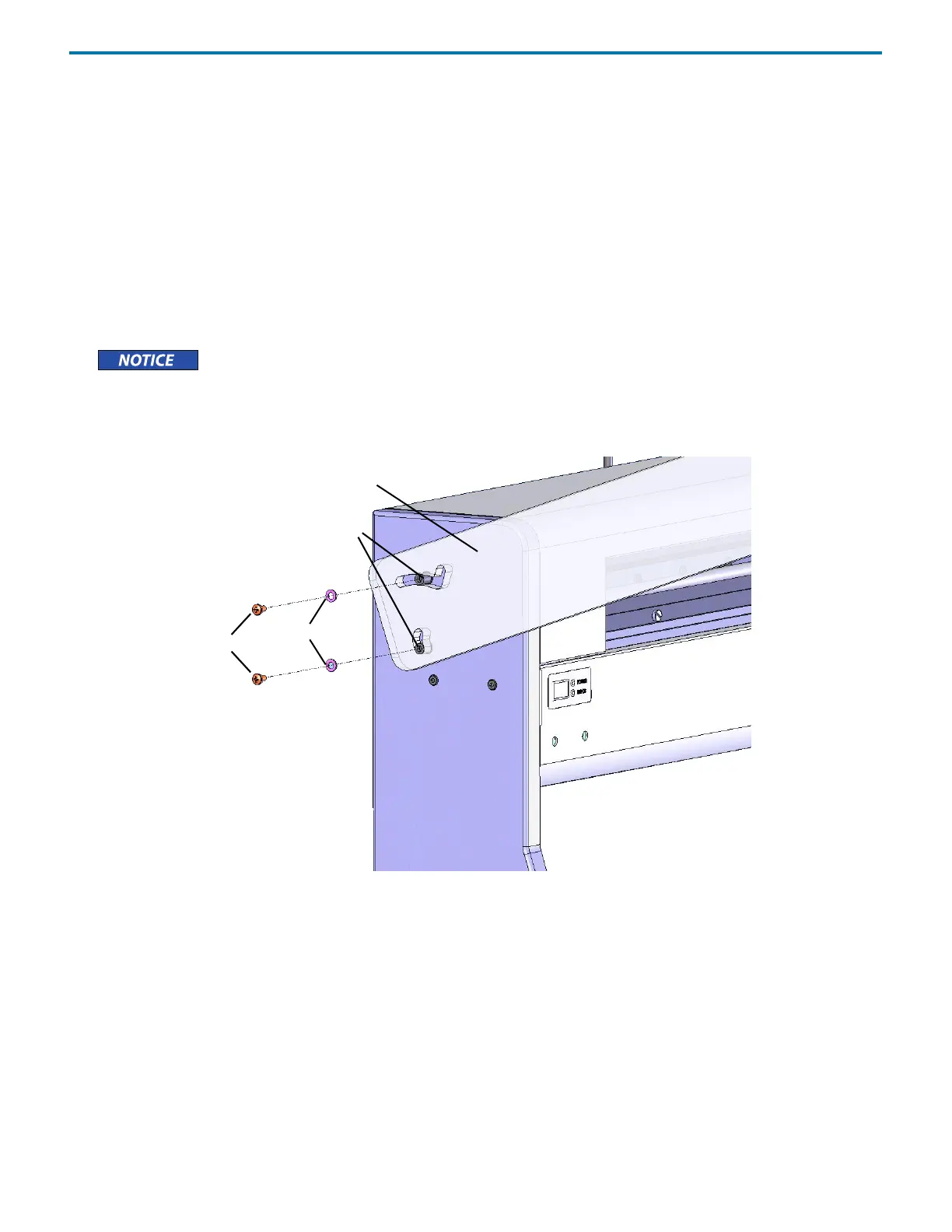
Refer to the instructions and diagram that follow to install the shield.
1 Locate the GX-27X Shield Kit (ordered separately, part number 2604706).
2 Using a 4 mm Allen wrench, remove the top screw on the left support of the liquid handler and replace with one of the pivot
pins included with the shield.
3 Remove the screw below the one that was just removed and replace it with a pivot pin.
4 Remove the top screw on the right support of the liquid handler and replace with one of the pivot pins included with the
shield.
5 Remove the screw below the one that was just removed and replace it with a pivot pin.
Remove only one screw at a time from the support of the liquid handler. Replace each screw with a pivot pin
before removing the next screw.
6 Place the shield over the pivot pins on both sides of the liquid handler.
7 Place a washer and then a screw over each of the pivot pins and then tighten each screw using a Phillips screwdriver.
Figure 2-68: GX-27X Shield Installation
pivot pin
washer
screw
shield
left support














 To Next Page