Operation
3
3-6 Gilson GX-271 Liquid Handler User’s Guide
GX-27X Series Offset Utility
Use the GX-27X Series Offset Utility
Specify and Set Configuration
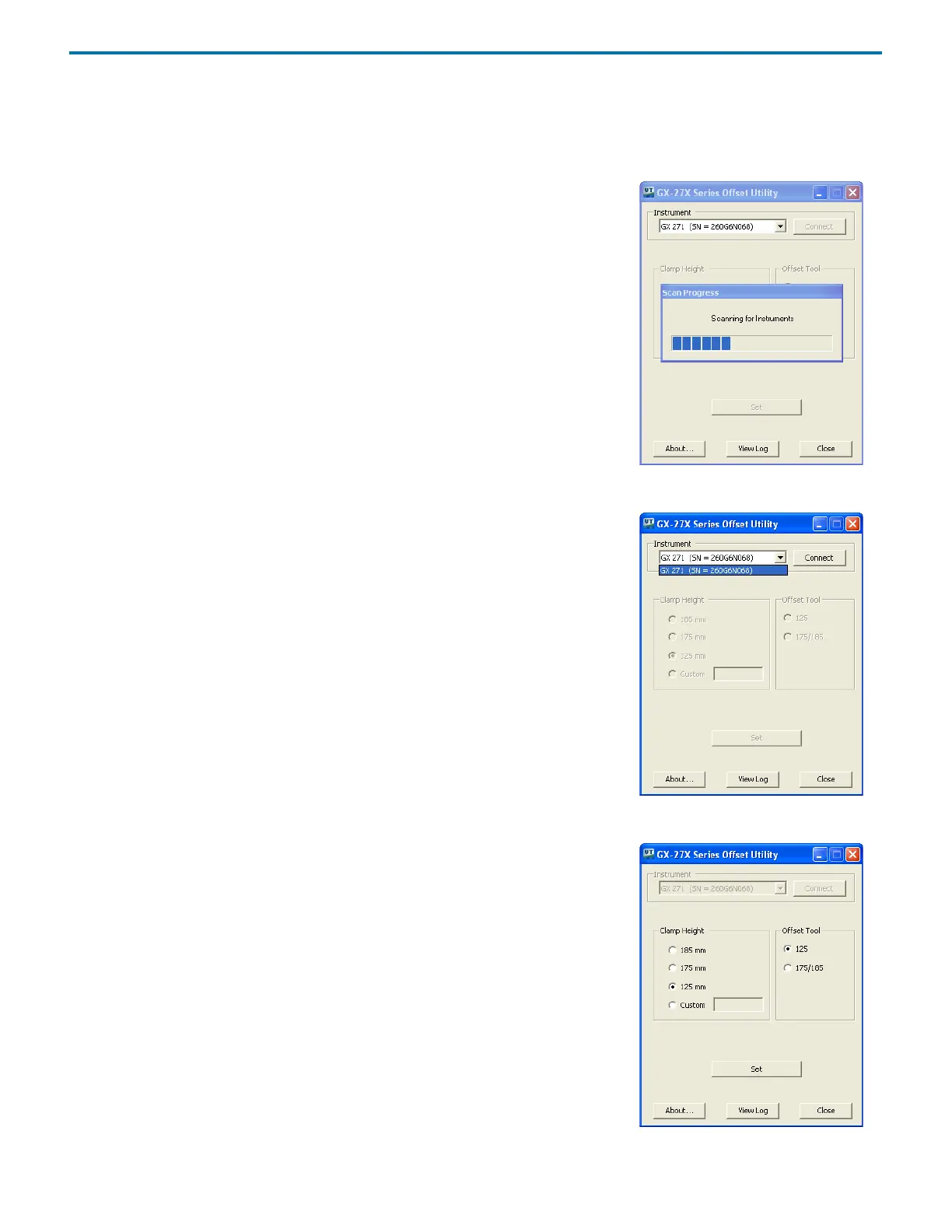
1 Allow instruments to scan into list.
Ethernet-controlled instruments will display the serialnumber (SN=).
GSIOC/RS-232-controlled instruments will display the unitID (ID=).
Figure 3-2: Scanning for Instruments
2 Select the instrument and then click Connect.
Figure 3-3: Connect to the Instrument
3 Select the Clamp Height and the Offset Tool and then click Set.
Figure 3-4: Select the Clamp Height














 To Next Page