Gilson GX-271 Liquid Handler User’s Guide 3-7
Operation
3
GX-27X Series Offset Utility
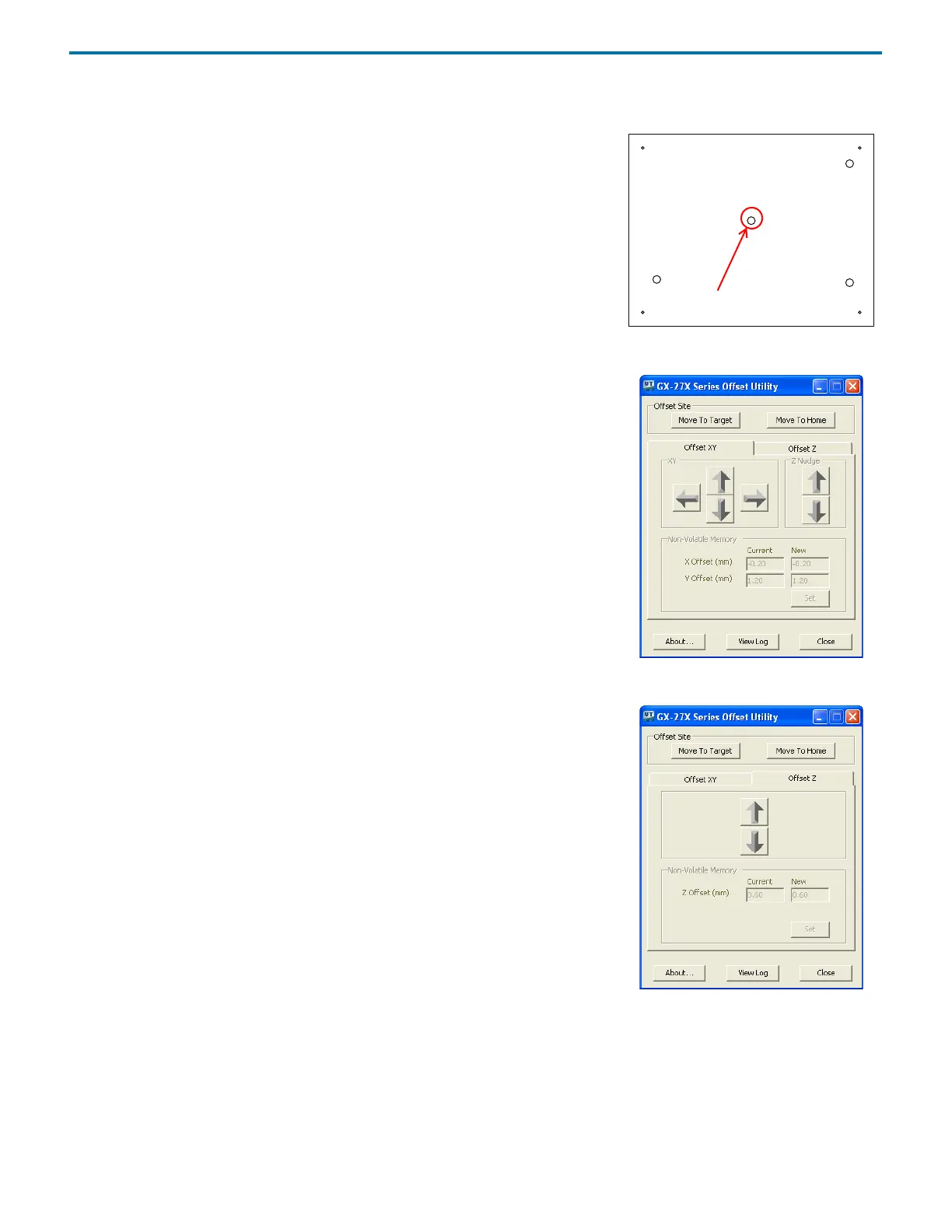
Determine and Set XY Offset
1 Place the selected offset tool on the center hole in the tray insert.
2 To move to the XY offset site, click Move To Target.
3 The arm will move to the offset site and then will move the probe 5 mm above the
offset tool.
4 Use the Z Nudge arrows to move the probe down.
5 Offset the probe to the center of the offset tool using the XY arrow keys.
If a message appears indicating that the minimum or maximum offset value has
been reached, contact your local Gilson representative for assistance.
6 When the probe is centered, click Set to save the X and Y Offsets.
Figure 3-5: Offset Site
Figure 3-6: XY Offset
Determine and Set Z Offset
1 Select the Offset Z tab.
2 To move to the Z offset site, click Move To Target.
3 Use the arrows to align the tip of the probe with the top of the offset tool. Slide a
small piece of paper between the tip of the probe and the offset tool. If the top of
the paper touches the tip of the probe, the Z offset is correct.
If a message appears indicating that the minimum or maximum offset value has
been reached, contact your local Gilson representative for assistance.
4 When the probe is aligned, click Set to save the Z offset.
View Log
Click View Log to view the offset history for the connected instruments.
Move to Home
Click Move To Home to home the instrument.
Close Utility and Remove Tool
Close the software and then remove and store the offset tool.
Figure 3-7: Z Offset














 To Next Page