Gilson GX-271 Liquid Handler User’s Guide 2-9
Installation
2
Z-Arm Setup
Z-Arm Setup
All of the components on the Z-arm must be installed before the Z-arm is attached to the instrument. Do not install the
Z-arm until instructed to do so.
The Z-arm and its components should be assembled and installed in the following order:
1 Isolator Probe Holder Installation
2Guide Foot Installation
3 Fraction Collection Valve Installation
a) Tube and Wire Routing Strip Installation
4 Z-Arm Installation
5 Adjusting the Z Travel Height
6 Probe Installation
7 Liquid Level Detection (LLD) Cable Installation
8 Final Z-Arm Height Adjustment
Isolator Probe Holder Installation
Follow the instructions below to install the isolator probe holder
(part number 2604615) on the isolator mounting block on the Z-arm.
Note: The isolator mounting block is factory-installed. Do not remove it from the
Z-arm.
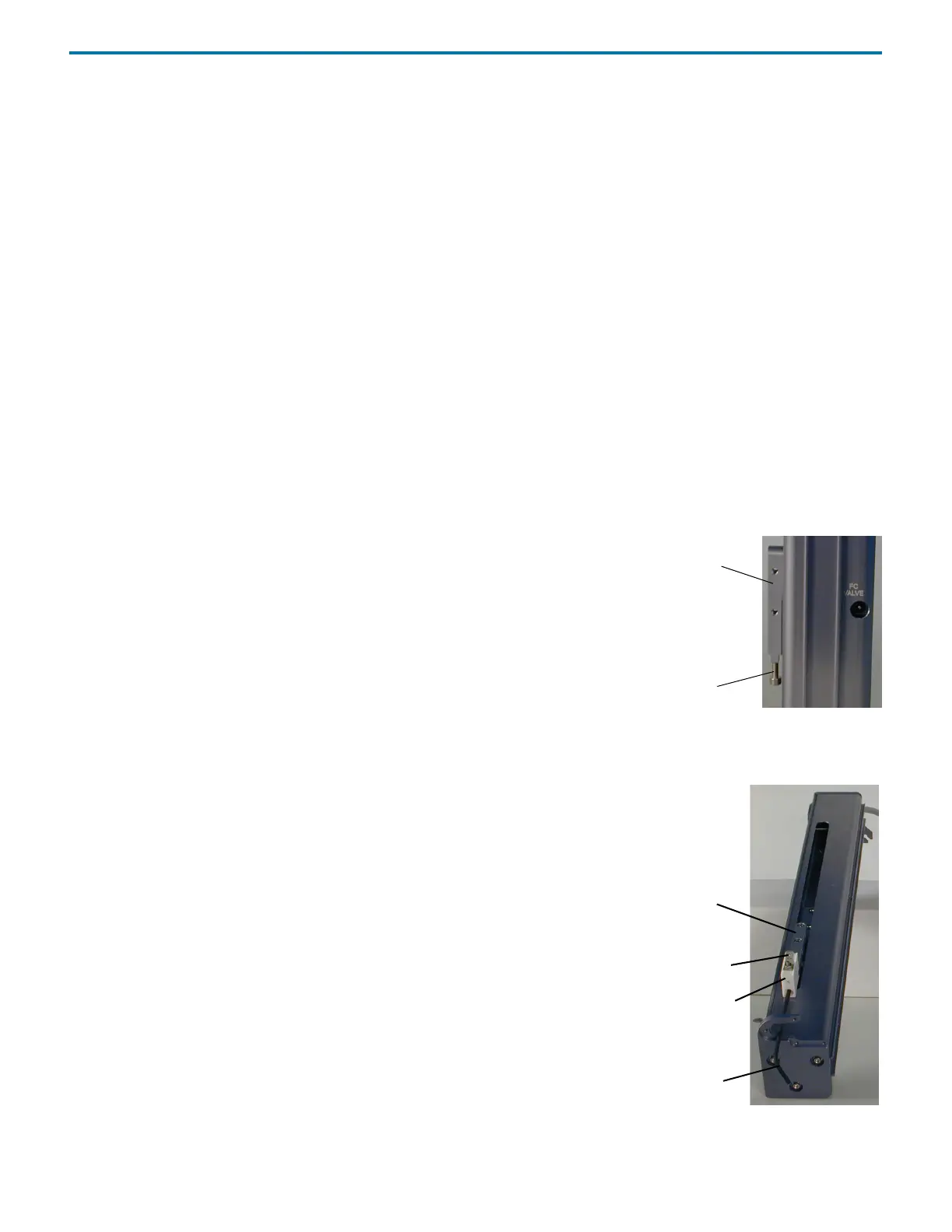
1 Using the 3 mm Allen wrench included in the accessory package, remove the
screw from the bottom of the isolator mounting block.
2 Slide the isolator mounting block down as far as it will go to the bottom of the
Z-arm.
Note: There may be some resistance when sliding the isolator mounting
block.
3 Lay the Z-arm on its back on a flat surface.
4 Orient the isolator probe holder so that the D notch is at the top
and the connector for the LLD cable is facing out. Place the D notch
in the isolator probe holder over the lower part of the isolator
mounting block.
5 Place the screw removed in step 1 up through the bottom of the
isolator probe holder and into the isolator mounting block and
tighten using the 3 mm Allen wrench.
isolator mounting
block
screw
Figure 2-15: Right Side of Z-Arm
isolator mounting
isolator probe holder
3 mm Allen wrench
block
LLD cable connector
Figure 2-16: Isolator Probe Holder Installation



 To Next Page