Installation
2
2-30 Gilson GX-271 Liquid Handler User’s Guide
Rack Installation
Solvent Bottle Rack Installation
To install a solvent bottle rack on the Code 20-series tray insert:
1 Align the holes on the bottom of the solvent bottle rack with the holes on the tray insert.
If a rinse station is installed, the solvent bottle rack will only fit in one location on the tray insert. If a rinse station is not installed,
the solvent bottle rack can be installed further to the right.
2 Place the solvent bottles in the rack.
Code 200-Series or Code 300-Series Rack Installation
To install a Code 200-series or Code 300-series rack:
1 Orient the rack so that the code number is facing forward.
2 Fit the rack on the tray insert so that the slots and holes on the underside of the rack align with the pins on the tray insert.
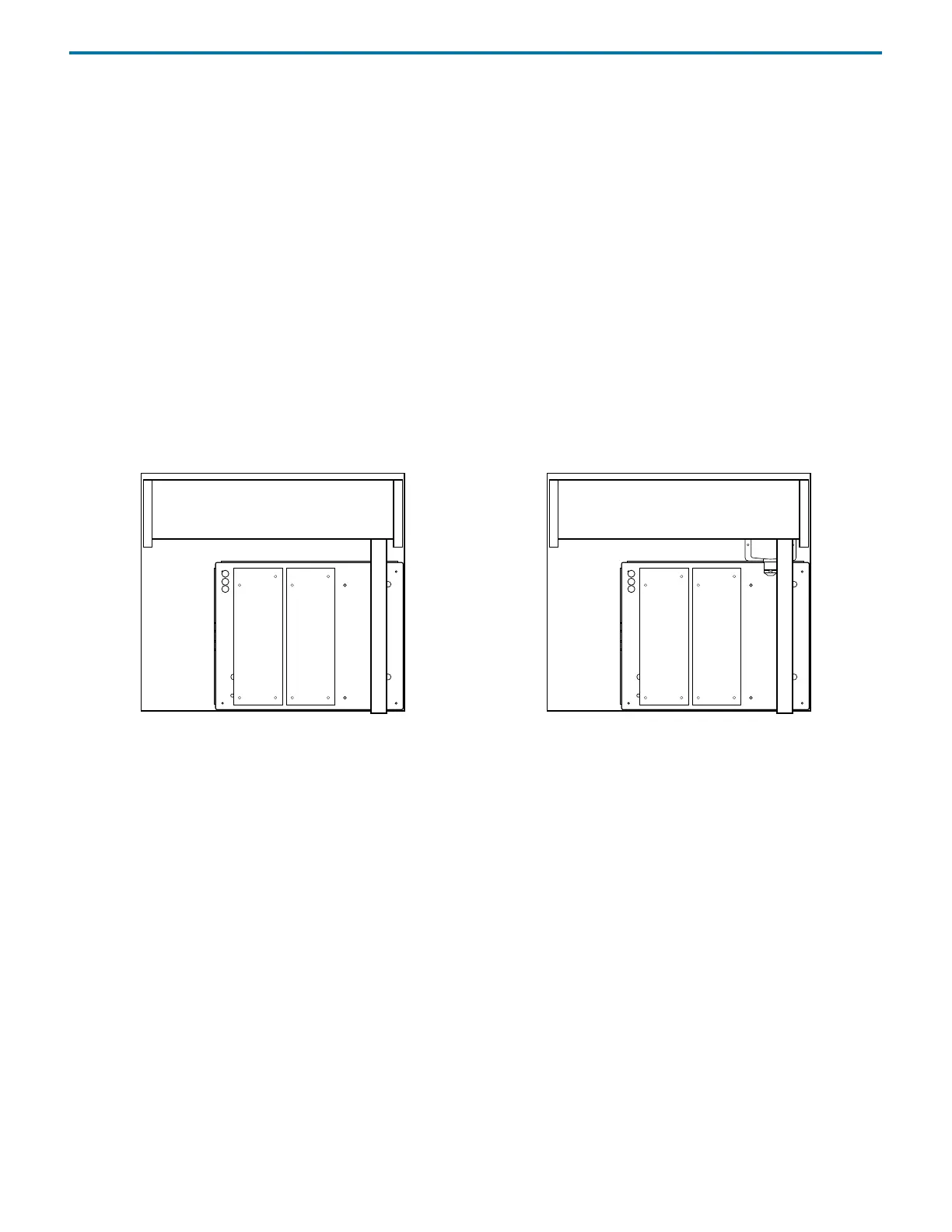
Note: If a GX Direct Injection Module is installed on the locator plate of the liquid handler, only two Code 200-series or
Code 300-series racks can be installed. The rack position in front of the GX Direct Injection Module must remain empty.
Figure 2-55: Code 200-Series Insert on Locator Plate
with Racks Installed
Figure 2-56: Code 200-series Insert on Locator Plate
with Racks and Direct Injection Module Installed














 To Next Page