ital TV Receiver
12
GDR11 Digital TV receiver
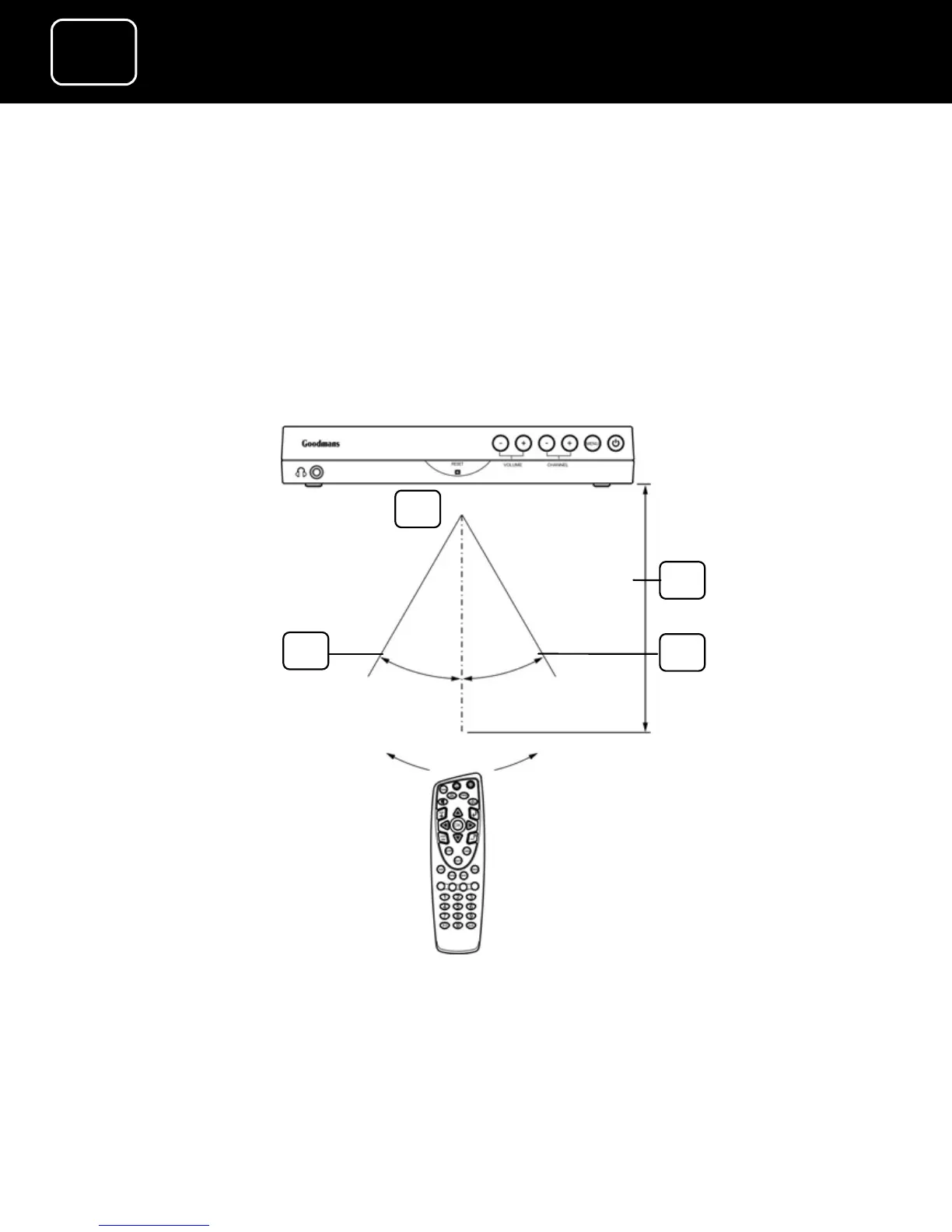
How to use the remote control
1 Point the sensor end of the remote control towards the sensor
in the centre of the receiver’s front panel.
2 Press the button you want to use, for example the standby
button, or the guide button.
2
3
1
4
1. Within about six metres (20 feet)
2. 30°
3. 30°
4. Remote sensor


 To Next Page