ital TV Receiver
24
GDR11 Digital TV receiver
Regional preferences
In some areas of the UK, you may be able to get channels from
other TV regions. When you install your digital TV receiver it will let
you choose which TV region you want to watch.
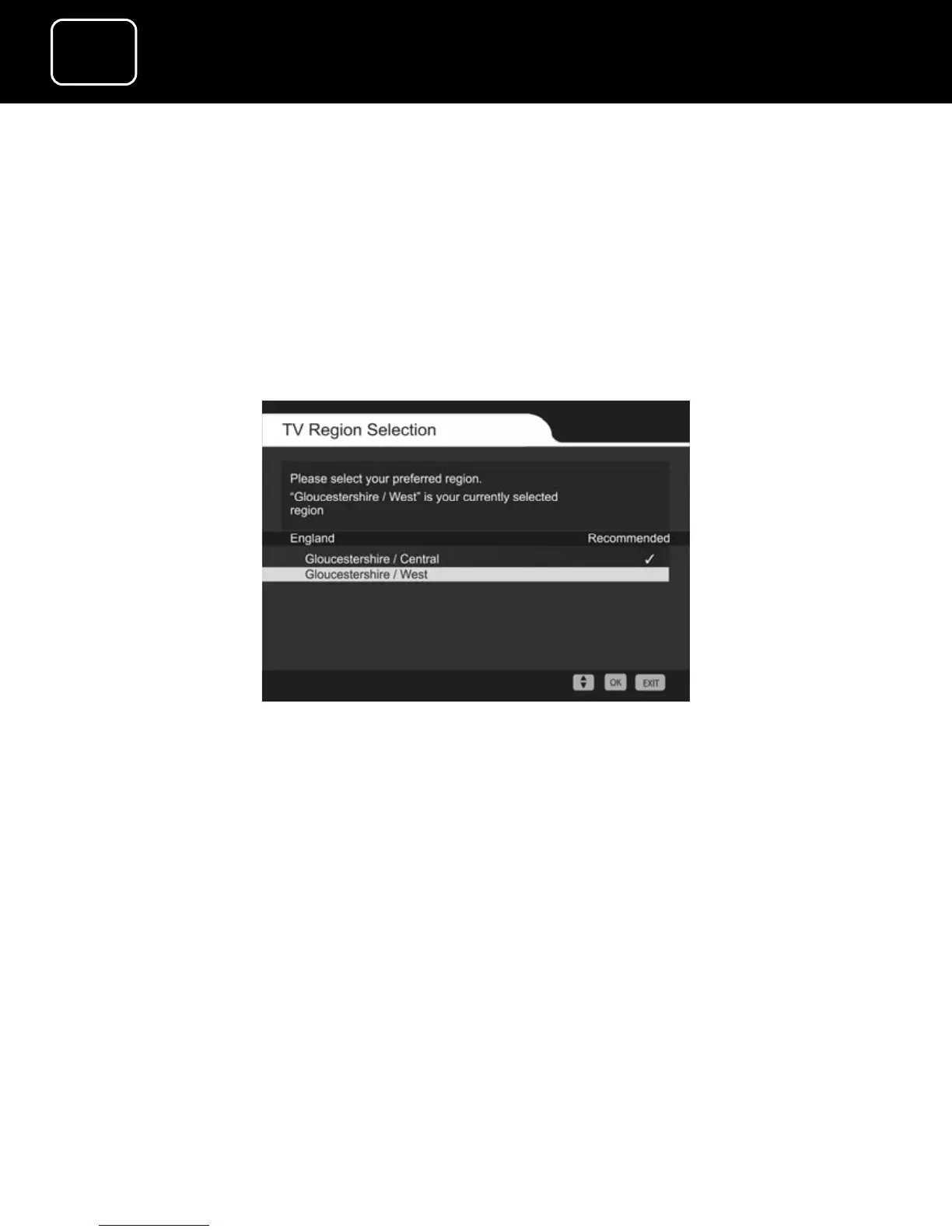
If other regions are available, you will see the TV region screen,
which will look like the one shown below.
TV Region Selection screen
The TV region with the most channels and best signal will be shown
at the top of the list of available TV regions.
Choose the TV region you want to watch using the up and down
arrow buttons on the remote control.
When you have chosen, press ‘OK’ on your remote control.
If you choose the wrong region, you can get the TV region screen
back by doing a first time installation (see page 59).


 To Next Page