Operation
333587B 43
The temperature units can be changed from °C to °F in
the Advanced Settings screens. See Advanced Setup
Screen 2 on page 32.
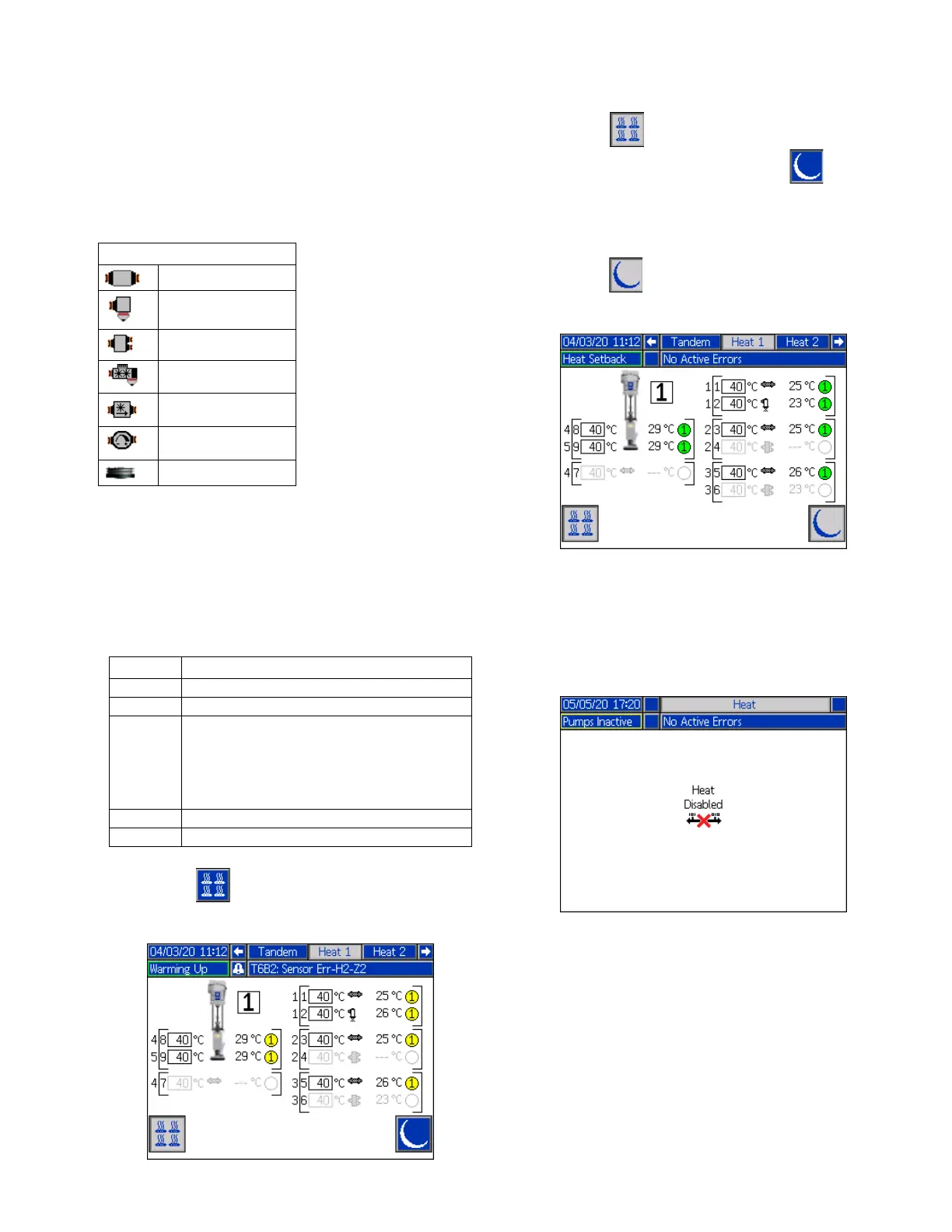
The zone heat symbols on the right side of the screen
correspond to the current type to which the zone is set.
The number to the right of the Zone Heat Symbol is the
zone’s actual temperature. The temperature unit is the
same as the zone setpoint/setback temperature unit.
The zone heat state is the circle with a number inside of
it next to the temperature unit. There are four different
colors used in the indicators for the heat zone.
1. Press the soft key to turn the heat zones on
and off.
2. When the icon is showing, you can put the
system into setback by pressing the soft key.
This places all of the zones displayed on the screen
to setback and shows the setback temperature in
the zone setpoint/setback temperature box.
3. Press the soft key to take the system out of
setback.
If all of the existing heat zones are disabled, the
readings on the Heat Run screen will be gray. If Heat is
not enabled at the System Setup screen, the following
screen will be displayed when you select the Heat Run
screen from the Menu Bar.
See Heat Settings on page 28 to enable heat zones.
Zone Heat Symbol
Hose
Valve
Manifold
PGM
Flowmeter
Press Regulator
Platen
Color Description
Green Heat zone is at temperature.
Yellow Heat Zone is in setback.
Yellow to
Green
Heat zone is warming up or heat zone is
heat soaking. It starts as yellow then
progresses clockwise to green as it
warms up. The pump number also
flashes yellow to green during heatsoak.
Red Heat zone has an error.
Gray Heat zone is turned off.



 To Next Page