Maintenance
333587B 49
Maintenance
Press the soft key at iQ Menu screen 2 to access
the Maintenance screens. The Maintenance screens
are the same for Tandem and Ram except Pump 2 will
show in the Menu Bar. Use the ADM’s Directional
Keypad (CH) to navigate to Pump 2.
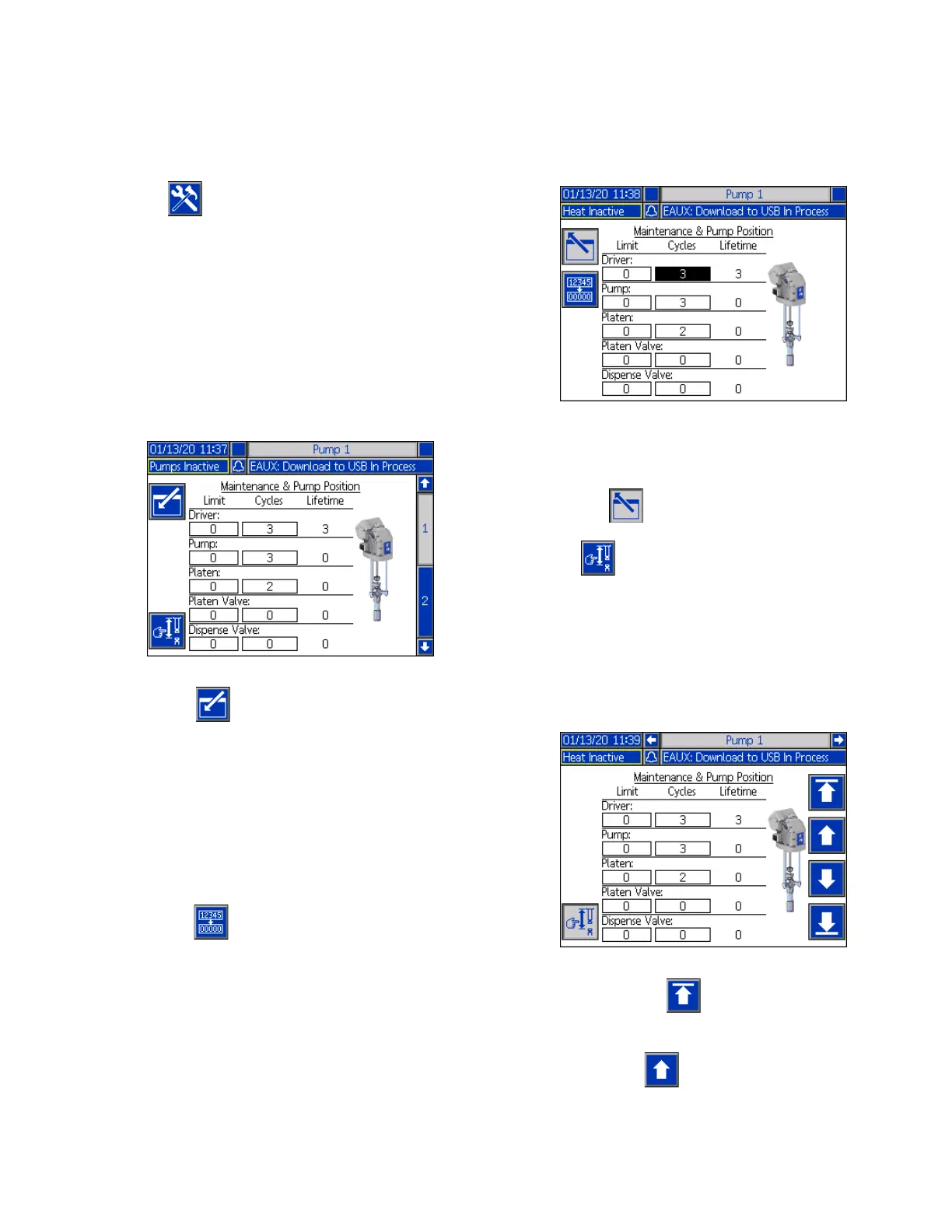
Pump Maintenance Screen 1
The Maintenance and Pump Position screen allows you
to set maintenance parameters and view and change
the pump position.
1. Press the soft key to enter editing mode.
2. For the Driver, Pump, Platen, Platen Valve, and
Dispense Valve, you can enter a Limit for the
number of cycles that can be run before a message
is issued that maintenance is needed. Use the
navigation arrows to move between selections and
enter the number using the numeric keypad (BJ).
3. To reset the Cycles counter, use the navigation
arrows to move to each one you want to reset and
press the soft key.
NOTE: Reset the counter after maintenance is
completed.
4. Press the soft key to exit editing mode.
Press the soft key to enter manual pump
movement mode. The arrow keys on the right side of the
screen move the pump’s driver rod up and down. The
driver rod on the picture of the pump will move to
represent the action.
NOTE: The arrow keys are only available if the driver is
calibrated and not already in use.
Press and release the soft key to move the driver
rod to the top.
Press and hold the soft key to move the driver rod
up. The driver rod will move up as long as the soft key is
held or until it reaches the top.



 To Next Page