Integration
96 333587B
Gateway Setup Screens
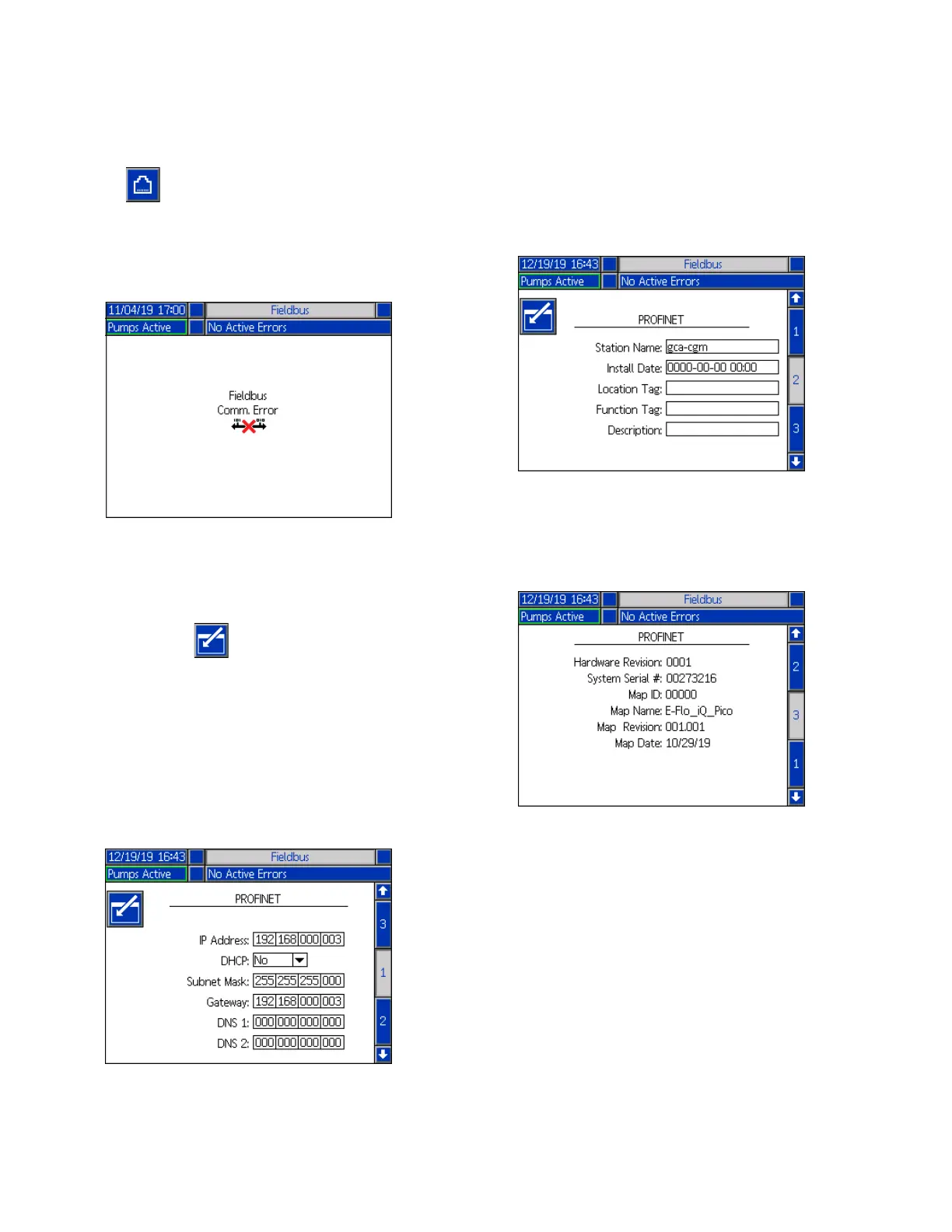
Press the soft key at the iQ Menu screen 2 to
access the Fieldbus screens. The Fieldbus screens are
shown only if a Fieldbus CGM is installed. If one is not
installed, a Fieldbus Comm Error screen will be
displayed.
NOTE: The screens that will be shown here depend on
the type of network you are using.
Some screens are informational only. For those that can
be edited, press the soft key to enter editing mode.
Use the Directional Keypad (CH) and Numeric Keypad
(CJ) to make changes.
PROFINET
PROFINET Screen 1
This screen allows you to set the IP Address, DHCP
settings, Subnet Mask, Gateway, and DNS information.
PROFINET Screen 2
This screen allows you to set the Station Name, Install
Date, Location Tag, Function Tag, and Description.
PROFINET Screen 3
This screen displays the Hardware Revision, System
Serial number, and data map identification information.



 To Next Page