Integration
333587B 97
EtherNet/IP
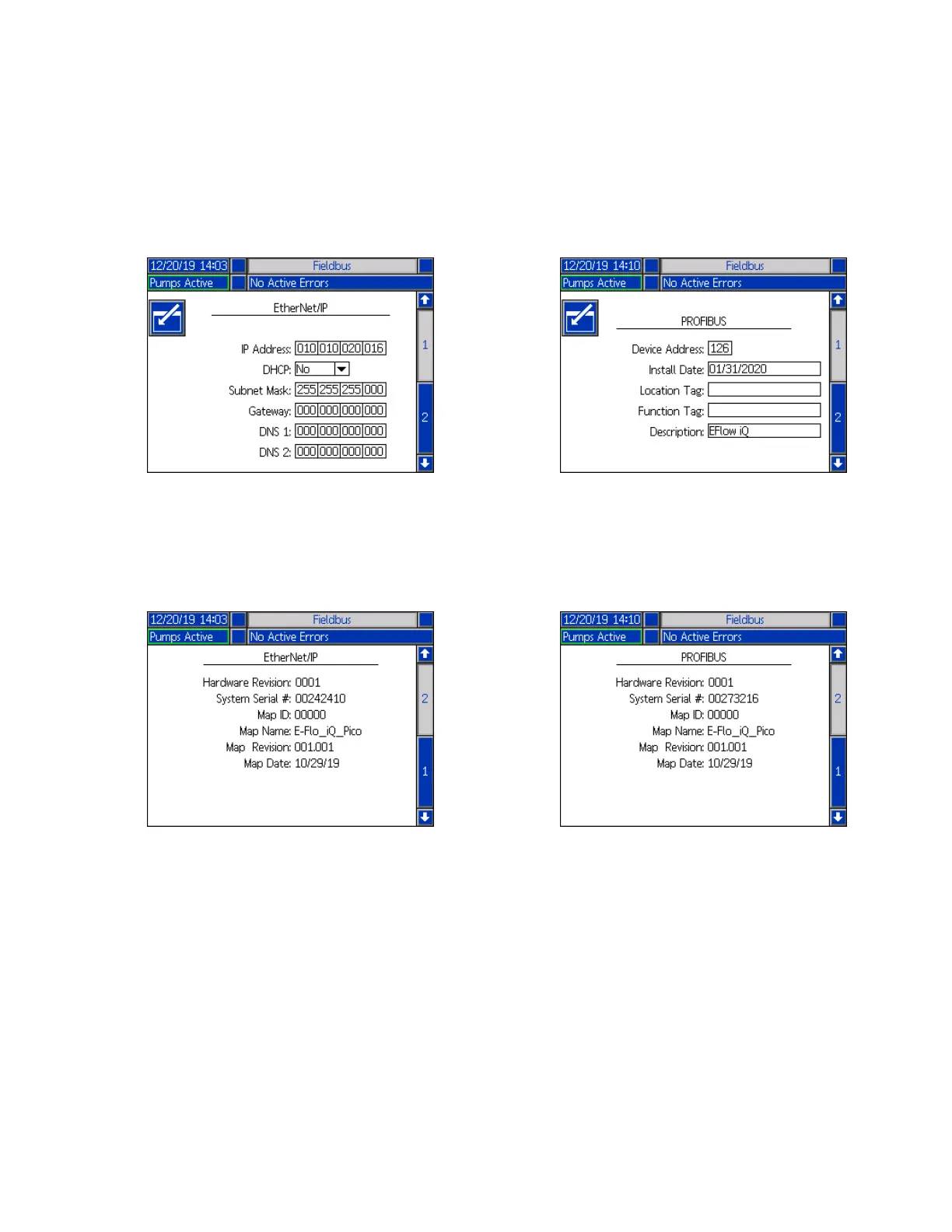
EtherNet Screen 1
This screen allows you to set the IP Address, DHCP
settings, subnet mask, gateway, and DNS information.
EtherNet Screen 2
You can view the Hardware Revision, System Serial
number, and data map identification information at this
screen.
PROFIBUS
PROFIBUS Screen 1
This screen allows you to set the Device Address, Install
Date, Location Tag, Function Tag, and Description.
PROFIBUS Screen 2
You can view the Hardware Revision, System Serial
number, and data map identification information at this
screen.



 To Next Page