Operation
44 333587B
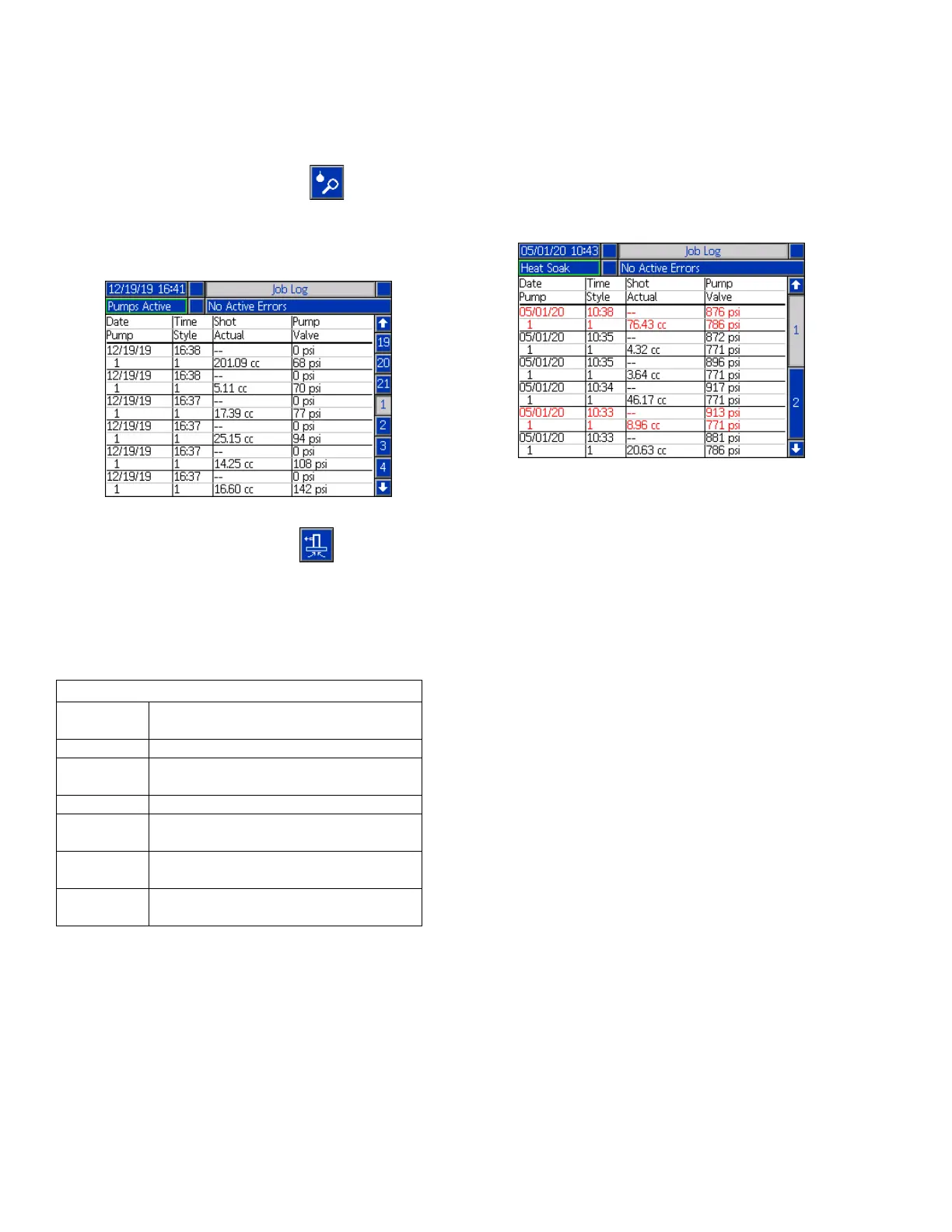
Job Log
Access the Job Log screens from the Run Home screen
or iQ Menu screen 1 by pressing the soft key. The
Job Log screen provides detailed information about all
of the jobs performed on the system. The jobs are listed
chronologically from most recent to oldest.
NOTE: Priming the pump using the soft key on the
Run screen does not appear in the Job Log.
Each job log includes two rows and four columns of
information. The cell descriptions are shown at the top
of each page under the Menu Bar.
NOTE: The pump and valve pressures are recorded at
the time of the valve opening.
The Job Log maintains a record of the last 204 jobs that
were performed. Use the ADM directional keypad (BH)
to scroll through the pages.
Red text on the Job Log screen indicates that a job/style
had a changeover during a dispense, meaning that the
valve was open when the pump changed directions.
These are shown in red to indicate the changeover
because the amount that is displayed in the Actual field
may vary.
Job Log
Date The month, day, and year the job was
recorded.
Time The time the job was completed.
Pump
(Pressure)
The pump pressure for the job.
Pump The pump identification number.
Style The style identification number that
was run in the job.
Actual How much material the pump
dispenses.
Valve
(Pressure)
The valve pressure for the job.



 To Next Page