Troubleshooting
54 333587B
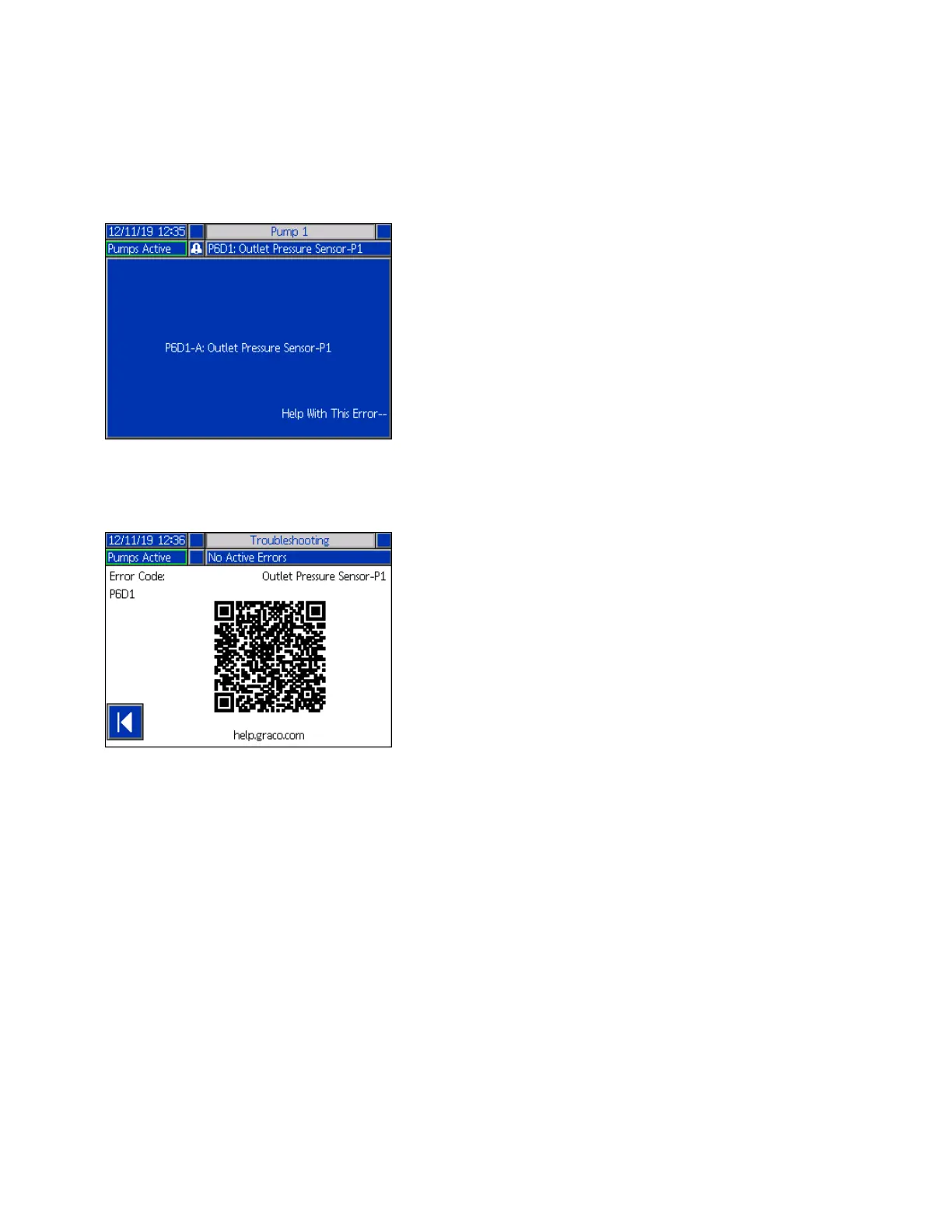
To troubleshoot the error:
1. Press the soft key next to “Help With This Error” for
help with the active error.
2. The QR Code screen will be displayed. Scan the
QR code with your smart phone to be sent directly
to online troubleshooting for the active error code.
NOTE: For causes and solutions for each error code,
refer to the Error Codes table on page 55. You can also
call Graco Technical Assistance or navigate to:
http://help.graco.com/en/e-flo-systems/e-flo-iq-system.h
tml.



 To Next Page