Appendix A - Advanced Display Module (ADM)
112 3A2098S
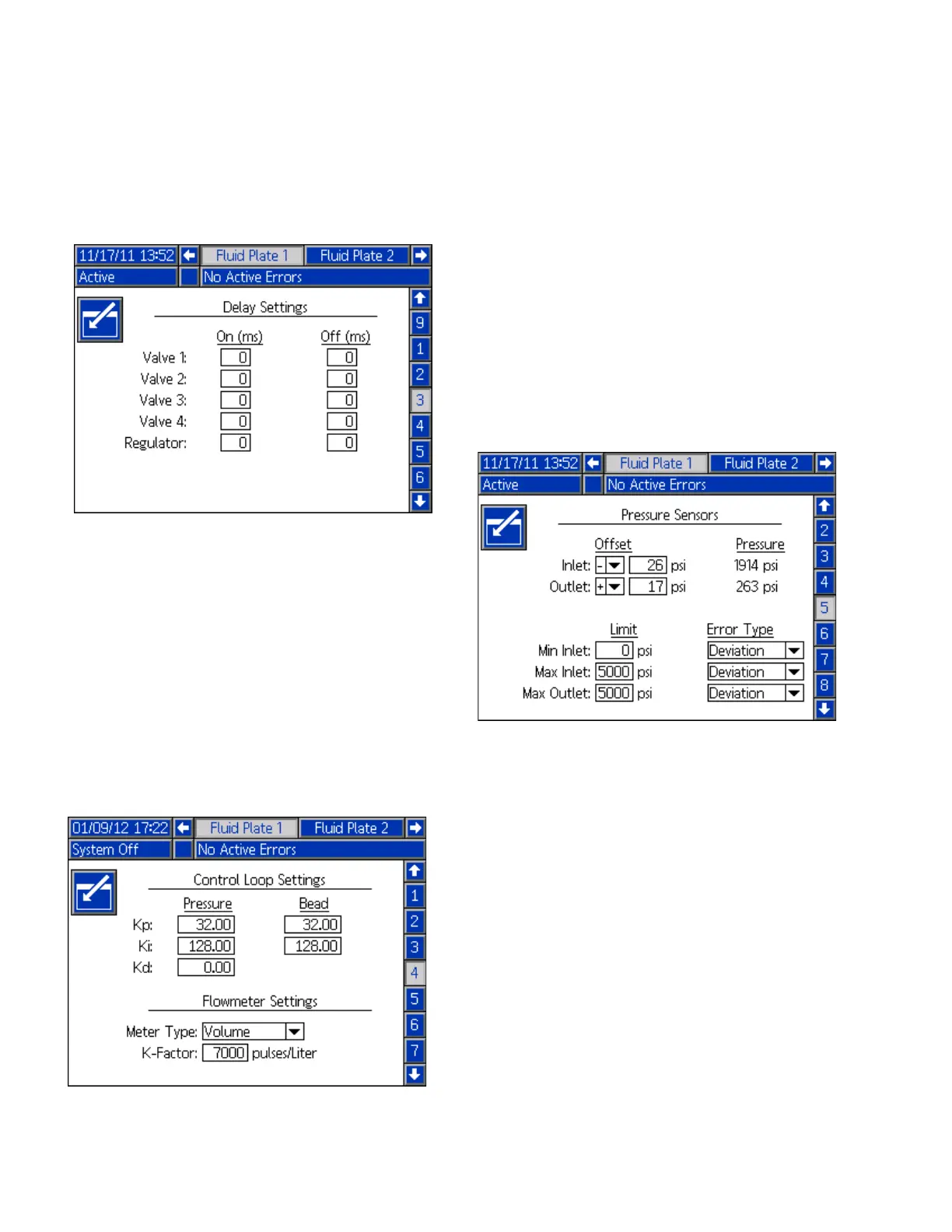
Fluid Plate x, Screen 3 (Delay Settings)
This screen enables users to set on and off delays (in
milliseconds) for each valve and the regulator
. For an
explanation of the on and off delays, refer to the On/Off
Delays section on page 43.
Fluid Plate x, Screen 4 (Control Loop and Flowmeter
Settings)
This screen enables users to set the meter type (volume
or mass) and the K-Factor for the flowmeter. Users can
also set the Kp, Ki, and Kd for the pressure control loop
as well as Kp and Ki for bead control loop.
NOTE: In systems without a flow meter, the flow meter
settings will be grayed out.
NOTE: It is recommended that these values not be
changed from the factory defaults of 32.00 for Kp,
128.00 for Ki, and 0.00 for Kd.
Fluid Plate x, Screen 5 (Pressure Sensors)
NOTE: Inlet sensor settings will be grayed out on this
screen for systems with heated fluid plates.
This screen enables users to:
• Set the offset for the inlet and outlet pressures.
NOTE: The offset value must be set to a non-zero
value before ‘-’ can be selected from the +/-
drop-down menu.
• Set the minimum and maximum pressure limits for
the inlet, and the maximum pressure limit for the
outlet.
• Set the error type (alarm or deviation) that will be
issued if the inlet and/or outlet pressure go outside
of the set limits.



 To Next Page