Operation
3A2098S 45
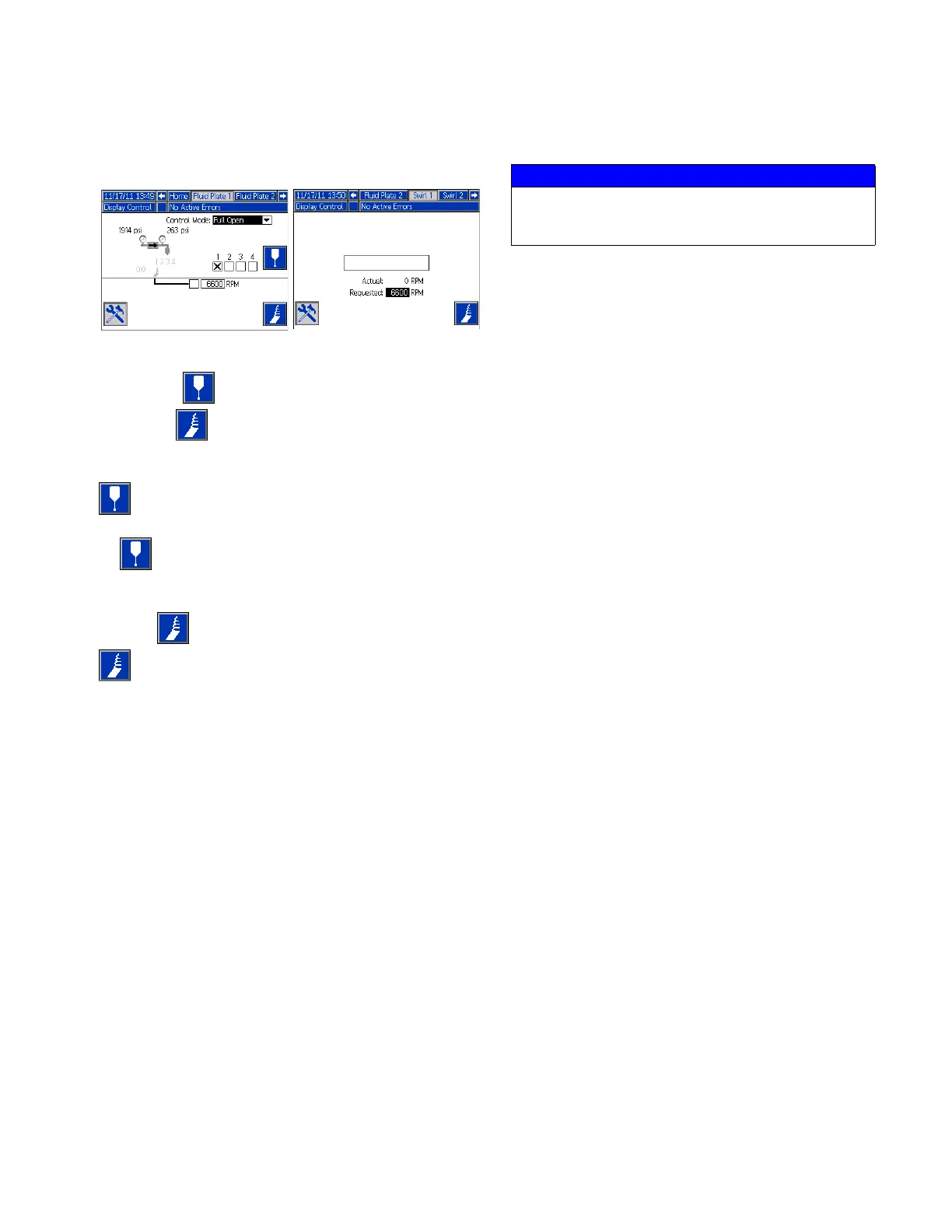
Maintenance Mode Operation
Operating from maintenance mode enables manual
dispensing ( ) and manually starting the swirl
dispenser ( ).
The system begins dispensing when the user presses
. Dispense parameters and duration depend on the
selected control. Dispensing continues for as long
as is pressed.
The system starts the swirl dispenser when the user
presses . The swirl dispenser continues to run until
is pressed again.
There is one maintenance screen for each installed fluid
plate and each installed Swirl. The maintenance
controls for the Swirl are shown on both the Swirl
maintenance screen and on the Fluid Plate
maintenance screen for the fluid plate where the swirl
dispenser is installed.
Verify System Operation
Use maintenance mode to manually check the operation
of the PCF system components before switching over to
automation control (normal operation). See Dispense
From Maintenance Screen, page 47, for instructions
on operating from maintenance mode.
NOTE: Perform the following procedures while in
maintenance mode.
Set Inlet Pressure
The inlet pressure reading should be in the range of
300 psi (2.1 MPa, 21 bar) to 500 psi (3.4 MPa, 34 bar)
above the outlet pressure reading under your highest
flow condition.
Follow steps in the supply system manual to set the inlet
pressure.
Feed System Pressure Drop
During material flow, the regulator inlet pressure
decreases. The amount the pressure decreases is the
amount of pressure lost between the feed pump and the
regulator inlet.
With high viscosity fluids, long line lengths, or small
diameter line sizes this pressure decrease can be
thousands of psi (hundreds of bar). This means that the
static pump pressure is set much higher than the
regulator needs at its inlet. To prevent excessive control
regulator wear or surging, a mastic fluid pressure
regulator is recommended on the feed line close to the
control regulator. The mastic regulator will suppress the
static feed pressure at the control regulator inlet.
Fluid Plate
Maintenance Screen
Swirl
Maintenance Screen
NOTICE
Inlet pressure beyond the recommended range
above will cause accelerated wear on the regulating
valve and the pump feed system.



 To Next Page