Maintenance
82 3A2098S
Upgrade Gateway Module
Fieldbus Map (16N601 or
17P799)
NOTE: The fieldbus connection is temporarily disabled
during the use of a map token. The following instructions
apply to all Gateway modules.
1. Perform Upgrade Gateway Module Software
(16K743). Software must be upgraded before
upgrading the fieldbus map.
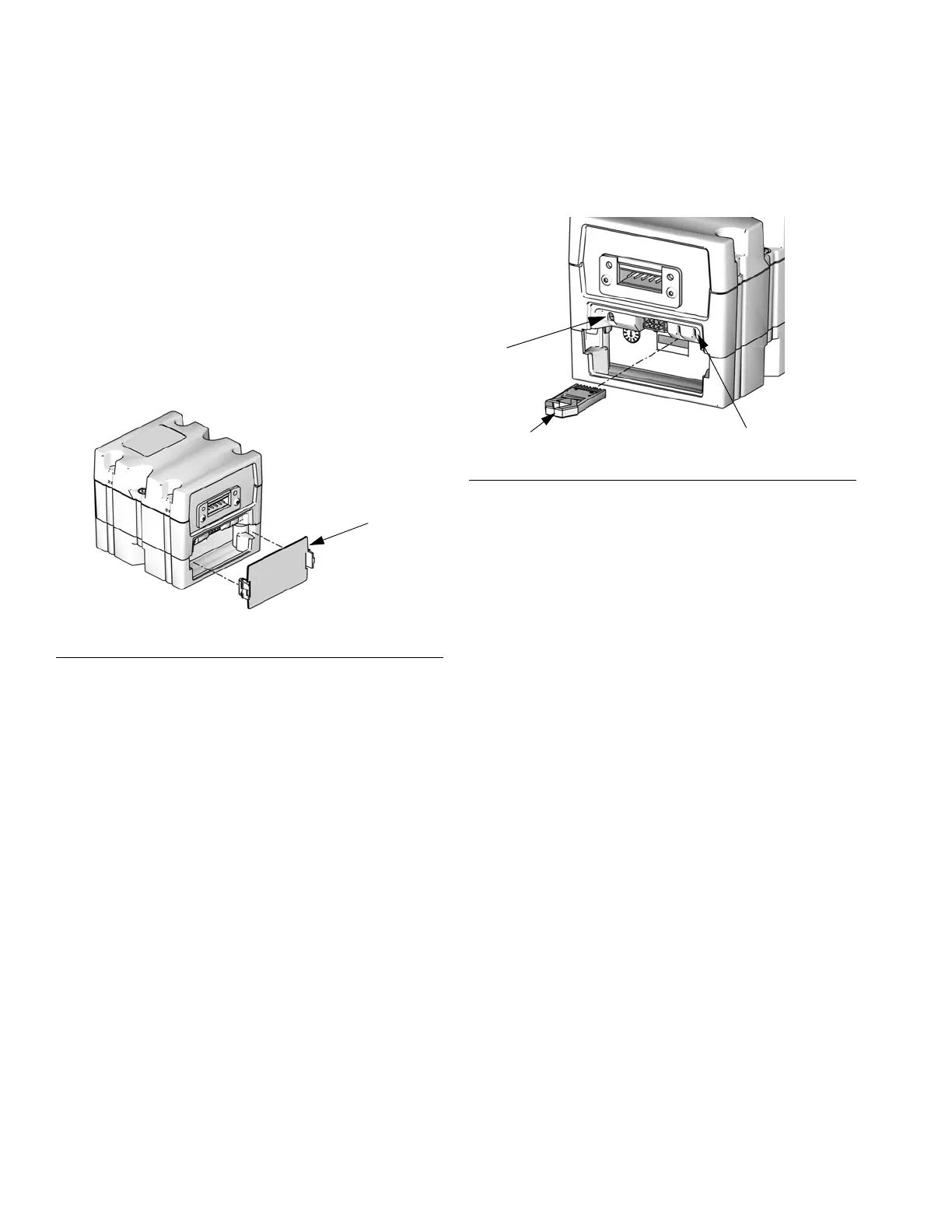
2. Remove the access cover.
3. Insert and press map token firmly into slot.
NOTE: There is no preferred orientation of the token.
4. Press and hold the push button for three seconds
and then release. The red indicator light (CK) will
flash twice, pause, and then once after the data
map is uploaded.
5. Remove map token (CC) when software has
successfully uploaded.
6. Replace access cover.
F
IG. 48: Remove Access Cover
FIG. 49: Insert Token
Token
TI12320A
Push Button
CK



 To Next Page