Maintenance
3A2098S 81
Advanced Display Module
(ADM)
Upgrade Software (16K743)
NOTE: Back up the custom language file (if installed)
before upgrading software. See USB Data, page 63, for
more information.
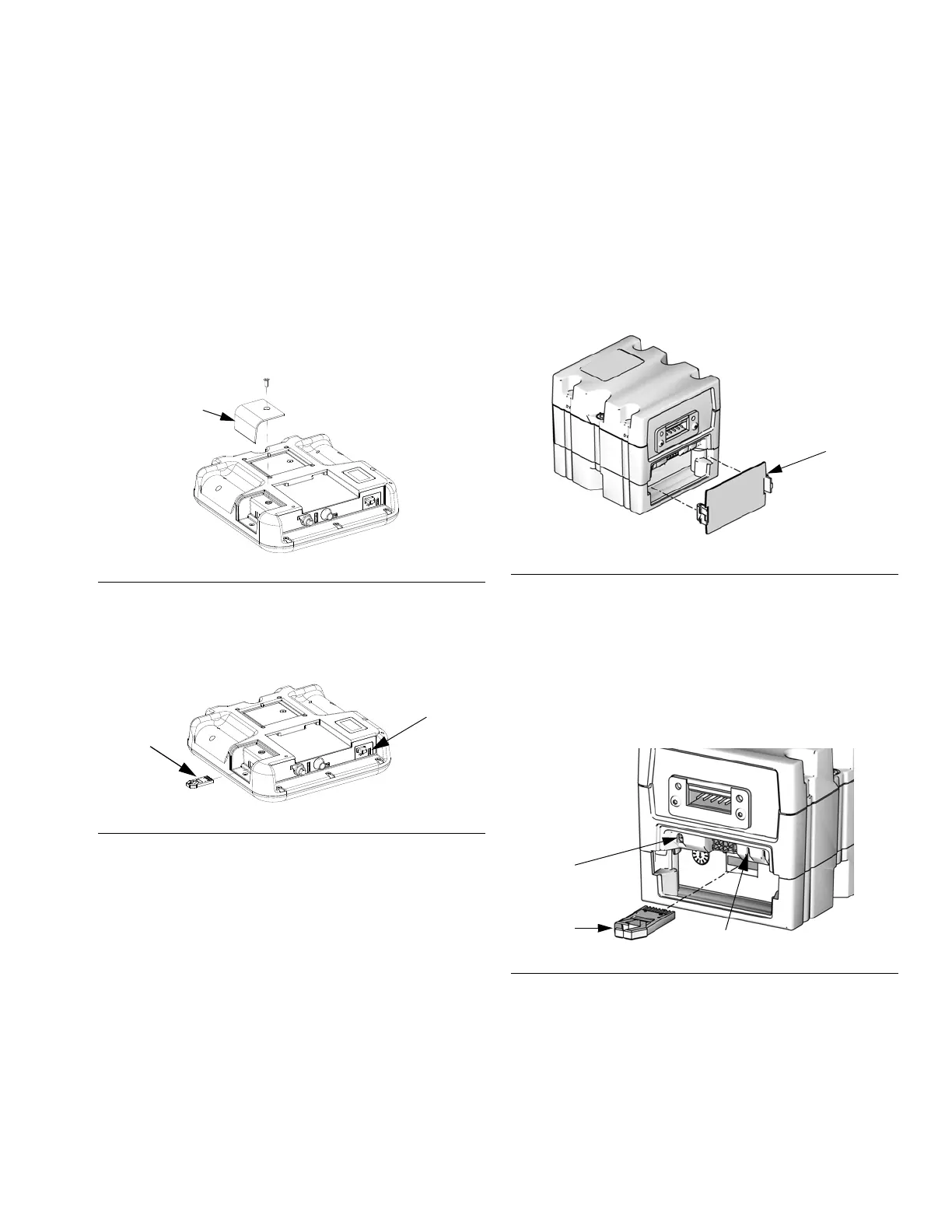
1. Turn off power to the system.
2. Remove token access panel, and then remove the
key token (do not discard token).
3. Insert and press software token firmly into slot.
NOTE: There is no preferred orientation of token.
4. Turn on power to the system. The red indicator light
(BL) will flash until new software is completely
loaded.
5. After the red indicator light shuts off, turn off power
to the system.
6. Remove software token.
7. Reinstall blue key token, and replace token access
panel.
Cleaning
Use any alcohol-based household cleaner, such as
glass cleaner, to clean the display.
Upgrade Gateway Module
Software (16K743)
NOTE: The Gateway module connection to the system
is temporarily disabled during the use of upgrade
tokens. The following instructions apply to all Gateway
modules.
1. Turn off power to the system.
2. Remove the access cover.
3. Insert and press token firmly into slot.
NOTE: There is no preferred orientation of token.
4. Press and hold the button shown in F
IG. 47 for ~1
second, then release. The red indicator light (CK)
will flash until new software is completely loaded.
5. After the red indicator light shuts off, turn off power
to the system.
6. Remove token.
7. Replace access cover.
F
IG. 44: Remove Access Panel
F
IG. 45: Insert Token
r_24E451_3B9900_3a
Access Panel
Token
BL
r_24E451_3B9900_4a
FIG. 46: Remove Access Cover
F
IG. 47: Insert Token
TI12320A
CK
Token
Press Button



 To Next Page