System Setup
3A2098S 41
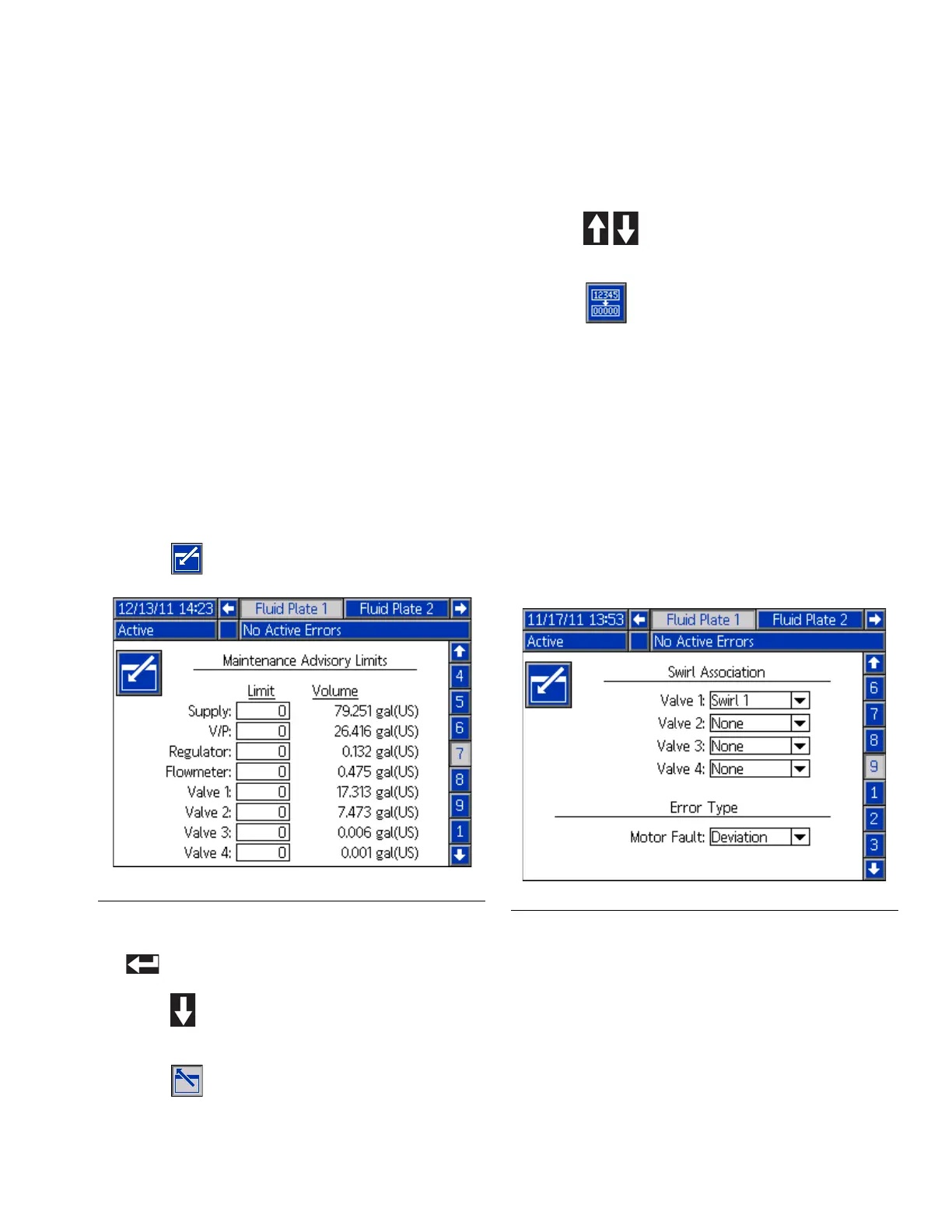
Setup Maintenance
Schedule/Parameters
Set the volume (or hours) limit that will trigger a
maintenance advisory for the fluid supply, Voltage to
Pressure (V/P) Transducer, fluid regulator, flow meter,
and all four valves.
NOTE: Hours is shown instead of Volume for fluid plates
without a flow meter.
The Volume (or Hours) column displays the current
totalizer value. If this value exceeds the set limit, the
value will turn red and a maintenance advisory is issued.
See Fluid Plate x, Screen 7 (Maintenance Advisory
Limits), page 113, for more information about
maintenance totalizers.
To set limits:
1. With the system in setup mode, navigate to the Fluid
Plate x, screen 7 (Maintenance Advisory Limits).
2. Press to access the fields to make changes.
3. Enter the desired limit for the air supply and press
to enter the selection.
4. Press to move to the next field. Repeat Step 4
for each field.
5. Press to exit edit mode.
To reset a totalizer value:
1. Follow Steps 1-3 of To set limits: to make changes
in
Fluid Plate x, screen 7 (Maintenance Advisory
Limits)
.
2. Press to scroll to the system component to
reset.
3. Press to reset the value.
Configure Valve to Swirl
Association and Motor Error
Type
Define which Swirl number is installed on which
dispense valve.
Set the error type (alarm or deviation) that will be issued
if a motor fault occurs. When an alarm occurs, the fluid
plate stops dispensing. When a deviation occurs, the
fluid plate will continue dispensing.
F
IG. 29
FIG. 30



 To Next Page