Repair
84 3A2098S
Repair
Fluid Plate Assembly
This section describes how to remove and replace com-
ponents on the fluid plate assembly.
Prepare Fluid Plate Assembly for
Repair
1. Disconnect the CAN cable from the fluid plate.
2. Perform Pressure Relief Procedure on page 61.
3. Remove the fluid plate assembly shroud. See Fluid
Plate Assembly Parts, page 98.
Repair Flow Meter
For complete flow meter (129) repair instructions refer to
the maintenance and repair section of manual 309834.
NOTE: The Coriolis flow meter is not field repairable.
Remove Flow Meter from Mounting Plate
1. Prepare Fluid Plate Assembly for Repair, page
84.
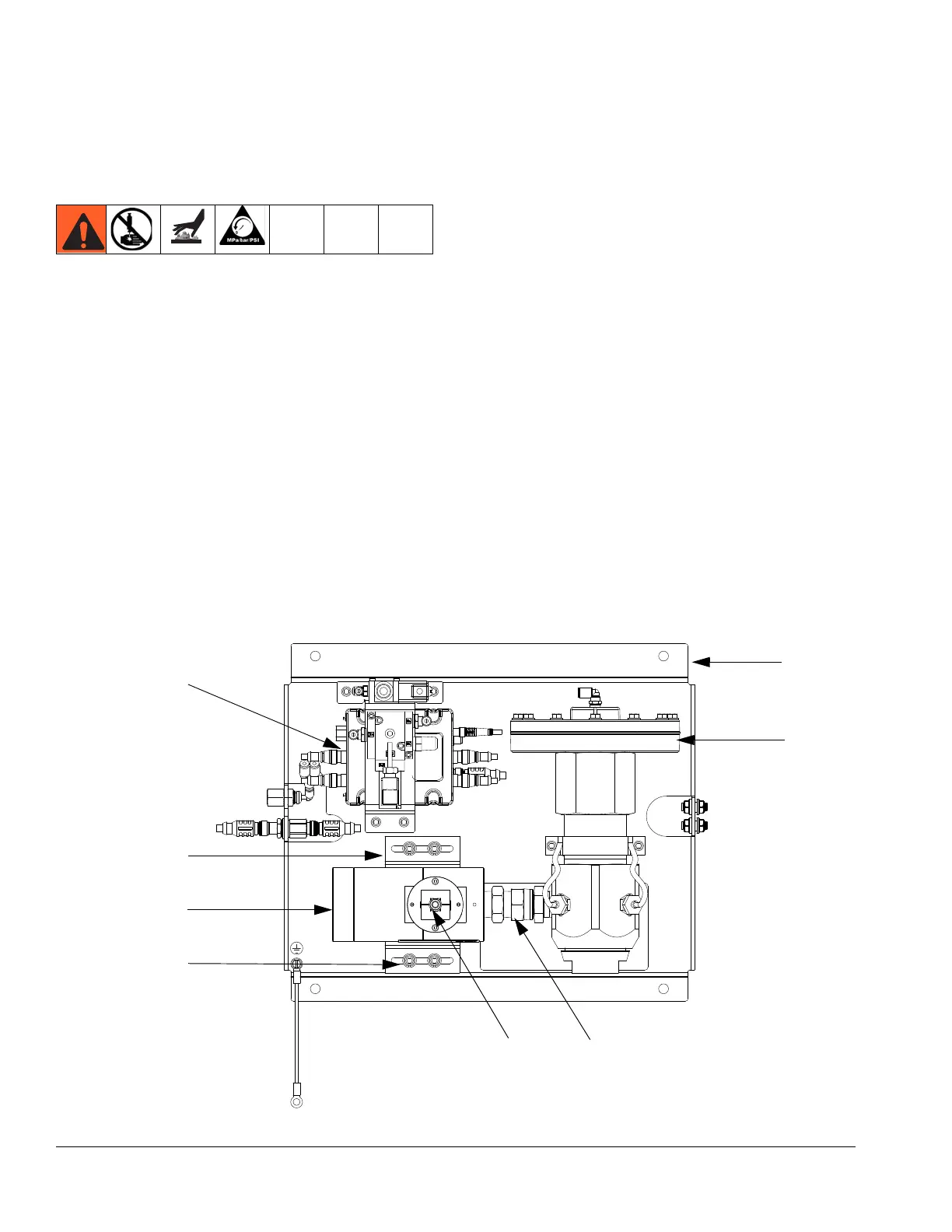
2. Disconnect the flow meter cable (131) from the flow
meter sensor. See F
IG. 52.
3. Disconnect the material hose.
4. Disconnect the swivel fitting (109) from the
regulator.
5. Loosen the four screws (127) and washers (125,
126); remove the bracket (124) and flow meter
(129).
6. The flow meter weighs approximately 15 lbs. (6.75
kg). Carefully lift it off the mounting plate (101).
FIG. 52: Fluid Plate Assembly
129
108
101
124
125, 126, 127
109
131
103
r_pf0000_313377_18a



 To Next Page