syncFURNACE OD Instruction & Installation Manual – Rev 09 Pg. 47 of 81
NAVIGATING THE CONTROLLER:
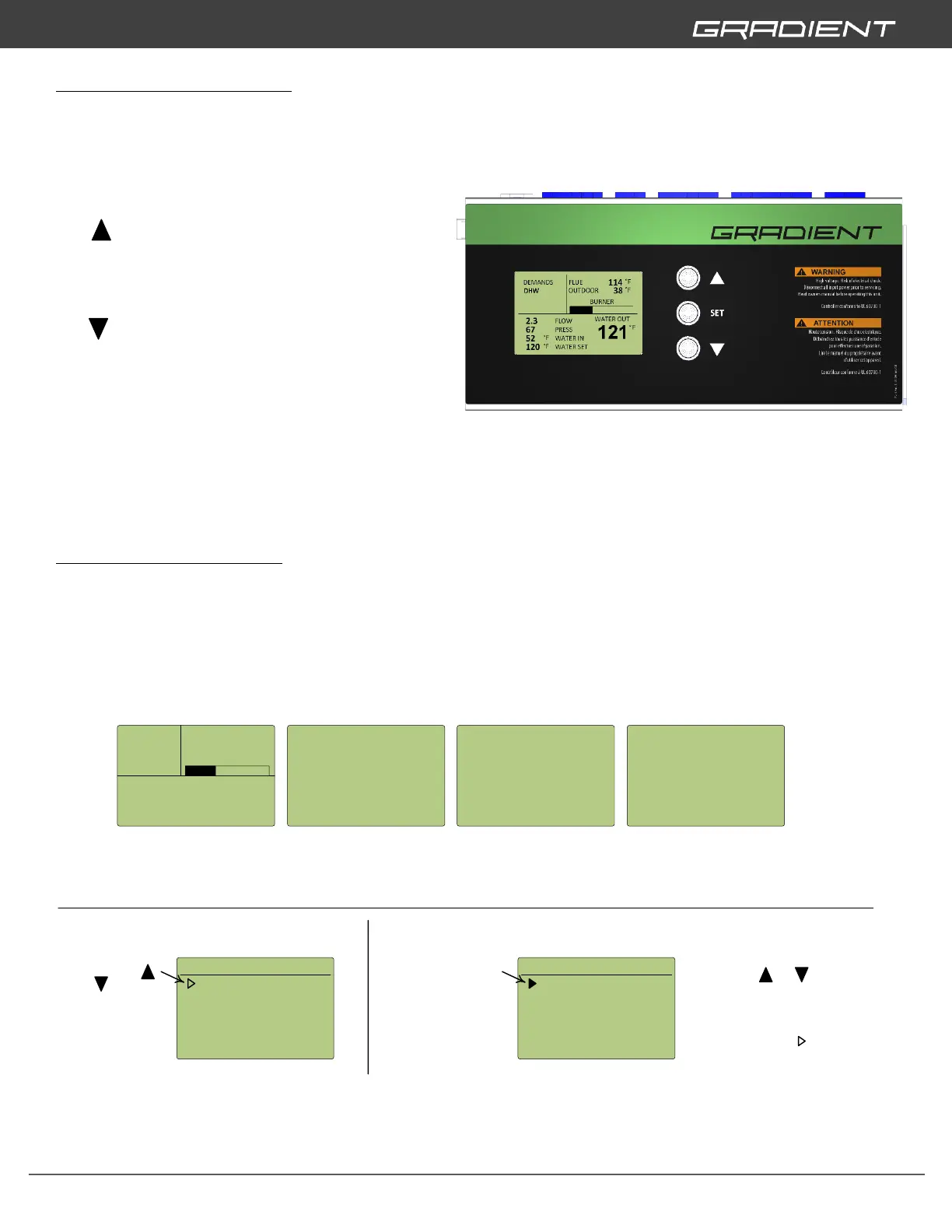
To cycle through the different main boiler
information screens and access to the
syncFURNACE SETUP MENU is achieved by using
the three buttons (and combination thereof)
located to the right of the control screen.
The (UP) button is used to scroll up through
the main boiler information screens, scroll up in
syncFURNACE SETUP MENU screens and increase
the value within specific options.
The (DOWN) button is used to scroll down
through the main boiler information screens,
scroll down in syncFURNACE SETUP MENU
screens and decrease the value within specific
options.
The SET button is used to access the
syncFURNACE SETUP MENU and select or
deselect settings.
MAIN INFORMATION SCREENS:
syncFURNACE has many internal sensors that monitor temperature, pressure, flow-rate, blower speed,
etc. This information is displayed on several main boiler information screens. To access these different
screens the user needs to push the UP or DOWN buttons to advance and cycle through.


 To Next Page